Responsive Logo Design Process A Complete Guide
Responsive logo design process: It’s more than just shrinking a logo; it’s about crafting a visual identity that seamlessly adapts to any screen, from tiny watch faces to massive billboards. We’re talking about logos that look crisp and professional whether viewed on a pixel-dense retina display or a low-resolution older device. This isn’t about compromising on quality; it’s about embracing flexibility and ensuring your brand remains consistent and impactful across all platforms.
This post dives deep into the entire process, from understanding the core principles of responsive design to mastering the technical aspects of file formats and testing. We’ll explore the crucial role of vector graphics, the importance of choosing the right file formats (SVG, PNG, JPG, and more!), and how to refine your logo for optimal performance across various devices.
We’ll even look at real-world examples and future trends, so you can stay ahead of the curve.
Defining Responsive Logo Design
Source: ucannb2b.net
Responsive logo design is the practice of creating logos that adapt seamlessly to various screen sizes and devices. It’s about ensuring your brand’s visual identity remains consistent and impactful whether viewed on a giant billboard, a laptop screen, a smartphone, or even a smartwatch. This isn’t just about shrinking the logo; it’s about intelligently adjusting its elements to maintain clarity, legibility, and visual appeal across all platforms.Responsive logo design is crucial in today’s multi-device world.
A static logo designed for print might look pixelated and distorted on a small screen, losing its impact and potentially damaging brand perception. Conversely, a logo designed solely for digital use might lack the sophistication needed for print materials. The goal is a unified brand experience, regardless of the viewing context.
Scalability and Adaptability in Logo Creation
Scalability refers to a logo’s ability to maintain its visual integrity when enlarged or reduced. A well-designed responsive logo will look sharp and clear at both small and large sizes. Adaptability, on the other hand, encompasses the logo’s ability to adjust its elements – such as color, typography, or even composition – to fit different screen shapes and orientations.
This might involve simplifying the design for smaller screens or re-arranging elements for landscape versus portrait mode. For instance, a complex logo with intricate details might need to be simplified for smaller screens to avoid losing clarity. Conversely, a minimalistic logo might benefit from the addition of subtle details at larger sizes to enhance its visual impact.
This adaptability is key to ensuring the logo remains effective across a wide range of devices and contexts.
Examples of Responsive Logos
The following table showcases examples of logos that successfully adapt to different screen sizes. Note that these are descriptions; actual images are not included as per the instructions.
| Logo Description | Original Size | Adapted Size (Small Screen) | Adapted Size (Large Screen) |
|---|---|---|---|
| A stylized bird with outstretched wings, incorporating a gradient. The design is detailed and intricate. | 1000px x 1000px | 200px x 200px (Simplified gradient, slightly less detail in wing feathers) | 2000px x 2000px (Enhanced gradient, added subtle texture to feathers) |
| A simple geometric logo consisting of overlapping circles in varying shades of blue. | 500px x 500px | 100px x 100px (Maintained color scheme and proportions) | 1000px x 1000px (Added subtle shading and highlights) |
| A text-based logo with a custom typeface. The typeface is elegant and slightly ornate. | 750px x 200px | 150px x 40px (Simplified typeface, retained legibility) | 1500px x 400px (Enhanced typeface details, added subtle drop shadow) |
| An abstract logo with a dynamic, flowing design. It uses a combination of bold colors and thin lines. | 600px x 600px | 120px x 120px (Simplified linework, retained color impact) | 1200px x 1200px (Added subtle animation effects, enhanced color saturation) |
Design Process Stages
Source: co.uk
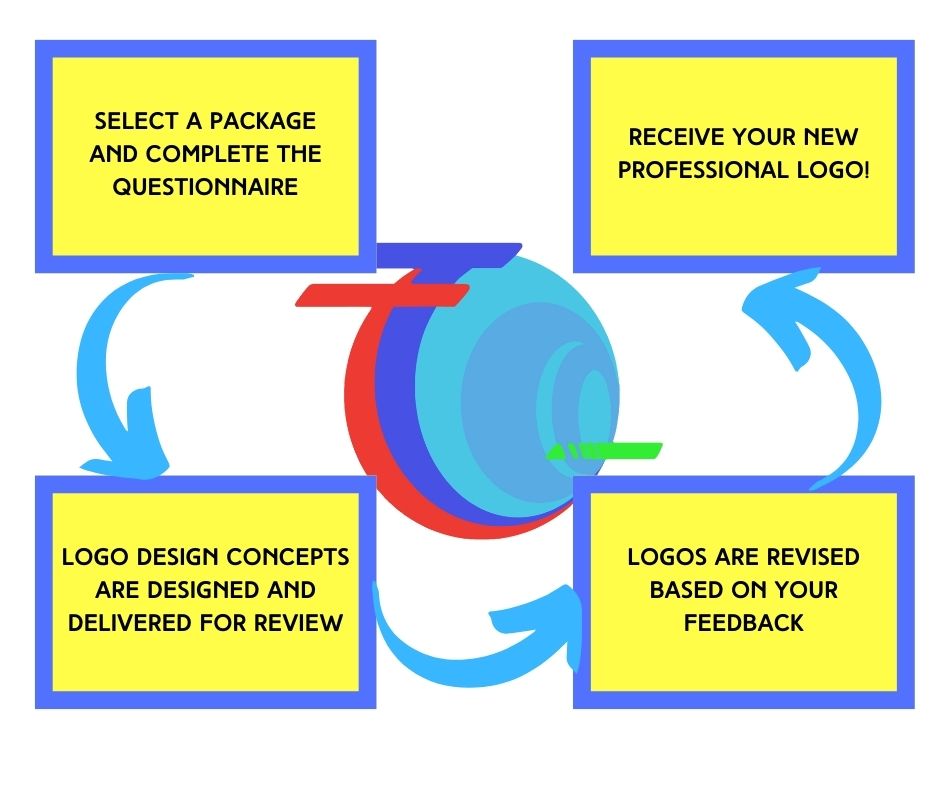
Crafting a responsive logo that scales seamlessly across various platforms requires a meticulous and strategic design process. This isn’t just about shrinking or enlarging an image; it’s about ensuring the logo maintains its visual integrity and brand identity regardless of the screen size or context. The steps Artikeld below provide a framework for creating a truly responsive logo.
- Client Briefing and Research: This initial phase focuses on understanding the client’s brand, target audience, and the intended applications of the logo. Thorough research into the competitive landscape helps establish a unique and memorable brand identity. Key considerations include the brand’s values, mission, and overall aesthetic preferences. A detailed questionnaire and collaborative discussions are crucial for gathering this information.
- Concept Development and Sketching: Based on the client briefing, several logo concepts are developed through sketching and brainstorming. This stage involves exploring different visual styles, typography, and color palettes. The goal is to generate a range of options that reflect the brand’s personality and resonate with the target audience. Exploration of various shapes, symbols, and abstract forms is encouraged to find the perfect visual representation.
- Digital Refinement and Vectorization: Selected sketches are then refined digitally using vector graphics software such as Adobe Illustrator or Inkscape. Vector graphics are essential because they are resolution-independent, meaning they can be scaled to any size without losing quality. This ensures the logo looks crisp and clear on everything from a tiny smartwatch screen to a large billboard. The process involves meticulously cleaning up the lines, perfecting the curves, and ensuring consistency across different elements.
- Color Palette Selection and Typography: Choosing the right color palette and typography is critical for brand recognition and communication. Colors should evoke the desired emotions and align with the brand’s personality. Typography should be legible, memorable, and reflect the brand’s voice. Consider the accessibility of the chosen colors and fonts, ensuring they are easily distinguishable by people with visual impairments. Testing different font pairings and color combinations on various backgrounds is recommended.
- Responsive Testing and Refinement: Once the logo is finalized in vector format, it undergoes rigorous testing across different devices and screen sizes. This ensures the logo maintains its visual appeal and legibility on various platforms, including desktops, laptops, tablets, and smartphones. Adjustments may be needed to optimize the logo’s appearance and readability at different resolutions. This stage often involves using responsive design tools and emulators to simulate different screen sizes and orientations.
- File Preparation and Delivery: The final step involves preparing the logo in various formats suitable for different applications. This includes vector formats (AI, EPS, SVG) for scalability and raster formats (PNG, JPG) for web use. Providing clients with a comprehensive style guide that Artikels logo usage guidelines, color codes, and font specifications is essential for maintaining brand consistency.
The Role of Vector Graphics in Scalability
Vector graphics are crucial for creating responsive logos because they are resolution-independent. Unlike raster graphics (like JPEGs and PNGs), which are made up of pixels, vector graphics are composed of mathematical equations that define lines, curves, and shapes. This means the logo can be scaled to any size without losing quality or becoming pixelated. For example, a vector logo can be displayed flawlessly on a small mobile screen or a large billboard, ensuring consistent brand representation across all platforms.
Designing a responsive logo requires careful consideration of how it scales across various devices. It’s all about ensuring your brand remains recognizable, no matter the screen size – a bit like optimizing your YouTube channel for different viewing experiences, which is why I found getting it on with youtube so helpful. Understanding the principles of effective video optimization translates well to creating a versatile and impactful logo that works just as well on a billboard as it does on a smartwatch.
The ability to scale without quality loss is a defining characteristic that sets vector graphics apart and makes them the preferred choice for logo design.
Choosing the Right File Formats: Responsive Logo Design Process
Picking the perfect file format for your responsive logo is crucial. The wrong choice can lead to blurry images, bloated file sizes, and compatibility issues across different devices and browsers. Understanding the strengths and weaknesses of each common format is key to ensuring your logo looks sharp and loads quickly everywhere.Choosing the right file format involves considering the balance between image quality, file size, and browser compatibility.
Each format has its own unique properties that make it better suited for certain applications. Let’s delve into the details of the most popular choices for logos.
SVG, PNG, and JPG File Format Comparison, Responsive logo design process
The three most common file formats used for logos are Scalable Vector Graphics (SVG), Portable Network Graphics (PNG), and Joint Photographic Experts Group (JPEG or JPG). Each offers a different approach to image representation, impacting their suitability for responsive design.
| File Format | Description | File Size | Image Quality | Browser Compatibility | Suitability for Responsive Design |
|---|---|---|---|---|---|
| SVG | Vector graphic format; uses mathematical equations to define shapes. | Generally small, especially for simple logos. | Crisp and clear at any size; no pixelation. | Excellent; widely supported across all modern browsers. | Excellent; scales perfectly without loss of quality. |
| PNG | Raster graphic format; uses pixels to represent images. Supports transparency. | Can range from small to large, depending on image complexity and resolution. | Good quality, supports lossless compression. | Excellent; widely supported. | Good, but can become pixelated when scaled significantly. |
| JPG | Raster graphic format; uses pixels to represent images. Does not support transparency. | Generally smaller than PNG for the same image, but with some loss of quality. | Good, but uses lossy compression, meaning some detail is lost. | Excellent; widely supported. | Fair; scaling can result in noticeable pixelation and loss of detail. |
SVG Advantages and Disadvantages
SVG’s vector-based nature means it scales infinitely without losing quality. This makes it ideal for responsive design, as the logo will look sharp on any screen size, from a small mobile phone to a large desktop monitor. However, complex SVGs can become quite large, though generally smaller than their raster counterparts at higher resolutions. They also may not be suitable for images with complex photorealistic elements.
PNG Advantages and Disadvantages
PNGs are a good choice for logos with sharp lines and solid colors, especially those requiring transparency (like logos with a background that needs to be transparent). Lossless compression helps maintain image quality, but file sizes can be larger than JPGs. Scaling up a PNG can lead to pixelation, limiting its effectiveness for very responsive designs.
JPG Advantages and Disadvantages
JPGs are generally smaller than PNGs, making them good for fast loading times. However, this comes at the cost of image quality, as JPG uses lossy compression. This makes them less suitable for logos, especially those with fine details or sharp lines, as scaling will amplify imperfections. They also don’t support transparency.
Testing and Refinement
So, you’ve designed your stunning responsive logo – congratulations! But the journey doesn’t end there. The true test of a great responsive logo lies in how it performs across a multitude of devices and screen sizes. This crucial testing and refinement phase ensures your logo looks sharp, clear, and consistent, regardless of where it’s displayed. Think of it as the final polish that transforms a good logo into a truly great one.Testing a responsive logo requires a multifaceted approach, going beyond simply viewing it on your own devices.
Thorough testing reveals subtle inconsistencies that might otherwise go unnoticed, ultimately impacting the brand’s overall visual impact. This iterative process of testing, identifying issues, and refining the design is key to creating a truly impactful and professional logo.
Methods for Testing Responsive Logos
Effective testing involves utilizing a variety of methods to simulate different viewing experiences. This includes using different browsers (Chrome, Firefox, Safari, Edge), operating systems (Windows, macOS, iOS, Android), and devices (desktops, laptops, tablets, smartphones). Screen size variations are also critical; testing should encompass a range from small smartphone screens to large desktop monitors. Consider using browser developer tools to simulate various screen resolutions and device pixel ratios (DPR).
For more comprehensive testing, consider using online responsive design checkers or dedicated testing tools that automatically assess your logo across multiple platforms and devices. These tools often provide detailed reports highlighting potential issues.
Identifying and Addressing Potential Issues
During testing, several common issues may arise. Pixelation occurs when the logo appears blurry or jagged due to scaling or low resolution. This often happens when a logo designed for a high-resolution screen is displayed on a lower-resolution device. Distortion, on the other hand, refers to the logo losing its intended shape or proportions when resized. This can be caused by improper scaling techniques or inflexible design elements.
Color shifts can also occur, with colors appearing different across various devices due to variations in screen calibration and color profiles. Another common problem is the improper scaling of text within the logo, leading to illegibility at smaller sizes. Addressing these issues might involve adjusting the logo’s resolution, optimizing vector graphics, ensuring consistent color profiles, and refining text elements to maintain readability across all screen sizes.
Iterative Refinement and Optimization
Refinement is an iterative process. After the initial testing phase, you’ll likely need to revisit your design and make adjustments based on the identified issues. This might involve optimizing vector graphics for sharper scaling, adjusting color palettes for consistency across devices, or redesigning elements that distort when resized. You may need to repeat the testing process several times until the logo looks and performs consistently well across all targeted platforms.
This iterative approach ensures that the final logo is optimized for visual appeal and brand consistency across all devices and screen sizes. The goal is to achieve a seamless and professional representation of your brand, regardless of the viewing environment.
Visual Considerations for Responsiveness
Creating a responsive logo means ensuring its visual appeal and brand consistency across all screen sizes, from tiny watch faces to expansive desktop monitors. This goes beyond simply scaling the logo down; it requires careful consideration of color palettes, typography, and overall visual hierarchy to maintain a strong and recognizable brand identity regardless of the device.A responsive logo needs to be more than just a shrunk-down version of its larger counterpart.
It requires a strategic approach to visual elements to maintain clarity, impact, and brand recognition across all platforms. Ignoring visual consistency can lead to a diluted brand image and a less impactful user experience.
Color Palette Impact on Responsiveness
The choice of colors in your logo significantly impacts its responsiveness. Complex color gradients or highly detailed color variations can lose their impact or appear muddied when scaled down. Simple, bold color palettes are more effective in maintaining visual clarity and impact across different screen sizes. Consider using solid, high-contrast colors that remain easily distinguishable even at smaller resolutions.
Furthermore, ensure your chosen colors translate well to various display technologies and remain consistent across different color profiles. For example, a logo with subtle color variations might appear washed out on a low-resolution screen or inconsistent across different devices with varying color accuracy. A simplified color palette ensures consistency and clarity regardless of screen size.
Typography’s Role in Responsive Logo Design
Typography plays a crucial role in responsive logo design. Intricate fonts or excessively thin fonts can become illegible when scaled down. Choosing fonts that are easily readable at small sizes is paramount. San-serif fonts generally perform better at smaller sizes because of their cleaner lines and simpler structure. Avoid overly decorative or highly stylized fonts that may lose their detail and become difficult to read when reduced.
Additionally, consider the kerning (spacing between letters) and tracking (spacing between words) as these can be affected by scaling and may require adjustments for optimal readability at different sizes. A well-chosen font will remain legible and aesthetically pleasing across all resolutions.
Maintaining Visual Consistency Across Screen Sizes
Maintaining visual consistency across different screen sizes requires a strategic approach to design choices.
- Simplify complexity: Reduce the number of elements in your logo. Overly detailed logos lose their clarity when scaled down. Focus on core elements and remove any unnecessary details.
- Vector graphics: Utilize vector graphics (SVG) for your logo. Vector graphics are resolution-independent, meaning they can be scaled to any size without losing quality. Raster images (JPEG, PNG) will pixelate when enlarged or reduced.
- Strategic use of whitespace: Appropriate use of whitespace is crucial. It helps maintain balance and readability, even at smaller sizes. Avoid overcrowding elements.
- Test across devices: Thoroughly test your logo on a variety of devices and screen sizes to ensure consistency and readability. This includes different browsers and operating systems.
- Consider minimum size: Determine the minimum size your logo needs to be to remain recognizable and legible. This will guide your design choices and ensure it works well even on smaller screens.
Real-World Examples and Case Studies
Seeing responsive logo design in action is crucial to understanding its effectiveness. Successful implementations demonstrate how adaptability enhances brand recognition and user experience across various platforms. Let’s examine some real-world examples to illustrate key techniques and their impact. These examples showcase how designers strategically adapt logos to maintain visual consistency and brand integrity while optimizing for different screen sizes and contexts.
Many companies have successfully implemented responsive logo design, adapting their visual identities to seamlessly fit various digital spaces. These adaptations often involve simplifying elements, adjusting spacing, or using scalable vector graphics (SVGs) to maintain clarity at all sizes. The following case studies highlight successful strategies and their outcomes.
Responsive Logo Design Case Studies
The following table presents a selection of successful responsive logo designs, highlighting the techniques employed and evaluating their effectiveness. The effectiveness is assessed based on maintaining brand recognition, visual clarity across different screen sizes, and overall user experience.
| Logo Name | Designer/Company | Responsive Design Techniques | Effectiveness Evaluation |
|---|---|---|---|
| Dropbox | Dropbox Design Team | Uses a simplified, minimalist approach across all sizes. The iconic box remains central, while the text is scaled appropriately. Vector graphics ensure sharp rendering at any resolution. | Highly effective. The logo remains recognizable and clean across all devices, maintaining brand consistency without sacrificing clarity. |
| Airbnb | Airbnb Design Team | Employs a modular design, allowing elements (the icon and text) to be scaled and adjusted independently. The logo maintains its core visual identity while adjusting its proportions for optimal display on different screen sizes. | Very effective. The logo retains its character while adapting to various contexts, contributing to strong brand recognition across platforms. |
| Slack | Slack Design Team | Utilizes a highly simplified, icon-based approach that scales effortlessly. The color palette remains consistent, ensuring brand recognition even with minimal detail at smaller sizes. | Highly effective. The minimal design ensures excellent readability and scalability, making the logo easily recognizable across diverse platforms. |
| Spotify | Spotify Design Team | Employs a scalable vector graphic (SVG) for its main logo, allowing for seamless scaling without loss of quality. The color scheme and overall shape remain consistent, ensuring brand recognition. | Highly effective. The use of SVGs guarantees sharp rendering at all sizes, maintaining visual fidelity and brand consistency. |
Future Trends in Responsive Logo Design
The world of logo design is constantly evolving, driven by technological advancements and shifting aesthetic preferences. Responsive logo design, already crucial for consistent brand presentation across various platforms, is poised for even greater transformation in the coming years. We’re moving beyond simple scalability to logos that are truly dynamic and interactive, reflecting a deeper understanding of user experience and technological capabilities.The increasing sophistication of AI and machine learning will significantly impact how logos are designed and implemented.
These technologies are not just about automation; they offer the potential for personalized logo experiences and unprecedented levels of optimization for different contexts.
Artificial Intelligence and Machine Learning in Logo Design
AI and machine learning are poised to revolutionize the creation and adaptation of responsive logos. AI-powered tools can analyze vast datasets of design trends, user preferences, and brand guidelines to generate logo concepts that are both aesthetically pleasing and strategically effective. Furthermore, machine learning algorithms can dynamically adjust logo elements based on real-time data, such as the user’s device, context, or even emotional state.
Imagine a logo that subtly changes its color palette to match the user’s mood or dynamically adjusts its complexity based on screen size, ensuring optimal visual impact across all platforms. This level of personalization could lead to a more engaging and memorable brand experience. For example, a fashion brand could use AI to generate unique logo variations for each user based on their past purchases and browsing history, creating a sense of personalized connection.
The Rise of Interactive and Animated Logos
Static logos are becoming increasingly less common. The future of responsive logo design leans heavily towards interactive and animated elements. This isn’t about overly complex animations; instead, it’s about subtle, elegant movements that add depth and engagement without being distracting. Think micro-interactions, subtle transitions, and responsive animations that enhance the user experience. For example, a simple animation could reveal a hidden element of the logo when a user hovers over it, or a subtle color shift could indicate a change in the brand’s status.
This trend will require designers to master animation techniques and consider the subtle ways motion can enhance brand identity. The successful implementation of interactive logos will hinge on balancing aesthetic appeal with functional utility.
Increased Emphasis on Accessibility and Inclusivity
As awareness of accessibility grows, responsive logo design will place a greater emphasis on inclusivity. This means ensuring logos are easily perceived and understood by individuals with disabilities. This includes optimizing color contrast for users with visual impairments, providing alternative text descriptions for screen readers, and considering the needs of users with motor impairments. Designers will need to familiarize themselves with accessibility guidelines (like WCAG) and integrate them seamlessly into the design process.
For instance, a logo might incorporate simplified shapes and clear color contrasts to ensure readability for users with low vision. This shift towards inclusive design is not merely a matter of compliance; it’s a fundamental aspect of creating truly effective and universally appealing branding.
Augmented and Virtual Reality (AR/VR) Integration
The integration of augmented and virtual reality technologies will create exciting new opportunities for responsive logo design. Imagine logos that become interactive experiences within AR/VR environments, providing users with a richer and more immersive brand interaction. This could involve 3D models, animated elements, or even interactive games, all centered around the brand’s logo. While this is still a relatively nascent area, its potential is vast.
A museum, for example, could use AR to overlay interactive elements onto its logo, providing users with additional information about its exhibits when they point their smartphones at the logo. This integration will require designers to think beyond traditional two-dimensional design constraints and explore the possibilities of three-dimensional and interactive experiences.
Closure
Creating a truly responsive logo isn’t a one-size-fits-all solution. It requires careful planning, a deep understanding of design principles, and a commitment to testing and refinement. But the payoff is huge. A responsive logo ensures your brand maintains a consistent, high-quality presence across all platforms, strengthening brand recognition and leaving a lasting positive impression. So, are you ready to create a logo that truly shines, regardless of the screen?
FAQ Insights
What’s the difference between a responsive logo and a regular logo?
A regular logo is designed for a specific size and may look pixelated or distorted when scaled. A responsive logo is designed to adapt and maintain its quality across different screen sizes and resolutions.
How much does responsive logo design cost?
The cost varies greatly depending on the designer’s experience, the complexity of the logo, and the scope of the project. Expect to pay more for a comprehensive, fully responsive solution.
Can I create a responsive logo myself?
You can try, but it requires design skills and knowledge of vector graphics and file formats. Using a vector-based program is essential. If you lack experience, hiring a professional is recommended for best results.
What if my existing logo isn’t responsive?
You can either redesign it from scratch using vector graphics or have a designer adapt your current logo to be responsive. The best approach depends on the existing logo’s design and your budget.