Collaboration Workflow for Clients Streamlining Success
Collaboration workflow for clients is no longer a luxury; it’s a necessity for project success. In today’s fast-paced business world, efficiently managing client relationships and projects is crucial. This post dives into the strategies, tools, and best practices to build a seamless and productive collaboration workflow that will leave both you and your clients feeling happy and satisfied.
We’ll explore various communication styles, project management software options, and methods for optimizing your processes to minimize delays and maximize results. Get ready to transform your client collaborations!
We’ll cover everything from defining clear communication strategies and selecting the right collaboration tools to optimizing your workflow and measuring success. We’ll also look at different project management methodologies and how to adapt them to your specific client needs. By the end of this post, you’ll have a solid understanding of how to build a robust and effective client collaboration workflow that will help you deliver exceptional results.
Defining Client Collaboration
Source: gainapp.com
Client collaboration is the cornerstone of successful project delivery. It’s more than just sending emails back and forth; it’s about fostering a shared understanding, open communication, and a unified approach between your team and your client throughout the project lifecycle. This collaborative spirit ensures everyone is on the same page, leading to higher quality deliverables and a more satisfying experience for all involved.Effective client collaboration hinges on several key components.
Clear communication channels are essential, ensuring consistent and timely updates. A well-defined project scope, outlining expectations and deliverables, prevents misunderstandings and keeps everyone focused. Regular feedback loops allow for adjustments and course correction, minimizing the risk of costly rework. Finally, the use of appropriate collaboration tools significantly streamlines the process, making communication and file sharing more efficient.
Core Components of Effective Client Collaboration Workflows
Effective client collaboration workflows rely on a combination of strategies and tools. Open and transparent communication is paramount, utilizing methods such as regular meetings, project management software, and instant messaging platforms. A clearly defined project scope, including deliverables, timelines, and responsibilities, helps to align expectations and prevent scope creep. Regular feedback mechanisms, including progress reports and client reviews, allow for timely adjustments and ensure the project stays on track.
Finally, the use of collaborative tools, such as shared document editors and project management software, facilitates seamless information sharing and collaboration.
Benefits of Streamlined Client Collaboration for Project Success
Streamlined client collaboration significantly enhances project success. Improved communication reduces misunderstandings and delays, leading to faster project completion. Enhanced transparency fosters trust and builds stronger client relationships. Early identification of issues and risks allows for proactive mitigation, minimizing disruptions and cost overruns. Increased client involvement ensures the final product aligns perfectly with their needs and expectations, resulting in higher client satisfaction.
Ultimately, efficient collaboration leads to better project outcomes and stronger client partnerships.
Examples of Different Client Collaboration Models
Different project methodologies necessitate different approaches to client collaboration. Two prominent models are Agile and Waterfall.
| Model Name | Strengths | Weaknesses | Best-Suited Projects |
|---|---|---|---|
| Agile | Flexibility, adaptability to change, frequent feedback loops, high client involvement. | Requires strong client commitment and participation, can be challenging for projects with fixed requirements. | Projects with evolving requirements, software development, web applications. |
| Waterfall | Structured approach, clear phases, well-defined deliverables, easy to manage. | Less flexible, difficult to accommodate changes, less client involvement during development. | Projects with clearly defined requirements, construction projects, manufacturing processes. |
Communication Strategies
Effective communication is the bedrock of any successful client collaboration. A clear, consistent, and proactive approach to communication builds trust, minimizes misunderstandings, and ensures everyone is on the same page throughout the project lifecycle. This directly impacts project timelines, budgets, and ultimately, client satisfaction.Clear and Concise Communication Best PracticesEffective communication involves more than just sending emails; it’s about actively listening, understanding client needs, and conveying information in a way that is easily digestible and actionable.
This requires careful consideration of the message, the medium, and the audience.
Setting Expectations and Managing Client Feedback
Setting clear expectations from the outset is crucial. This includes outlining project timelines, deliverables, communication protocols, and roles and responsibilities. A well-defined project scope helps prevent scope creep and keeps the project on track. Managing client feedback effectively requires actively soliciting it at various stages, providing timely responses, and clearly explaining how feedback is being incorporated (or why it might not be, with clear justification).
Regular progress reports and transparent communication regarding any challenges encountered are key to maintaining client confidence and managing expectations. For example, if a delay is anticipated, proactively communicating this to the client, along with a revised timeline and a clear explanation of the cause, is far more effective than springing a surprise delay upon them.
Sample Communication Plan
A comprehensive communication plan should be in place for every project. This plan should Artikel key touchpoints throughout the project lifecycle.
| Project Phase | Communication Touchpoint | Communication Method |
|---|---|---|
| Project Initiation | Kick-off meeting to discuss project scope, timelines, and expectations. | Video conference, email confirmation |
| Design & Development | Weekly progress reports highlighting key milestones achieved and upcoming tasks. | Email with progress summary and visual updates |
| Testing & QA | Regular updates on testing progress, including identification and resolution of any bugs. | Project management software updates, email notifications |
| Deployment & Launch | Final review and approval of deliverables before launch. Post-launch communication to address any initial issues. | Video conference, email, project management software |
| Post-Launch Support | Ongoing communication to address any questions or concerns, and gather feedback for future improvements. | Email, help desk ticketing system, phone support |
Communication Channels and Suitability
Choosing the right communication channel is vital for effective collaboration. Different channels are better suited for various project needs and client preferences.
- Email: Suitable for sharing documents, updates, and formal communications. Best for asynchronous communication.
- Video conferencing: Ideal for collaborative brainstorming sessions, presentations, and real-time feedback. Facilitates quick resolution of issues and builds rapport.
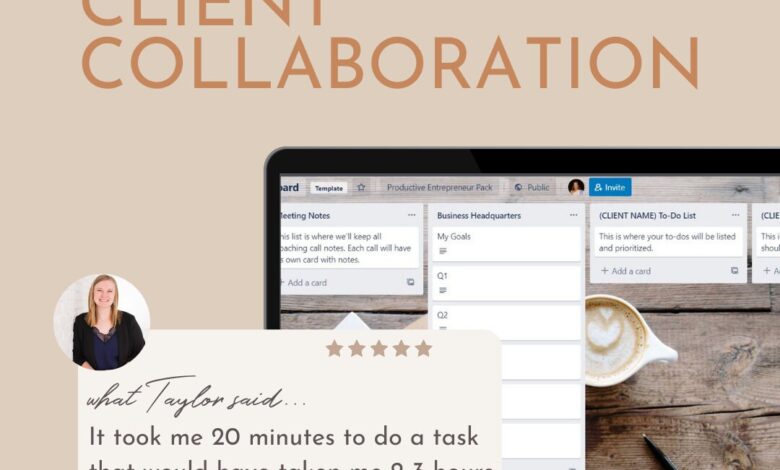
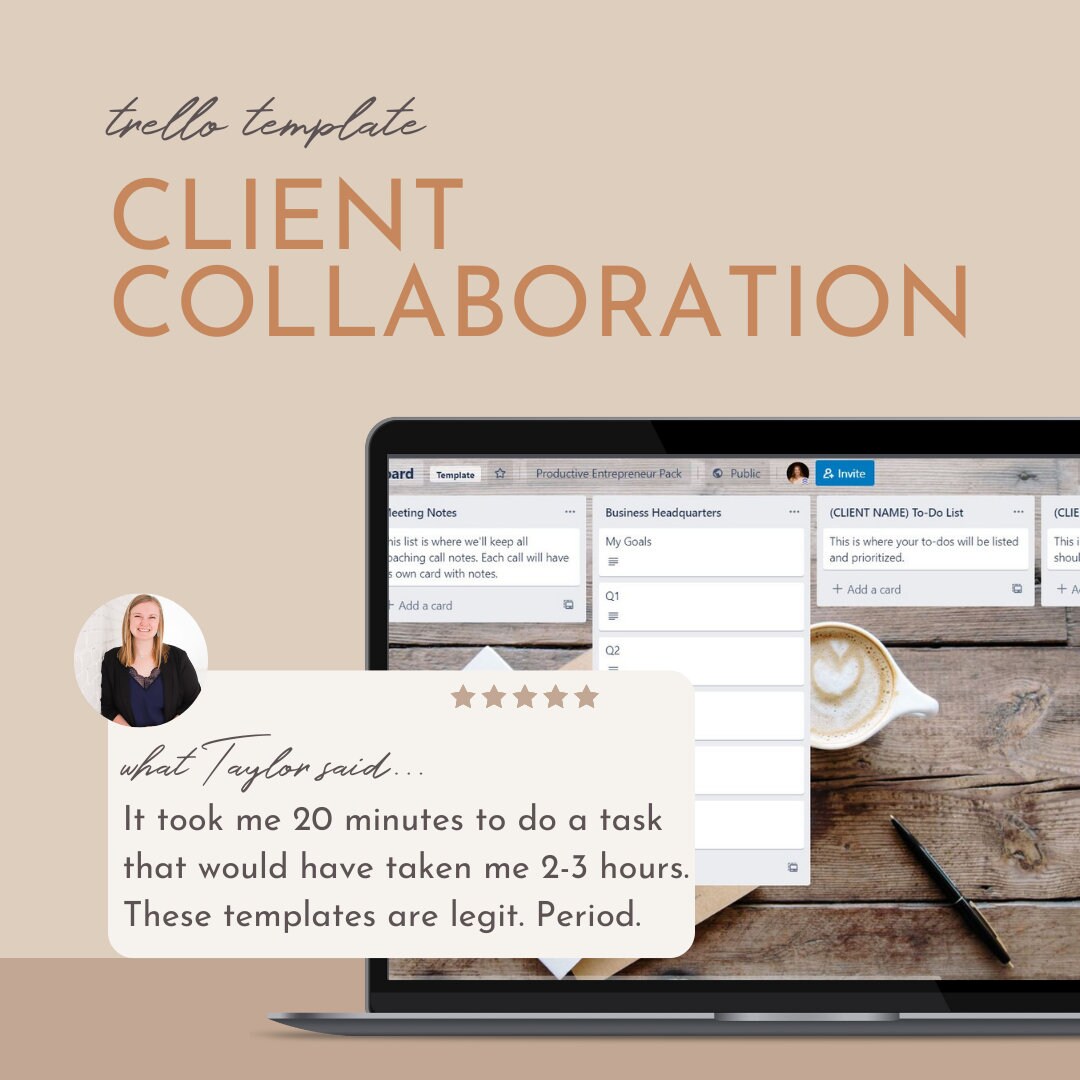
- Project management software (e.g., Asana, Trello, Jira): Excellent for centralizing communication, tracking progress, and managing tasks. Offers transparency and keeps everyone informed.
- Instant messaging (e.g., Slack, Microsoft Teams): Suitable for quick questions, updates, and informal discussions. Facilitates immediate responses and fosters a more agile workflow.
- Phone calls: Useful for addressing complex issues that require detailed explanations or sensitive discussions. Allows for more personal interaction.
Tool Selection and Integration
Choosing the right collaboration tools is crucial for smooth client workflows. The ideal suite will depend on your team’s size, project complexity, and budget. A well-integrated system streamlines communication, improves project visibility, and ultimately enhances client satisfaction. Poor tool selection, however, can lead to confusion, duplicated efforts, and missed deadlines.
Project Management Software Comparison
Selecting the appropriate project management software is paramount for efficient client collaboration. Different tools cater to different needs and workflows, so careful consideration is vital. Below is a comparison of three popular options, focusing on features relevant to client collaboration.
| Tool Name | Key Features | Pricing Model | Integration Capabilities |
|---|---|---|---|
| Asana | Task management, project timelines, communication features (comments, @mentions), file sharing, customizable workflows, client dashboards (limited visibility options available depending on plan), reporting. | Free plan available; paid plans with increased features and user limits. | Integrates with various tools including Slack, Google Drive, Dropbox, and many others. |
| Trello | Kanban-style boards, visual task management, simple interface, easy collaboration through card comments and attachments, power-ups extend functionality, limited reporting capabilities compared to other tools. | Free plan available; paid plans offer more features and integrations. | Integrates with many tools, including Slack, Google Drive, and Jira. |
| Monday.com | Highly visual project management, customizable workflows, automation features, time tracking, robust reporting features, dedicated client portals with tailored views. | Primarily subscription-based with various plans offering different features and user limits. | Integrates with numerous tools including Slack, Google Drive, Dropbox, and many others. |
Integrating Chosen Tools into Existing Workflow
Integrating new tools requires a structured approach to minimize disruption and maximize benefits. A phased rollout ensures a smooth transition and allows for adjustments based on feedback.
- Planning Phase: Identify current workflow bottlenecks and areas where new tools can improve efficiency. Select tools based on your needs and budget, considering integrations with existing systems. Communicate the plan to your team and clients, emphasizing the benefits of the changes.
- Training and Onboarding: Provide comprehensive training to your team and relevant clients on how to use the new tools. Focus on key features and functionalities relevant to their roles. Offer ongoing support and resources.
- Pilot Program: Start with a small-scale implementation of the new tools on a single project or with a select group of clients. This allows for testing and refining processes before full-scale rollout.
- Monitoring and Evaluation: Continuously monitor the effectiveness of the integrated tools. Collect feedback from both your team and clients. Make necessary adjustments to processes and configurations based on this feedback.
- Full Implementation: Once the pilot program is successful, gradually roll out the new tools to all projects and clients. Continue monitoring and making adjustments as needed.
Workflow Optimization
Client collaboration workflows, while designed to foster seamless project execution, often encounter roadblocks that hinder efficiency and productivity. Understanding these bottlenecks and implementing strategic improvements is crucial for delivering projects on time and within budget. This section delves into common issues, offers solutions for streamlining processes, and presents a visual model of an optimized workflow.
Common Bottlenecks in Client Collaboration Workflows
Inefficient communication, unclear roles and responsibilities, and a lack of standardized processes are frequently cited as major obstacles. For example, relying solely on email for communication can lead to information overload, misinterpretations, and delays in decision-making. Unclear roles can cause duplicated effort and conflicting actions, while inconsistent processes result in confusion and wasted time. Furthermore, a lack of readily available project information creates friction and necessitates repeated requests for clarification.
These issues collectively impact project timelines and client satisfaction.
Streamlining Processes for Improved Efficiency, Collaboration workflow for clients
To address these bottlenecks, several strategies can be employed. Implementing a centralized project management system provides a single source of truth for all project-related information, including documents, communication threads, and task assignments. This eliminates the need for searching through multiple inboxes or file shares. Establishing clear roles and responsibilities, documented in a project charter or RACI matrix (Responsible, Accountable, Consulted, Informed), ensures everyone understands their contributions and prevents overlap.
Standardizing processes, such as using templates for project proposals, reports, and meeting agendas, ensures consistency and reduces the time spent on repetitive tasks. Finally, regular check-ins and progress meetings facilitate proactive problem-solving and maintain open communication.
Optimized Workflow Visual Representation
Imagine a flowchart. The process begins with the Initiation Phase, where the client brief is received and a project plan is developed. This phase involves the project manager and key stakeholders from both the client and service provider sides. Next is the Planning Phase, where detailed tasks are assigned, timelines are established, and resources are allocated. This is a collaborative effort between the project manager and team members.
The Execution Phase follows, where the team works on the assigned tasks, regularly updating progress within the project management system. The project manager monitors progress and addresses any roadblocks. The Review Phase involves regular client check-ins, feedback sessions, and iterative revisions. The project manager facilitates communication and ensures alignment between the client’s vision and the project’s output. Finally, the Completion Phase includes final approvals, project documentation archiving, and a post-project evaluation.
Smooth client collaboration workflows are key to any successful project, and clear communication is half the battle. For video projects, especially those involving YouTube, a strong process is essential. Check out this guide on getting it on with YouTube to understand the platform better, which will massively improve your workflow and ultimately, client satisfaction. Ultimately, a streamlined process ensures everyone’s on the same page, leading to happier clients and better results.
Proactive Problem-Solving and Conflict Resolution Strategies
Proactive problem-solving involves anticipating potential challenges and implementing preventive measures. This includes establishing clear communication protocols, setting realistic expectations, and building strong client relationships. Regular status meetings and progress reports allow for early identification and resolution of issues. For conflict resolution, a structured approach is crucial. This involves clearly defining the problem, identifying the root cause, exploring potential solutions collaboratively, and reaching a mutually agreeable resolution.
Mediation or facilitation may be necessary in complex situations. Establishing a clear escalation path ensures timely intervention if issues cannot be resolved at lower levels.
Measuring Success and Iteration
Successfully collaborating with clients isn’t just about completing projects; it’s about building strong, lasting relationships and achieving mutual goals. This requires a robust system for measuring the effectiveness of your collaboration workflow and iterating based on the results. By tracking key performance indicators (KPIs) and actively seeking client feedback, you can continuously improve your processes and deliver exceptional results.Effective measurement involves tracking specific metrics to understand what’s working and what needs improvement.
This allows for data-driven decision-making, leading to more efficient and successful client collaborations in the future. A structured feedback system ensures client voices are heard and their needs are met, fostering trust and stronger partnerships.
Key Performance Indicators (KPIs) for Client Collaboration
Choosing the right KPIs is crucial for accurately assessing the success of your client collaboration efforts. These metrics should reflect the key objectives of the collaboration, providing a clear picture of progress and areas for improvement. Some examples include project completion rates, client satisfaction scores, time spent on communication, and the number of revisions required. Tracking these KPIs provides quantifiable data to assess performance.
Client Feedback Collection and Utilization
A well-designed system for collecting client feedback is essential for continuous improvement. This system should incorporate multiple touchpoints throughout the project lifecycle, allowing for regular feedback collection. Methods include post-project surveys, mid-project check-in calls, and informal feedback channels like instant messaging. Analyzing this feedback allows you to identify trends, address concerns promptly, and make necessary adjustments to your workflow.
For example, consistent negative feedback regarding response times might indicate a need to improve internal communication or allocate more resources to client communication.
Examples of Successful Client Collaboration Strategies
A software company implemented a daily stand-up meeting with their client, allowing for immediate issue resolution and proactive communication. This significantly reduced project delays and improved client satisfaction. The result? A 20% reduction in project completion time and a 15% increase in client satisfaction scores, as measured by post-project surveys. Another example is a marketing agency that used a project management tool with integrated communication features.
This centralized communication, improved transparency, and reduced the number of emails required for project updates, resulting in a 30% increase in project efficiency.
Adapting and Improving the Collaboration Workflow
Regularly reviewing performance data, both quantitative (KPIs) and qualitative (client feedback), is crucial for adapting your workflow. For example, if client feedback consistently highlights a lack of clarity in project updates, you might implement more frequent and detailed progress reports. Similarly, consistently high revision rates could signal a need for improved initial design specifications or a more thorough requirements gathering process.
By analyzing data and incorporating client feedback, you can continuously refine your processes, optimizing efficiency and improving client satisfaction. This iterative approach ensures your collaboration workflow remains effective and adaptable to changing project needs and client expectations.
Last Point
Source: etsystatic.com
Mastering the art of client collaboration is a journey, not a destination. By implementing the strategies Artikeld above – from clear communication and the right tools to process optimization and consistent feedback – you can significantly enhance your project outcomes and cultivate stronger client relationships. Remember that continuous improvement is key; regularly review your workflow, solicit client feedback, and adapt your approach to ensure you’re always operating at peak efficiency.
The payoff? Happier clients, smoother projects, and ultimately, a more successful business.
Query Resolution: Collaboration Workflow For Clients
What if my client is unresponsive?
Proactive communication is key. Schedule regular check-ins, use multiple communication channels, and clearly Artikel consequences of delays in your contracts. Sometimes, a quick phone call can resolve misunderstandings faster than emails.
How do I handle client disagreements?
Establish clear decision-making processes upfront. Document everything, remain calm and professional, focus on finding solutions, and be prepared to compromise where necessary. Mediation might be necessary in some cases.
What if a project goes over budget?
Transparent communication is crucial. Explain the reasons for the cost overrun, propose solutions, and work collaboratively with the client to find a mutually agreeable resolution. Be prepared to adjust your scope or timeline.
How can I ensure data security during client collaboration?
Use secure file-sharing platforms and collaboration tools that offer encryption and access controls. Clearly define data ownership and usage rights in your contracts.