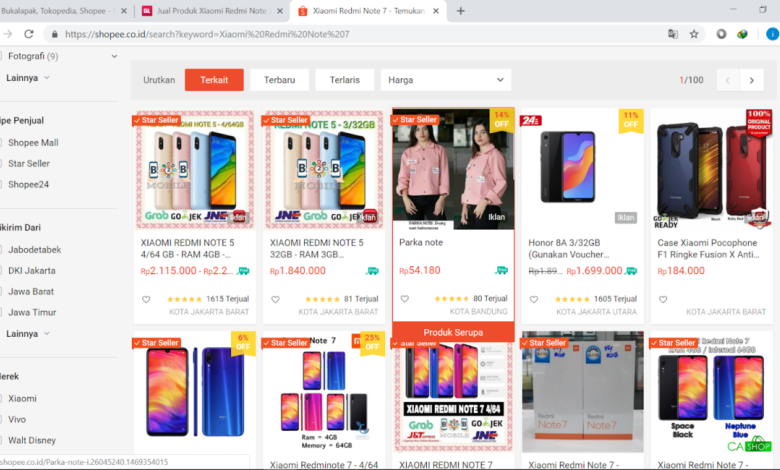
What is Bad Design Examples?
What is bad design examples? That’s a question that gets to the heart of user experience, impacting everything from websites and apps to everyday objects. We often take good design for granted, but a poorly designed product or service can be frustrating, inefficient, and even dangerous. This post dives into the world of bad design, exploring its various forms and consequences.
We’ll look at examples of bad website navigation that leaves users lost, apps with confusing interfaces, and everyday objects that just don’t work intuitively. We’ll also explore the financial and ethical implications of poor design choices, showcasing real-world case studies to illustrate the importance of thoughtful design.
Defining “Bad Design”
Defining “bad design” isn’t about subjective preferences; it’s about the failure to meet the core principles of good design. A poorly designed product or system frustrates users, hinders productivity, and ultimately fails to achieve its intended purpose. Good design, conversely, seamlessly integrates functionality, aesthetics, and user experience.Good design hinges on several key principles. Usability ensures the product is easy to learn and use.
Accessibility means it’s usable by people with disabilities. Aesthetics involve creating a visually appealing and engaging experience. Functionality ensures the product performs its intended tasks effectively and efficiently. Finally, consideration for the user’s context and needs are paramount. The absence or neglect of any of these core principles signifies bad design.
Usability Issues in Bad Design
Poor usability is a hallmark of bad design. This manifests in several ways, including complex navigation, unclear instructions, inconsistent interfaces, and a lack of intuitive controls. For example, imagine a website with a cluttered layout, where crucial information is buried under layers of irrelevant content. Finding what you need becomes a frustrating scavenger hunt, resulting in user abandonment and negative brand perception.
Another example could be an application with illogical button placements or confusing terminology that requires extensive user manuals to decipher. The lack of user testing and iterative design improvements often leads to these problems.
Accessibility Failures in Bad Design
Accessibility refers to the design’s ability to be used by people with disabilities. Bad design frequently neglects this crucial aspect. Examples include websites lacking alt text for images, making them inaccessible to visually impaired users relying on screen readers. Furthermore, a lack of keyboard navigation makes it difficult for users with motor impairments to interact with the interface.
Color contrast ratios that are too low create difficulty for users with low vision. These failures create exclusion and demonstrate a lack of consideration for a significant portion of the potential user base.
Aesthetic Deficiencies in Bad Design
While aesthetics are subjective, certain aspects are universally considered poor design choices. Inconsistent typography, jarring color palettes, and cluttered layouts all contribute to a negative user experience. A website with mismatched fonts, clashing colors, and excessive animations can be overwhelming and distracting, hindering usability and creating a sense of unprofessionalism. Poor visual hierarchy – where important information isn’t clearly distinguished from less important information – makes it difficult for users to quickly scan and understand the content.
The overall visual appeal and consistency significantly impact user perception and engagement.
Characteristics of Poor Design Choices
Several characteristics frequently indicate poor design. These include a lack of clear purpose, inconsistent branding, confusing information architecture, and an overall feeling of incompleteness or disorganization. Poorly written microcopy (small text elements like button labels) can also lead to confusion. For instance, a mobile application with poorly defined navigation and inconsistent use of icons will create a disjointed user experience, causing frustration and hindering efficient task completion.
A lack of clear feedback mechanisms, such as loading indicators or error messages, also creates uncertainty and frustration. The overall impression is one of carelessness and a lack of attention to detail.
Examples of Bad Website Design
Let’s dive into some real-world examples of websites that miss the mark in terms of user experience. Poor design isn’t just about aesthetics; it directly impacts usability and ultimately, a website’s success. We’ll explore several key areas where things can go wrong.
Website Design Flaws and Their Consequences
The following table highlights common website design flaws, their impact on users, and how they can be improved.
| Website Feature | Bad Design Example | Impact on User | Suggested Improvement |
|---|---|---|---|
| Navigation | A website with a cluttered, unintuitive menu, lacking clear labels and logical grouping of pages. Imagine a navigation bar with dozens of tiny, illegible links crammed together. | Frustration, difficulty finding information, high bounce rate. Users may leave the site without finding what they need. | Implement a clear, concise menu structure. Use descriptive labels, group related pages logically, and consider a mega-menu for large sites. Prioritize the most important pages. |
| Visual Hierarchy | A homepage with all text and images the same size and color, creating visual chaos and no clear focal point. Imagine a page where everything is screaming for attention equally. | Cognitive overload, difficulty understanding the page’s purpose or key messages. Users are unable to quickly scan and understand the information. | Use size, color, font weight, and spacing to guide the user’s eye. Make the most important information visually prominent. |
| Color Palette | A website using clashing, jarring colors that are difficult to read and create visual fatigue. Imagine a website with bright pink text on a neon green background. | Eye strain, headaches, negative emotional response. Users may find the website unpleasant and unappealing, leading to abandonment. | Choose a harmonious color palette that is easy on the eyes and reflects the brand’s personality. Ensure sufficient contrast between text and background. |
| Loading Speed | A website with numerous large images and videos that take a long time to load. | Frustration, abandonment, potential loss of conversions. Users are less likely to wait for a slow-loading website. | Optimize images, use efficient coding, and leverage caching mechanisms to improve loading speed. |
Confusing Navigation Structures
Poor navigation is a major usability killer. A website with a confusing hierarchy, ambiguous links, and a lack of breadcrumbs can leave users hopelessly lost. For instance, a website that uses overly generic labels like “Click Here” instead of descriptive text makes it impossible for users to understand where a link leads. This leads to increased bounce rates, frustrated users, and a poor overall user experience.
A clear, intuitive navigation system should be a priority for any website.
Impact of Poor Visual Hierarchy
Visual hierarchy refers to the arrangement of elements on a page to guide the user’s eye and communicate importance. A poorly designed visual hierarchy can lead to users missing crucial information or struggling to understand the page’s purpose. Imagine a webpage with all content crammed together in a single, dense block of text – no headings, subheadings, or visual cues to guide the reader.
This makes it difficult to scan and process information quickly, leading to user frustration and confusion. Effective visual hierarchy uses size, color, contrast, and whitespace to draw attention to key elements and create a clear flow of information.
Example of a Poorly Designed Homepage
Imagine a homepage with a flashing animated GIF as a background, overlayed with a carousel of unrelated images, each with a different font and style. The main text is in a tiny, hard-to-read font, buried beneath multiple pop-up ads. The navigation bar is cluttered and uses inconsistent styling. The overall color scheme is jarring and chaotic.The impact? Cognitive overload for the user, inability to understand the website’s purpose or offerings, and a highly negative user experience leading to immediate abandonment.
This example demonstrates how multiple bad design choices can compound to create a truly disastrous user experience.
Examples of Bad App Design
Let’s face it, we’ve all encountered apps that leave us scratching our heads. Poorly designed apps can range from mildly frustrating to completely unusable, leading to app abandonment and negative reviews. This section dives into some common culprits of bad app design, illustrating how seemingly small choices can have a significant impact on the user experience.
Usability Issues in Mobile Applications
Usability problems frequently stem from a lack of attention to detail and user-centered design principles. A poorly designed app might prioritize aesthetics over functionality, resulting in a confusing and inefficient user experience. For example, imagine a banking app where the button to transfer funds is hidden deep within a complex menu structure, requiring multiple taps and scrolls to access.
This directly contradicts the principle of minimizing user effort. Another common issue is inconsistent button placement or labeling across different screens. Users become disoriented when elements don’t behave predictably, leading to errors and frustration. Furthermore, a lack of clear visual hierarchy, where important information isn’t visually distinct from less important information, can make it difficult for users to quickly scan and understand the content.
This can be especially problematic in apps with dense information, such as news aggregators or social media platforms. Finally, a failure to incorporate sufficient accessibility features, such as screen reader compatibility and adjustable font sizes, severely limits the app’s reach and usability for users with disabilities.
Poor Information Architecture in Mobile Apps
Information architecture (IA) refers to the organization and structure of content within an app. Poor IA leads to a disorienting and frustrating user journey. A prime example is an e-commerce app with a convoluted category system. If products are inconsistently categorized or lack clear labels, users will struggle to find what they’re looking for, ultimately abandoning their purchase.
Similarly, a news app that doesn’t effectively group articles by topic or date makes it difficult for users to navigate and find relevant information. Apps with poorly designed search functionalities also fall into this category. A search function that fails to provide relevant results or offers confusing filtering options significantly impacts the user experience, potentially leading to users switching to competitor apps.
Another common flaw is a lack of clear navigation pathways. Users should be able to easily move between different sections of the app without getting lost or having to backtrack repeatedly. The absence of a clear and intuitive navigation system can lead to user frustration and abandonment.
Comparison of Well-Designed and Poorly Designed Apps
The difference between a well-designed and a poorly designed app is stark. A well-designed app prioritizes user needs, offering intuitive navigation, clear visual hierarchy, and efficient task completion. Users can effortlessly find what they need, accomplish their goals quickly, and enjoy a positive experience. In contrast, a poorly designed app forces users to struggle with confusing layouts, hidden functionality, and inconsistent behavior.
Tasks take longer to complete, and users often feel frustrated and overwhelmed. Consider a weather app: a well-designed one will instantly display the current conditions for the user’s location, with easy access to forecasts and other relevant information. A poorly designed one might bury this information beneath layers of menus, requiring several taps and scrolls to access the most basic information.
This fundamental difference in usability and efficiency directly impacts user satisfaction and retention.
So, you’re wondering about bad design examples? Think clunky navigation, jarring color palettes, or content that’s just plain hard to find. Understanding this is crucial, especially when you’re trying to build a successful YouTube presence, which is why I highly recommend checking out this awesome guide on getting it on with youtube to avoid those same pitfalls in your own video channel design.
After all, good design keeps viewers engaged, while bad design drives them away – and that’s a bad design example in itself!
Common App Design Flaws and Their Impact
Let’s Artikel some recurring design flaws and their consequences:
- Lack of clear visual hierarchy: Important information isn’t easily distinguishable, leading to confusion and missed information.
- Inconsistent design elements: Buttons, icons, and navigation patterns vary across screens, creating a disjointed experience.
- Poorly designed forms: Confusing form layouts, unclear labels, and lack of input validation lead to errors and frustration.
- Insufficient feedback mechanisms: Users are left unsure if their actions have been registered, leading to uncertainty and anxiety.
- Overly complex navigation: Users struggle to find their way around the app, resulting in task abandonment.
- Ignoring accessibility guidelines: Users with disabilities are excluded, limiting the app’s reach and inclusivity.
- Unnecessary animations and transitions: Excessive animations can slow down the app and distract users.
- Poor error handling: Vague or unhelpful error messages leave users unsure how to proceed.
Bad Design in Everyday Objects
Source: cloudfront.net
We encounter bad design in everyday objects far more often than we might realize. These design flaws, often subtle, can lead to frustration, inefficiency, and even injury. Understanding these shortcomings helps us appreciate good design and advocate for better products in our daily lives. Poor design isn’t just about aesthetics; it’s about usability, ergonomics, and overall user experience.Poor ergonomics, the study of how people interact with their environment, significantly impacts the usability and satisfaction of everyday objects.
When an object is poorly designed ergonomically, it can lead to discomfort, strain, and even long-term health problems. This is particularly true for frequently used items, where even minor design flaws can accumulate over time to cause significant issues. Conversely, well-designed objects, considering factors like hand size, grip, and reach, can significantly improve user experience, making tasks easier and more enjoyable.
Ergonomic Issues in Everyday Objects
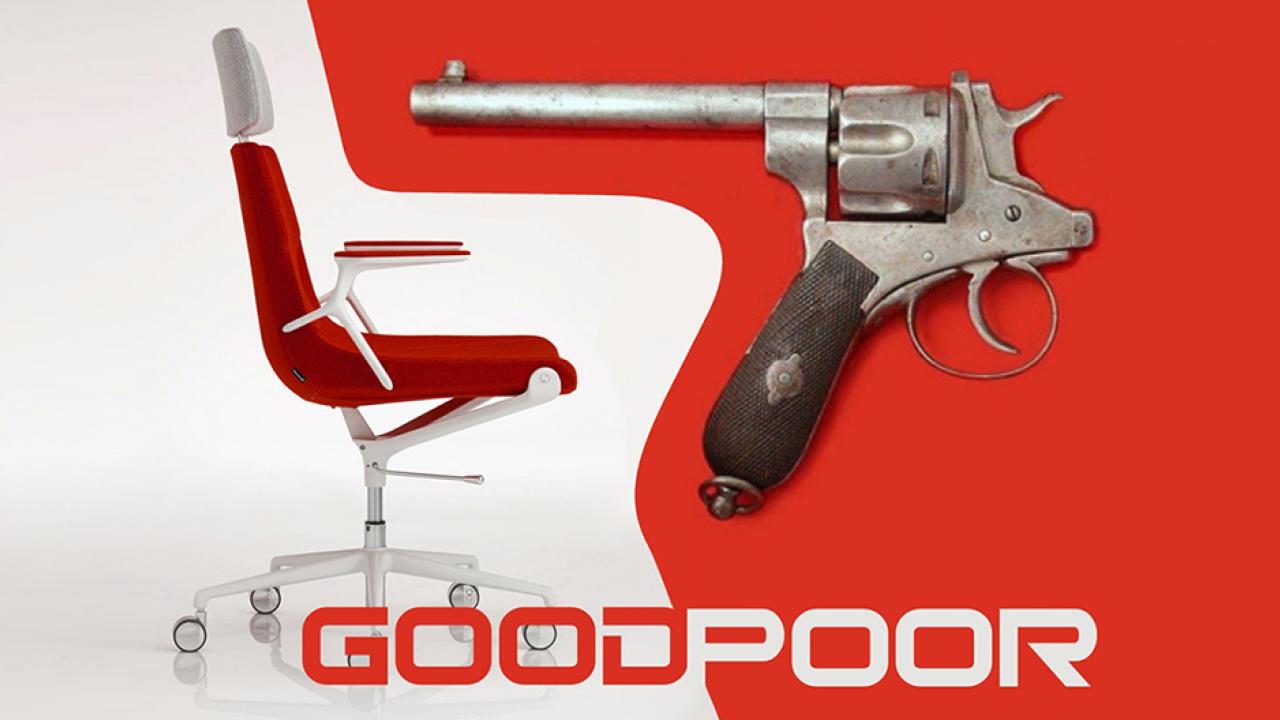
Many everyday objects suffer from poor ergonomic design. For example, consider the standard office chair. Many lack adequate lumbar support, leading to back pain after prolonged use. The armrests might be positioned incorrectly, causing shoulder strain. The seat height and depth might not be adjustable, forcing users into uncomfortable postures.
In contrast, a well-designed ergonomic chair provides adjustable lumbar support, armrests, and seat height and depth, allowing users to customize the chair to their individual needs and body type. This prevents discomfort and promotes good posture. This difference highlights the crucial role of ergonomic considerations in everyday object design.
Intuitive Design and User Experience
Intuitive design is crucial for creating a positive user experience. A well-designed object is easy to understand and use, even without instructions. Consider a simple door handle: a well-designed handle is easy to grip, clearly indicates the direction of opening, and requires minimal effort to operate. A poorly designed handle, on the other hand, might be difficult to grip, ambiguously positioned, or require excessive force.
The difference in effort and ease of use between a well-designed and poorly designed door handle highlights the importance of intuitive design in even the simplest everyday objects.
Examples of Poorly Designed Everyday Objects
Let’s examine specific examples of everyday objects with poor design. The following list details five common culprits and their associated problems:
- Most standard kitchen knives: Often feature handles that are too small or awkwardly shaped for comfortable and safe use, leading to fatigue and potential injury.
- Many remote controls: Frequently have buttons that are too small, poorly labeled, or clustered together, making it difficult to find the desired function quickly and efficiently.
- Certain types of water bottles: Some water bottles have lids that are difficult to open and close, particularly for those with limited dexterity.
- Standard computer mice: Many computer mice are not designed to accommodate different hand sizes or grip styles, leading to discomfort and potential repetitive strain injuries.
- Generic jar lids: Many jars feature lids that are difficult to open, requiring excessive force and potentially leading to injury for those with weaker grips.
The Consequences of Bad Design
Bad design isn’t just an aesthetic issue; it has far-reaching consequences that impact users, businesses, and even public safety. Poorly conceived products and services can lead to frustration, lost productivity, financial losses, and in some cases, serious harm. Understanding these consequences is crucial for designers and businesses alike.
User Dissatisfaction and Reduced Productivity
Bad design directly translates to user frustration and decreased productivity. A website with confusing navigation, for example, will force users to spend more time searching for information, leading to wasted time and a negative experience. Similarly, a poorly designed app with clunky interfaces can hinder workflow and reduce efficiency. This leads to lower user satisfaction, potentially resulting in negative reviews, loss of customers, and damage to brand reputation.
Imagine trying to use a software program where the buttons are inconsistently placed, the menus are illogical, and the instructions are incomprehensible. The user experience would be incredibly frustrating, and they would likely abandon the program in favor of a better-designed alternative. This loss of user satisfaction directly impacts a company’s bottom line.
Financial Implications for Businesses
The financial costs associated with bad design can be substantial. Poorly designed websites and apps can lead to lower conversion rates, meaning fewer sales and lost revenue. Furthermore, the costs of fixing design flaws after a product has launched can be significantly higher than addressing them during the design phase. A poorly designed product might require costly redesigns, marketing campaigns to address negative feedback, and even legal action if it causes harm.
For instance, a company launching a new e-commerce website with a confusing checkout process might experience a significant drop in sales, leading to a direct loss of revenue. The cost of rectifying the design flaws and regaining lost customers could be substantial.
Safety Hazards of Bad Design, What is bad design examples
In some cases, bad design can pose serious safety risks. A poorly designed medical device, for instance, could malfunction and cause harm to patients. Similarly, a badly designed piece of machinery in a factory could lead to workplace accidents. The consequences can range from minor injuries to fatalities, with significant legal and financial repercussions for the companies responsible.
Consider a poorly designed children’s toy with small parts that could easily be swallowed, posing a choking hazard. The manufacturer would face significant liability issues, potentially leading to product recalls, legal battles, and severe financial penalties.
Ethical Considerations in Design
Creating poorly designed products or services has significant ethical implications. It can be argued that designers have a responsibility to create products that are usable, accessible, and safe for all users. Failing to meet this responsibility can lead to exclusion, discrimination, and even harm. For example, a website that is not accessible to users with disabilities violates ethical principles of inclusivity and accessibility.
This not only creates a poor user experience for disabled individuals but also reflects negatively on the company’s ethical standards. Furthermore, the use of manipulative design techniques, such as dark patterns, that deceive or exploit users is ethically questionable and can damage a company’s reputation.
Case Studies of Bad Design
Poor design isn’t just an aesthetic issue; it directly impacts user experience, brand reputation, and ultimately, a company’s bottom line. These case studies illustrate how critical design choices are, showcasing both failures and successful redesigns. Learning from these examples can help prevent similar pitfalls in future projects.
The Healthcare.gov Website Launch
The launch of Healthcare.gov in 2013 serves as a prime example of a product launch severely hampered by poor design. The website, intended to facilitate enrollment in the Affordable Care Act, was plagued with numerous issues. Slow loading times, confusing navigation, and a lack of user-friendly features led to widespread frustration and significant delays in enrollment. Millions of Americans struggled to access the site, resulting in missed deadlines, public criticism, and a significant blow to the government’s credibility.
The problems stemmed from a lack of thorough user testing, inadequate infrastructure, and a failure to prioritize user experience in the design process. The website’s failure highlighted the importance of rigorous testing and iterative design in large-scale projects. Ultimately, millions of dollars were spent on fixing the website, and the negative publicity damaged public trust.
The Redesign of the PepsiCo Website
In contrast to the Healthcare.gov debacle, PepsiCo’s website redesign offers a compelling example of a successful turnaround. Facing criticism for a cluttered and outdated website, PepsiCo undertook a complete overhaul. The redesign focused on simplifying navigation, improving visual appeal, and enhancing mobile responsiveness. The company employed user-centered design principles, conducting extensive user research and testing throughout the process.
The result was a cleaner, more intuitive website that improved user engagement and brand perception. Increased traffic, improved conversion rates, and positive customer feedback demonstrated the success of the redesign. The process involved careful planning, user feedback integration, and a commitment to iterative improvements.
The Failure of the Coca-Cola Freestyle Machine Interface
Coca-Cola’s Freestyle soda fountains, while innovative in their ability to offer a vast array of customizable beverage options, suffered from a poorly designed user interface. The touchscreen interface, while visually appealing, was often confusing and difficult to navigate. Users struggled to find specific drinks, customize their beverages efficiently, and even understand the available options. The complex interface ultimately led to frustrated customers, longer wait times at the machines, and a less-than-optimal user experience.
The consequences were decreased customer satisfaction, potentially lost sales, and a negative impact on brand perception. The design failed to prioritize simplicity and ease of use, demonstrating the importance of user-centered design even for seemingly straightforward tasks.
Summary: What Is Bad Design Examples
Source: blogspot.com
Ultimately, understanding what constitutes bad design is crucial for creating products and experiences that are not only functional but also enjoyable and user-friendly. By learning from past mistakes and embracing design principles that prioritize usability, accessibility, and aesthetics, we can build a world where design enhances, rather than hinders, our lives. So, next time you encounter something that just feels “off,” remember the lessons learned here and strive to create better design solutions.
FAQ Overview
What’s the difference between UI and UX design?
UI (User Interface) design focuses on the visual aspects and interactive elements of a product, while UX (User Experience) design considers the overall user journey and experience, encompassing usability, accessibility, and overall satisfaction.
Can bad design be intentional?
Sometimes, yes. Poor design can be a result of cost-cutting measures, rushed deadlines, or a lack of understanding of user needs. In other cases, it might be a deliberate choice to prioritize other factors over user experience.
How can I improve my design skills?
Study design principles, practice regularly, seek feedback, and use design tools effectively. Continuously learning and iterating is key.