404 Error Page Illustrations A Visual Guide
404 error page illustrations: They’re the unsung heroes (or villains!) of the web, those little pictures that greet us when a link goes bust. But are they just cute distractions, or do they actually serve a purpose? This post dives into the world of 404 illustrations, exploring their design, impact, and the crucial role they play in user experience.
We’ll examine different styles, discuss the psychology behind effective visuals, and even look at how to make them accessible to everyone.
From minimalist designs to cartoonish characters, the possibilities are endless. But creating a truly effective 404 illustration requires more than just artistic flair. It’s about understanding user psychology, applying sound design principles, and integrating the illustration seamlessly into the overall page design. We’ll explore all of this and more, offering practical tips and real-world examples to inspire your own 404 page creations.
Types of 404 Error Page Illustrations
Designing effective 404 error pages goes beyond simply displaying the error message; a well-crafted illustration can significantly improve the user experience, turning a frustrating moment into a slightly more positive one. A good illustration can help guide users back to the site, making the error less disruptive.A thoughtful illustration can convey the nature of the error in a visually appealing and easily understandable way.
This not only enhances user experience but also reflects positively on the brand image. Different illustration styles cater to various brand aesthetics and target audiences.
Common 404 Error Illustration Types
Illustrating common causes of 404 errors can help users understand why they encountered the error and potentially guide them toward a solution. A series of illustrations could visually represent scenarios like a broken link, an incorrect URL, or server issues. For example, a broken link could be depicted as a chain with a missing link, a wrong URL as a map with a misplaced pin, and server issues as a sad-looking server character with smoke coming out.
Consistent art styles are crucial for maintaining a cohesive and professional look. Consider a cute, friendly style or a more modern, minimalist approach, depending on the overall website design.
Comparison of Illustration Styles for 404 Pages
Different illustration styles offer distinct advantages and suit various website designs. The choice depends heavily on brand personality and target audience.
| Style | Description | Example | Suitability |
|---|---|---|---|
| Cartoonish | Uses playful, exaggerated features and bright colors. Often features cute characters or whimsical scenes. | A friendly robot character shrugging its shoulders, surrounded by colorful broken links represented as shattered puzzle pieces. The background could be a vibrant, playful sky. | Child-oriented websites, playful brands, informal websites. |
| Realistic | Employs photorealistic rendering or detailed illustrations, aiming for a high level of visual fidelity. | A detailed illustration of a laptop screen displaying the 404 error message, with a slightly blurry background hinting at the website’s usual content. The overall feel would be slightly melancholic but realistic. | Professional websites, corporate brands, websites aiming for a serious tone. |
| Minimalist | Utilizes simple shapes, limited colors, and a clean aesthetic. Focuses on conveying the message with minimal visual elements. | A simple, flat illustration of a broken link icon (a chain with a missing link) against a plain background. The 404 message is placed cleanly next to it. | Modern websites, tech companies, websites prioritizing clean design. |
| Abstract | Uses non-representational imagery and focuses on shapes, colors, and textures to evoke emotion or feeling related to the error. | A swirling vortex of colors representing the lost connection, with the 404 message subtly placed within the design. | Creative websites, artistic brands, websites seeking a unique visual identity. |
Evolution of 404 Page Illustrations
The design of 404 error pages, including their illustrations, has evolved significantly over time, reflecting broader design trends in web design.Early 404 pages often featured simple text messages with minimal visual elements. These were often stark and uninviting. Think of a plain white page with just the text “404 Not Found” in a basic font.Later, more illustrative approaches emerged.
Simple icons, such as a broken link or a sad face, became common. These were often small and placed alongside the error message. This period saw the introduction of more playful and user-friendly approaches.The rise of flat design in the 2010s led to minimalist 404 pages with clean illustrations using simple shapes and flat colors. These illustrations often conveyed the error message subtly without being overly distracting.Currently, there’s a trend towards more interactive and engaging 404 pages.
These might include animations, custom illustrations, and interactive elements to redirect users. The illustrations themselves are often highly stylized, reflecting the unique branding of the website. This reflects a greater focus on user experience and the importance of maintaining a positive brand image, even in the face of errors.
Emotional Impact of 404 Illustrations
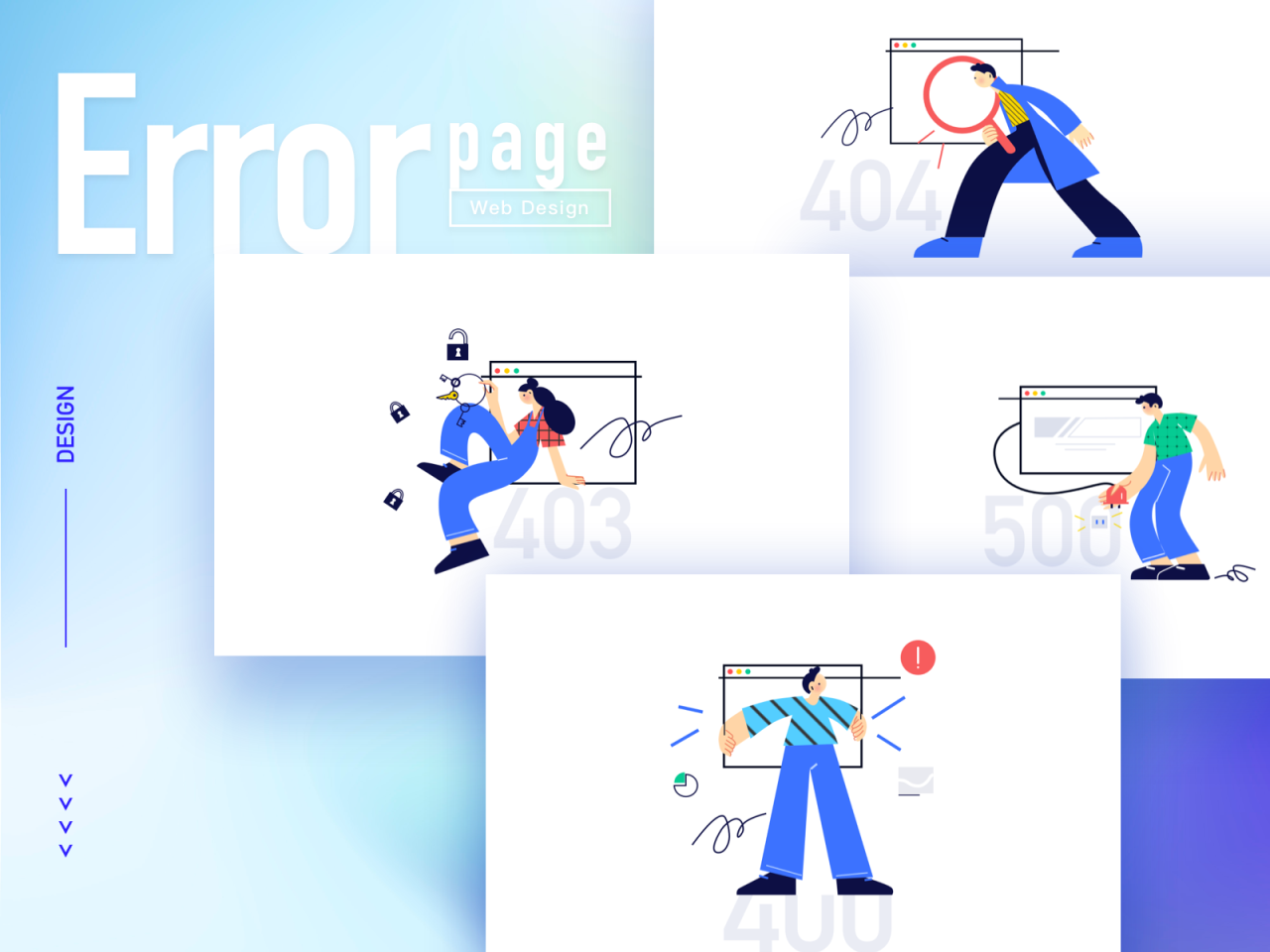
Source: dribbble.com
A 404 error page, while technically functional, represents a broken link and a frustrating user experience. However, a well-designed illustration can significantly mitigate this frustration and even transform a negative experience into a positive one. The choice of illustration style directly impacts the user’s emotional response, influencing their perception of the website and its developers.The visual elements on a 404 page speak volumes.
A poorly chosen illustration can amplify user frustration, while a well-chosen one can diffuse tension and even inject humor into an otherwise frustrating situation. Consider the emotional weight different visual styles carry: a minimalist, clean illustration might convey professionalism and efficiency, whereas a quirky, cartoonish style could inject a sense of playfulness and approachability. Conversely, a dark or overly complex illustration could easily increase the user’s feeling of being lost and confused.
So, I’ve been brainstorming some quirky 404 error page illustrations lately – you know, the kind that make a dead end a little less frustrating. I was thinking about how to make them really engaging, and it got me thinking about video tutorials; maybe I should create some, and upload them to YouTube, following the great advice I found in this awesome guide on getting it on with youtube.
Then, I could even incorporate those videos into interactive 404 pages! Back to the drawing board for those illustrations though!
Illustration Style and Emotional Response
Different illustration styles evoke distinct emotional responses. For example, a simple, friendly cartoon character might elicit amusement and understanding, softening the blow of the error. A realistic, detailed illustration, on the other hand, might feel more formal but could also appear cold and impersonal if not executed well. Abstract designs can be intriguing, but they might also be confusing and unhelpful if they lack clear navigational cues.
The key is to select an illustration style that aligns with the overall brand personality and aims to create a positive user experience, even in the face of an error.
Effectiveness of Positive vs. Negative Illustrations
The decision between using positive or negative illustrations on a 404 page is crucial. Both approaches have advantages and disadvantages:
- Positive Illustrations:
- Advantages: Positive illustrations, such as playful characters, cheerful landscapes, or whimsical designs, can create a sense of lightheartedness and reduce user frustration. They signal to the user that the website acknowledges the error and is attempting to make the experience less unpleasant. This can foster goodwill and brand loyalty.
- Disadvantages: If not carefully executed, positive illustrations can appear insensitive or trivializing to the user’s experience. Overly cheerful designs might seem disingenuous if the user is experiencing significant inconvenience due to the broken link.
- Negative Illustrations:
- Advantages: A negative illustration, such as a simple, sad-looking character or a broken road, can honestly reflect the user’s experience of encountering a broken link. This honesty can foster trust and demonstrate empathy. A minimalist, understated approach can be effective.
- Disadvantages: Negative illustrations risk amplifying the user’s negative feelings. If not carefully balanced with clear navigational cues and a helpful message, a negative illustration can leave the user feeling abandoned and frustrated.
Importance of Informative and Visually Appealing Illustrations
The ideal 404 illustration serves a dual purpose: it’s both informative and visually appealing. A purely aesthetic illustration might look pretty but fail to guide the user towards a solution. Conversely, a purely functional illustration, lacking visual appeal, might be effective but leave a negative impression on the user. The best illustrations strike a balance. They communicate the error clearly (perhaps subtly showing a broken link or a lost path) while simultaneously engaging the user visually.
Imagine a friendly robot character apologetically pointing towards a “Go Back” button; this combines informative clarity with visual appeal. The goal is to create an illustration that is memorable, helpful, and consistent with the website’s overall design.
Design Principles for Effective 404 Illustrations
Source: iconscout.com
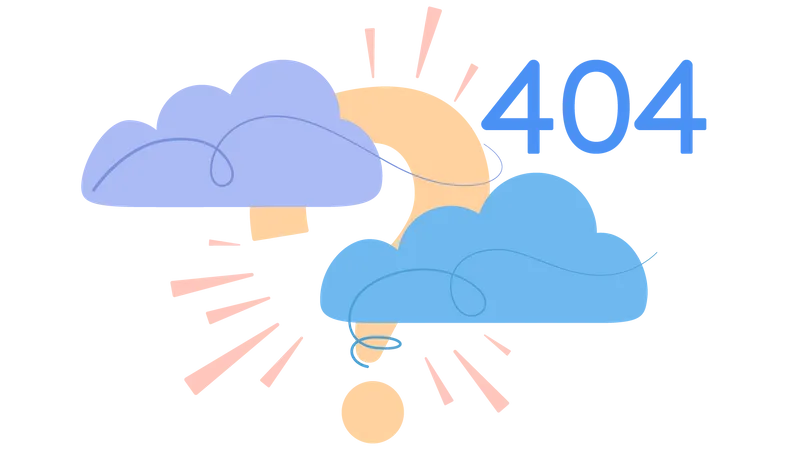
A well-designed 404 error page illustration can transform a frustrating experience into a surprisingly positive one. It’s a chance to maintain brand personality, show a bit of humor, and guide users back to where they need to be. The key is to understand the design principles that make these illustrations effective.
Effective 404 illustrations are more than just pretty pictures; they are carefully crafted visual elements that serve a purpose. They should be memorable, informative, and consistent with your overall brand identity. This involves balancing aesthetics with usability to create a positive user experience, even in the face of an error.
Clarity and Simplicity
The primary goal of a 404 illustration is to clearly communicate that a page isn’t found. Avoid overly complex or abstract imagery that might confuse users further. The illustration should immediately convey the error message, without requiring users to decipher a cryptic visual puzzle. Simplicity is key; a clean, easily understandable image is far more effective than a busy, cluttered one.
For example, a simple illustration of a broken link, a lost astronaut, or a confused character looking for something can clearly communicate the error message. The visual should be the immediate cue to the error; the text message is supplementary.
Brand Consistency, 404 error page illustrations
Your 404 illustration should seamlessly integrate with your website’s overall design and branding. Use a consistent color palette, font styles, and illustration style that aligns with your brand’s visual identity. This creates a cohesive and professional experience for users, reinforcing brand recognition even in unexpected situations. For instance, if your brand uses a playful and quirky style, your 404 illustration should reflect that.
Conversely, a corporate brand should maintain a professional and sophisticated aesthetic.
Effective Examples of 404 Illustrations
Consider the example of a website using a minimalist design with a predominantly blue color scheme. Their 404 page could feature a simple, line-art illustration of a compass pointing in different directions, with the text “Oops! Page Not Found.” This is clear, concise, and aligns with the website’s minimalist aesthetic. Alternatively, a website with a playful, cartoonish style might use a 404 illustration of a friendly robot character looking bewildered, perhaps with a speech bubble saying “404: File not found!”.
This retains the brand’s personality while clearly communicating the error.
Another effective example is a website featuring a nature theme. Their 404 page could show a charming illustration of a lost little bird, with a message like “We’re sorry, the page you’re looking for has flown the coop!” This illustration is both visually appealing and emotionally relatable, and it subtly reinforces the website’s nature-related theme.
Common Design Mistakes to Avoid
Several design pitfalls can undermine the effectiveness of a 404 illustration. Avoiding these mistakes is crucial for maintaining a positive user experience.
- Overly complex or abstract illustrations: These can confuse users and fail to clearly communicate the error.
- Inconsistent branding: A 404 illustration that clashes with the website’s overall design creates a jarring and unprofessional experience.
- Lack of clear navigation: The illustration should be accompanied by clear and prominent links to help users navigate back to the homepage or other relevant sections of the website.
- Using generic stock illustrations: These often lack personality and fail to reinforce brand identity.
- Poorly integrated text: The error message should be easy to read and visually integrated with the illustration, not simply overlaid as an afterthought.
Integrating Illustrations with Other 404 Page Elements
A well-designed 404 page shouldn’t just acknowledge the error; it should guide the user back to the site’s content. Illustrations play a crucial role in this process, not only by making the page visually appealing but also by directing the user’s attention to important navigational elements. Effective integration is key to creating a positive user experience even in the face of a broken link.Successfully integrating illustrations requires careful consideration of layout and the overall design.
The illustration shouldn’t overwhelm other crucial elements like search bars, sitemaps, or contact information; rather, it should complement them, creating a cohesive and user-friendly experience.
404 Page Layout Integrating Illustrations and Other Elements
The following table Artikels a sample layout for a 404 page, demonstrating how an illustration can be effectively integrated with other essential elements. This design prioritizes clear visual hierarchy and intuitive navigation.
| Element | Placement | Description | Rationale |
|---|---|---|---|
| Illustration | Top Center | A whimsical, friendly illustration of a character looking slightly confused, perhaps holding a map or magnifying glass. The illustration should be large enough to capture attention without dominating the page. | Immediately communicates the nature of the error in a non-threatening way. Sets a lighthearted tone. |
| Error Message | Below Illustration, Centered | Clear and concise message: “Oops! Page Not Found.” | Provides a clear and unambiguous explanation of the error. |
| Search Bar | Below Error Message, Centered | A prominent search bar with a clear placeholder (“Search the site…”) | Allows users to quickly search for the content they were looking for. |
| Sitemap Link | Below Search Bar, Centered | A clearly labeled link to the sitemap (“Browse our sitemap”). | Provides a structured way for users to navigate the site. |
| Contact Information | Bottom of Page, Centered | A brief contact section with a link to the “Contact Us” page. | Offers a way for users to seek assistance if needed. |
Enhancing User Experience with Illustrations on 404 Pages
Illustrations significantly enhance the user experience on a 404 page by softening the blow of encountering an error. A well-chosen illustration can:* Reduce frustration: A friendly or humorous illustration can make the error seem less serious and less frustrating for the user. Instead of feeling lost, the user might feel reassured that the site is aware of the problem.
Improve engagement
An engaging illustration holds the user’s attention and encourages them to interact with other elements on the page, such as the search bar or sitemap.
Reinforce branding
The illustration can be designed to align with the overall brand aesthetic, maintaining a consistent brand experience even on error pages.
Guide user navigation
Illustrations can subtly point users towards helpful navigation elements, such as the search bar or sitemap. For example, an arrow could subtly point towards the search bar.
Sample 404 Page Design
Imagine a 404 page with a light blue background. Centered on the page is a large, friendly cartoon robot looking slightly perplexed. It holds a small, crumpled piece of paper labeled “404”. The text “Oops! Page Not Found” is displayed in a large, friendly font below the robot, using the same light blue as the background, but with a slightly darker shade.
Below that, a clean, white search bar with a grey placeholder text (“Search our website…”) is presented. Underneath the search bar, a link labeled “View Site Map” is subtly placed. At the very bottom, centered, is a small, discreet link to the “Contact Us” page. The overall style is minimalist and clean, focusing on the illustration and key navigational elements.
The robot’s slightly perplexed expression is humorous and relatable, making the error message less jarring. The color scheme is calming and consistent with a hypothetical brand’s style guide.
Accessibility Considerations for 404 Illustrations
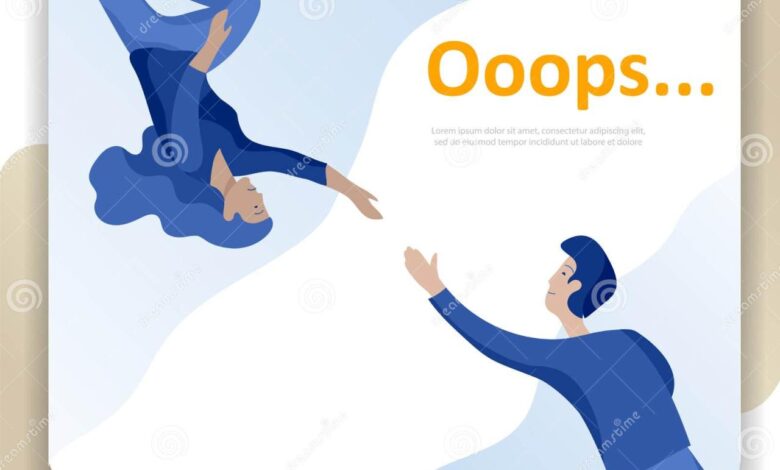
Source: dreamstime.com
Creating engaging 404 error page illustrations is crucial for a positive user experience, but it’s equally important to ensure these illustrations are accessible to all users, including those with visual impairments. Ignoring accessibility can lead to frustration and exclusion, undermining the very purpose of a user-friendly 404 page. We need to consider how users who rely on screen readers or other assistive technologies will interact with the illustration and its surrounding content.Designing accessible 404 illustrations requires a multi-faceted approach, focusing on providing alternative text descriptions and ensuring compatibility with assistive technologies.
This means moving beyond purely visual elements and incorporating textual information that conveys the illustration’s meaning and context effectively. Failing to do so leaves a significant portion of your audience unable to fully understand the error message and navigate back to the site.
Alternative Text for 404 Illustrations
Effective alternative text (alt text) is paramount for accessible illustrations. Alt text is a short description that conveys the image’s purpose and meaning to screen reader users. For a 404 illustration, the alt text should not simply describe the image itself (e.g., “a cartoon astronaut lost in space”), but should instead explain its relation to the error message. A good example would be: “Illustration of a friendly robot searching for the page you requested.
The page you are looking for cannot be found.” This clearly communicates the error while maintaining a positive tone. Poor alt text, like “404 error image,” provides no useful context for screen reader users. The alt text should be concise but informative, aiming for approximately 125 characters or less to avoid overwhelming the user. It’s crucial to avoid redundant alt text that simply repeats information already present in the page’s text.
Semantic HTML Structure for Illustrations
The way you embed the illustration within the HTML structure is crucial for accessibility. Wrapping the illustration within appropriate semantic HTML tags helps screen readers understand the context and relationship between the illustration and the surrounding text. For example, using a `
Color Contrast and Visual Clarity
While primarily impacting visually impaired users, ensuring sufficient color contrast between the illustration and the background is vital for all users. This ensures the illustration remains clearly visible, regardless of the user’s visual acuity or screen settings. Furthermore, the illustration’s design should be clear and uncluttered, avoiding overly complex or busy visuals that could be difficult to interpret, even for sighted users.
A simple, well-defined illustration is more easily understood by everyone, including those using assistive technologies. For example, a clean line drawing of a broken link with clear, contrasting colors is preferable to a highly detailed, photorealistic image with poor contrast.
End of Discussion
Ultimately, a well-designed 404 error page, complete with a thoughtful illustration, can transform a frustrating experience into a surprisingly positive one. By focusing on clarity, user experience, and accessibility, you can create a 404 page that doesn’t just inform, but also delights and reinforces your brand identity. So, go forth and create 404 illustrations that are not only visually appealing but also genuinely helpful!
Q&A
What file formats are best for 404 illustrations?
SVG is generally preferred for its scalability and crispness across different devices. PNG is a good alternative for more complex illustrations.
How much space should my 404 illustration take up?
It depends on your overall design, but aim for a size that’s noticeable but doesn’t overwhelm other important elements like the search bar or home link.
Should I use humor in my 404 illustration?
Humor can be effective, but only if it aligns with your brand voice and doesn’t come across as insensitive or condescending. Consider your target audience.
How do I ensure my 404 illustration is accessible to screen reader users?
Use descriptive alt text that accurately conveys the illustration’s purpose and content. Avoid relying solely on visual information.