Remote UX Design Jobs Your Guide
Remote UX design jobs are booming! The flexibility, location independence, and growing demand make this career path incredibly attractive. But navigating this exciting world requires understanding the market, honing your skills, and crafting a killer portfolio. This post dives deep into everything you need to know to land your dream remote UX design role.
From understanding the current job market trends and salary expectations to mastering the essential hard and soft skills, we’ll cover the crucial aspects of finding and succeeding in a remote UX design career. We’ll also explore the challenges and rewards of remote work, essential collaboration tools, and strategies for building a stand-out portfolio and negotiating your salary. Get ready to unlock the possibilities of a fulfilling and location-independent career!
Job Market Overview for Remote UX Designers
The demand for remote UX designers has exploded in recent years, fueled by the widespread adoption of remote work and the increasing reliance on digital experiences. This shift has created a dynamic and competitive job market, presenting both exciting opportunities and unique challenges for aspiring and experienced UX professionals. This overview explores the current state of the remote UX design job market, providing insights into demand, geographic distribution, and salary expectations.
Current Demand for Remote UX Design Roles
While precise statistics on thesolely* remote UX design market are difficult to obtain, numerous sources indicate a significant and sustained increase in demand. Job boards like LinkedIn, Indeed, and specialized UX job sites consistently show a high volume of remote UX design postings. This surge reflects the growing need for user-centered design across diverse industries, coupled with companies’ willingness to embrace remote talent pools to access a wider range of skills and experience.
Anecdotal evidence from recruiters and industry publications further supports this observation of strong and persistent demand.
Companies Actively Hiring Remote UX Designers
Many companies, both large and small, are actively seeking remote UX designers. Large tech companies like Amazon, Google, and Microsoft frequently post remote UX roles. However, the trend extends far beyond tech giants. Numerous SaaS companies, e-commerce businesses, and even smaller startups are increasingly embracing remote work models and actively recruiting remote UX talent. For example, companies specializing in project management software, marketing automation platforms, and healthcare technology are all consistently seeking remote UX designers with diverse skill sets.
Geographic Distribution of Remote UX Design Job Postings
The geographic distribution of remote UX design jobs is becoming increasingly globalized. While North America and Europe remain significant hubs, a growing number of opportunities are emerging in Asia, Australia, and South America. This global reach reflects the increasingly interconnected nature of the digital world and the ability of companies to leverage talent from diverse geographical locations. However, it’s important to note that certain time zones might influence the specific requirements and expectations of remote roles.
For instance, a company based in the US might prefer candidates within a similar time zone for easier collaboration.
Average Salary Range for Remote UX Designers by Experience Level
The salary for a remote UX designer varies significantly based on experience, location (even for remote roles, cost of living in the candidate’s location can impact salary offers), and specific skills. The following table provides an estimated range, acknowledging that actual salaries can fluctuate based on individual circumstances. These figures are based on data compiled from various salary surveys and job postings.
| Experience Level | Salary Range (USD) |
|---|---|
| Junior (0-2 years) | $60,000 – $80,000 |
| Mid-Level (3-5 years) | $90,000 – $120,000 |
| Senior (6+ years) | $130,000 – $180,000+ |
Required Skills and Experience
Landing a remote UX design job requires a potent blend of technical prowess and interpersonal skills. The competitive landscape demands more than just proficiency in design software; it necessitates a well-rounded skillset that allows you to thrive independently and collaboratively within a virtual environment. This section will delve into the essential hard and soft skills needed, highlighting the differences between junior and senior roles.
The remote nature of the work adds another layer of complexity. Effective communication, self-motivation, and strong time management are paramount for success. While the specific requirements vary based on experience level, the core competencies remain consistent across all levels.
Essential Hard Skills for Remote UX Designers
Proficiency in design software and a solid understanding of user research methodologies are cornerstones of a successful UX designer’s skillset. These hard skills are the tangible, measurable abilities that allow you to perform the core functions of the job. Specific software proficiency is often company-dependent, but some tools are consistently in high demand.
For example, Figma’s collaborative features are highly valued in remote settings, while Adobe XD offers a powerful suite of tools for prototyping and design. Beyond software, a deep understanding of user research methods, including user interviews, usability testing, and A/B testing, is crucial for creating user-centered designs. Data analysis skills, to interpret the results of user research, are also essential.
Essential Soft Skills for Remote UX Designers
While technical skills are vital, soft skills are equally important, particularly in remote environments. These skills encompass your ability to communicate effectively, collaborate seamlessly, and manage your time efficiently, all while working independently.
Excellent communication is crucial for conveying ideas, receiving feedback, and collaborating effectively with remote team members. Proactive communication, clear articulation, and the ability to adapt your communication style to different audiences are essential. Similarly, strong time management and self-discipline are vital for maintaining productivity and meeting deadlines while working independently. The ability to work autonomously, manage your own workload, and stay organized is paramount in a remote setting.
Finally, adaptability and resilience are key to navigating the challenges of a remote work environment.
Skill Comparison: Junior vs. Senior Remote UX Designers
The required skills for junior and senior remote UX designers differ significantly in terms of depth and breadth of experience. Junior roles typically focus on foundational skills and the ability to learn quickly, while senior roles demand expertise, leadership, and mentorship capabilities.
Junior designers often need to demonstrate proficiency in core design software and basic user research methods. They are expected to be eager learners, capable of absorbing feedback and applying it effectively. Senior designers, on the other hand, are expected to be highly proficient in a wider range of design software and user research methods, often specializing in certain areas. They should possess advanced problem-solving skills, leadership qualities, and the ability to mentor junior team members.
They’ll likely lead design projects independently and guide junior team members through their work.
Preferred Qualifications for Remote UX Design Roles, Remote ux design jobs
The following list Artikels common preferred qualifications found in remote UX design job descriptions. While specific requirements vary depending on the company and role, these represent frequently sought-after attributes.
- Proven experience in UX design, with a portfolio showcasing relevant projects.
- Proficiency in design software such as Figma, Adobe XD, Sketch, or similar tools.
- Strong understanding of user research methodologies and data analysis techniques.
- Excellent communication, collaboration, and time management skills.
- Ability to work independently and manage your own workload effectively.
- Experience working in a remote or distributed team environment (a significant plus).
- A strong online presence and professional network (e.g., LinkedIn).
- Bachelor’s degree in design, human-computer interaction, or a related field (often preferred, but not always required).
Job Search Strategies and Platforms
Landing your dream remote UX design job requires a strategic and multi-faceted approach. It’s not just about applying to every listing you see; it’s about targeting the right opportunities and presenting yourself effectively. This section Artikels effective strategies and platforms to help you navigate the remote UX design job market successfully.
Finding a remote UX design role often involves a combination of proactive job searching and leveraging your network. While job boards are a valuable resource, actively networking and directly contacting companies can significantly increase your chances of securing an interview.
Effective Job Search Strategies
A successful job search involves more than just passively checking job boards. A proactive approach, combining several strategies, maximizes your chances of finding the perfect remote role.
- Networking: Attend online UX design events, engage in relevant online communities (e.g., LinkedIn groups, Slack channels), and reach out to your professional contacts. Networking can lead to unadvertised opportunities and valuable insights into specific companies.
- Job Boards: Utilize specialized job boards focused on remote work and design roles. These boards often have a curated selection of remote UX positions.
- Company Websites: Directly check the “Careers” or “Jobs” pages of companies whose work you admire. Many companies prefer to post their openings directly on their websites.
- Recruiters: Connect with recruiters specializing in UX design and remote work. They often have access to unadvertised roles and can provide valuable career advice.
Popular Online Platforms and Resources
Several online platforms specialize in connecting remote workers with employers. Each platform has its own strengths and weaknesses, so exploring multiple options is recommended.
- LinkedIn: A powerful networking tool and a significant source of job postings. LinkedIn allows you to connect with recruiters and potential employers directly.
- Indeed: A widely used job board with a large selection of remote UX design positions. It offers advanced search filters to refine your search.
- We Work Remotely: A job board specifically dedicated to remote positions across various industries, including UX design.
- FlexJobs: A subscription-based job board that pre-screens jobs to ensure they are legitimate remote positions. It provides a more curated selection of high-quality remote opportunities.
- Remote.co: This platform offers resources and job listings for remote work, with a section dedicated to design roles.
Comparison of Job Search Platforms
Choosing the right platform depends on your preferences and priorities. Consider factors such as ease of use, the quality of job listings, and the overall user experience.
| Platform | Pros | Cons | Best For |
|---|---|---|---|
| Strong networking capabilities, large job pool, direct employer contact | Can be overwhelming, requires active engagement | Networking, direct applications | |
| Indeed | Large job pool, easy to use, diverse job types | Can be cluttered with irrelevant listings, less focus on remote roles | Broad search, quick job application |
| We Work Remotely | Focus on remote jobs, high-quality listings | Smaller job pool compared to Indeed or LinkedIn | Dedicated remote work search |
| FlexJobs | Pre-screened jobs, high-quality listings | Subscription required | High-quality, legitimate remote roles |
Examples of Successful Job Application Materials
Crafting compelling application materials is crucial for standing out from other applicants. Your resume, cover letter, and portfolio should showcase your skills and experience effectively.
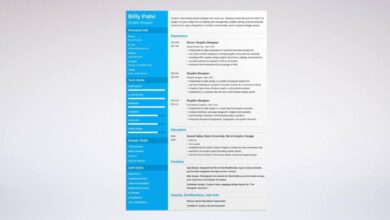
Resume: A well-structured resume highlights relevant skills and experience using action verbs and quantifiable achievements. For example, instead of “Designed websites,” try “Designed and launched five responsive websites, resulting in a 20% increase in user engagement.” Tailor your resume to each specific job description, emphasizing the skills and experiences most relevant to the role.
Cover Letter: A strong cover letter demonstrates your understanding of the company and the role, showcasing your enthusiasm and how your skills align with their needs. Personalize your cover letter for each application, referencing specific projects or experiences that relate to the job description. For instance, mention a project that utilized a similar technology stack or solved a problem relevant to the company’s industry.
Portfolio: A well-curated portfolio showcases your best UX design work. Include case studies that demonstrate your design process, problem-solving skills, and the impact of your work. Use clear visuals, concise descriptions, and quantifiable results whenever possible. For example, illustrate a project where you improved website navigation, leading to a decrease in bounce rate by 15%.
Challenges and Benefits of Remote UX Design: Remote Ux Design Jobs
The rise of remote work has significantly impacted the UX design field, presenting both exciting opportunities and unique hurdles. This section delves into the specific challenges and advantages of pursuing a career as a remote UX designer, comparing it to the traditional in-office experience. Understanding these aspects is crucial for anyone considering this increasingly popular career path.
Communication Barriers in Remote UX Design
Effective communication is paramount in UX design, requiring seamless collaboration with developers, product managers, and clients. Remote work can introduce challenges in this area. The lack of spontaneous in-person conversations can hinder the quick exchange of ideas and feedback. Misunderstandings can easily arise due to the absence of nonverbal cues and the reliance on written communication or video calls.
Strategies such as establishing clear communication protocols, using project management tools effectively, and scheduling regular check-ins are essential for mitigating these challenges.
Isolation and Maintaining Collaboration in Remote Settings
Working remotely can lead to feelings of isolation, particularly for those accustomed to the social interaction of an office environment. This isolation can impact team cohesion and the informal knowledge sharing that often occurs naturally in a shared workspace. To combat this, remote UX designers need to proactively engage in virtual team-building activities, utilize collaborative platforms, and make an effort to connect with colleagues beyond work-related discussions.
Organizations also play a key role in fostering a sense of community among remote employees.
Time Zone Differences and Scheduling Challenges
Collaborating with team members and clients across different time zones is a common challenge in remote UX design. Scheduling meetings and ensuring timely responses can become complex, requiring careful planning and flexibility. Utilizing asynchronous communication tools, setting clear expectations regarding response times, and being mindful of colleagues’ schedules are vital for effective collaboration across geographical boundaries. Consider the challenges of coordinating a design sprint across three continents with team members in New York, London, and Singapore; meticulous planning is essential.
Flexibility and Work-Life Balance in Remote UX Design
One of the most significant advantages of remote UX design is the flexibility it offers. Remote designers often enjoy greater control over their work schedules, enabling them to better manage personal commitments and achieve a healthier work-life balance. This flexibility can extend to choosing where to work, allowing for location independence and the ability to work from anywhere with a reliable internet connection.
This can significantly reduce commuting time and related stress, leading to improved well-being.
Location Independence and Expanded Career Opportunities
Remote work opens up a world of possibilities for UX designers. No longer restricted by geographical location, they can work for companies anywhere in the world. This expands the job market significantly, allowing designers to choose projects and companies based on their interests and career goals, rather than proximity. A designer in rural Montana could easily work for a tech company in Silicon Valley, a scenario unheard of just a few decades ago.
Comparison of Remote and In-Office Work Environments
Remote and in-office UX design roles differ significantly in their work environment. In-office roles offer immediate access to colleagues, fostering spontaneous collaboration and mentorship opportunities. However, they lack the flexibility and location independence of remote positions. Remote roles provide flexibility but require strong self-discipline and proactive communication to maintain productivity and team cohesion. The ideal environment depends on individual preferences and working styles.
Pros and Cons of Remote UX Design Work
| Pros | Cons |
|---|---|
| Flexibility and autonomy | Communication challenges |
| Improved work-life balance | Isolation and loneliness |
| Location independence | Requires strong self-discipline |
| Reduced commuting time and costs | Difficulties with team cohesion |
Tools and Technologies for Remote Collaboration
Source: wixstatic.com
Successfully navigating the remote UX design landscape hinges on leveraging the right tools and technologies for seamless collaboration. Effective communication and efficient workflows are crucial for delivering high-quality designs, and the right tools can make all the difference in achieving this. This section explores essential tools and platforms that empower remote UX teams to work together effectively.
Video Conferencing Software
Video conferencing is the cornerstone of remote communication. It facilitates real-time interaction, allowing for immediate feedback, brainstorming sessions, and informal discussions. Tools like Zoom, Google Meet, and Microsoft Teams offer screen sharing capabilities, allowing designers to present their work and receive instant feedback. For instance, a team might use Zoom to conduct a daily stand-up meeting, reviewing progress on current projects and addressing any roadblocks.
The ability to see and hear each other fosters a stronger sense of connection and collaboration than text-based communication alone. Beyond meetings, many platforms offer asynchronous communication options like chat, allowing for quick questions and clarifications outside of scheduled calls.
Project Management Tools
Organizing projects and tracking progress effectively is paramount in a remote setting. Project management tools like Asana, Trello, Jira, and Monday.com provide centralized platforms for task assignment, progress tracking, and deadline management. These tools offer features such as Kanban boards, Gantt charts, and time tracking, providing a clear overview of project status and individual contributions. For example, a UX team might use Asana to manage the different phases of a design project, assigning tasks to individual team members and tracking their completion.
This ensures transparency and accountability, minimizing confusion and delays.
Design Collaboration Platforms
Specialized platforms facilitate collaborative design workflows. Figma, Adobe XD, and Sketch (with plugins like Abstract) are popular choices. These platforms allow multiple designers to work simultaneously on the same design file, providing real-time feedback and reducing version control issues. For example, a team might use Figma to collaboratively design wireframes and prototypes, with multiple designers contributing simultaneously.
The built-in commenting and version history features ensure everyone is on the same page and changes are tracked meticulously. This minimizes confusion and ensures everyone is working from the latest version.
Comparison of Collaboration Tools
| Tool | Video Conferencing | Project Management | Design Collaboration |
|---|---|---|---|
| Zoom | Excellent | Limited (integrations available) | Limited (screen sharing) |
| Google Meet | Excellent | Limited (integrations available) | Limited (screen sharing) |
| Microsoft Teams | Excellent | Good | Limited (screen sharing) |
| Asana | Limited (integrations available) | Excellent | Limited (integrations available) |
| Trello | Limited (integrations available) | Excellent | Limited (integrations available) |
| Figma | Limited (integrations available) | Limited (integrations available) | Excellent |
| Adobe XD | Limited (integrations available) | Limited (integrations available) | Excellent |
Building a Strong Remote UX Design Portfolio
Landing that dream remote UX design job hinges heavily on your portfolio. It’s not just a collection of projects; it’s your visual resume, a testament to your skills and a compelling narrative of your design journey. A well-crafted portfolio demonstrates your understanding of UX principles, your problem-solving abilities, and your ability to communicate your design process effectively—all crucial for success in the remote landscape.A strong remote UX design portfolio showcases not only your design prowess but also your ability to work independently and manage projects remotely.
It should highlight your proficiency in digital collaboration tools and your capacity to effectively present your work and articulate your design decisions in a virtual setting. This is especially important given the remote nature of the job search.
Portfolio Project Examples
To effectively showcase your skills, your portfolio should include a variety of projects that demonstrate a breadth of your capabilities. Consider including projects that highlight different stages of the design process, from user research and ideation to prototyping and testing. For example, you could include:
- A case study detailing your work on a redesign of a mobile app, emphasizing your user research methodologies and iterative design process. Imagine a before-and-after comparison showcasing the improvements in user flow and interface clarity. The visuals could include user journey maps, wireframes, mockups, and usability testing results. The description would highlight the specific challenges, your solutions, and the positive impact on key metrics like user engagement or task completion rates.
- A project showcasing your expertise in UX writing and information architecture. This could be a website redesign focusing on clear and concise copy, logical navigation, and intuitive information organization. The portfolio entry would emphasize the strategic choices made in content organization and the positive user feedback received regarding ease of navigation and understanding.
- A project demonstrating your skills in interaction design, perhaps a complex web application or interactive dashboard. This could involve animations, micro-interactions, and a clear explanation of the design choices made to enhance user engagement and understanding. The visuals might include prototypes, interactive mockups, and animations demonstrating the functionality and user experience.
Showcasing Remote UX Design Projects
When showcasing remote projects, emphasize the collaborative aspects and the tools you used to effectively communicate and work with remote teams. For each project, clearly articulate your role, the challenges you faced working remotely, and the solutions you implemented. Consider including:
- Details on the remote collaboration tools used (e.g., Figma, Miro, Slack, Zoom). This demonstrates your familiarity with industry-standard tools and your ability to seamlessly integrate into a remote team.
- Screenshots or videos showcasing your design process and the tools used for remote communication and feedback gathering. This adds a dynamic element to your portfolio, showing the workflow in action.
- Testimonials or feedback from remote collaborators, highlighting your communication skills and collaborative effectiveness. These are powerful social proof, demonstrating your ability to work successfully in a remote environment.
Visual Elements for a Standout Portfolio
Your portfolio’s visual appeal is just as important as its content. A clean, modern design with high-quality visuals will capture recruiters’ attention and enhance the overall impact of your work. Consider these elements:
- High-resolution images and prototypes: Avoid blurry or low-quality visuals. Invest time in creating professional-looking assets that showcase your work in the best possible light.
- Consistent branding and visual style: Maintain a consistent look and feel throughout your portfolio, creating a cohesive and professional presentation.
- Clear and concise writing: Use clear and concise language to describe your projects, avoiding jargon and technical terms that might not be understood by everyone.
- Easy navigation and user-friendly layout: Make it easy for recruiters to navigate your portfolio and find the information they need quickly and easily.
Negotiating Remote UX Design Contracts and Salaries
Landing your dream remote UX design job is exciting, but securing a fair salary and benefits package requires strategic negotiation. This isn’t just about getting the highest number possible; it’s about finding a compensation package that reflects your skills, experience, and the market value of your contributions. Understanding the nuances of negotiation can significantly impact your long-term career satisfaction and financial well-being.Negotiating salary and benefits for remote UX design roles often involves a different dynamic than traditional in-office positions.
Factors like location independence, cost of living variations, and the specific demands of remote work all play a role. Successfully navigating these complexities requires preparation, research, and confident communication.
Factors Influencing Salary Expectations in Remote UX Design
Several key factors influence salary expectations within the remote UX design field. These include experience level (junior, mid-level, senior), specialized skills (e.g., interaction design, UX research, UX writing), location (even though remote, cost of living in your area can still be a factor for some companies), company size and type (start-up versus established corporation), and the overall demand for your specific skillset.
For instance, a senior UX designer with expertise in AI-driven design tools might command a higher salary than a junior designer with general UX skills. Similarly, a company located in a high cost-of-living area might offer a higher salary to attract talent, even for remote roles, while a smaller startup may offer equity or other incentives in place of a higher initial salary.
Landing a remote UX design job is all about showcasing your skills, and a strong online presence is key. That means building a portfolio, networking, and even thinking about how to leverage video marketing – check out this awesome guide on getting it on with YouTube to boost your visibility. Once you’ve mastered the video game, applying for those dream remote UX design roles will feel a whole lot easier.
Strategies for Negotiating Salary and Benefits
Effective negotiation involves a combination of preparation and confident communication. Before entering negotiations, research industry salary benchmarks using resources like Glassdoor, Salary.com, and Payscale to understand the average compensation for similar roles. Quantify your accomplishments and contributions using data whenever possible. For example, instead of saying “I improved the user experience,” say “I improved user engagement by 15% through A/B testing and redesign of the checkout process, resulting in a 10% increase in sales.” This concrete evidence strengthens your position.
Furthermore, always present a salary range rather than a fixed number, allowing for flexibility during negotiations. Remember to also consider benefits beyond salary, such as health insurance, paid time off, professional development opportunities, and remote work stipends (for equipment, internet, or co-working space).
Successful Negotiation Tactics and Techniques
One successful tactic is to focus on the value you bring to the company. Highlight your past successes and how your skills align with their needs. For example, if you have experience with a specific design tool or methodology that the company uses, emphasize that expertise. Another effective technique is to leverage competing offers. If you have multiple job offers, you can use this information to negotiate a better package.
However, it’s crucial to be transparent and ethical in your approach. Don’t fabricate offers; instead, use them as a tool to show your value and desirability in the market. Finally, remember that negotiation is a two-way street. Be prepared to compromise and find a mutually agreeable solution.
Questions to Ask Potential Employers During the Negotiation Process
Preparing a list of questions demonstrates your engagement and thoroughness. These questions should focus on clarifying details of the compensation package and the company’s commitment to remote work.
- What is the company’s policy on performance reviews and salary adjustments?
- What are the specific details of the health insurance plan offered?
- What professional development opportunities are available to remote employees?
- What is the company’s policy regarding remote work equipment and expenses?
- What is the process for requesting time off and how is it tracked?
- What are the expectations for communication and collaboration within the remote team?
- What is the company culture like for remote employees?
Final Conclusion
Source: dribbble.com
Landing a remote UX design job is within reach with the right preparation and strategy. By understanding the current market, honing your skills, and building a compelling portfolio, you can confidently navigate the job search and secure your ideal remote position. Remember, flexibility and work-life balance are valuable assets, and with careful planning, you can achieve both a successful career and a fulfilling personal life.
So, go forth, and design your future!
FAQ Summary
What are the most in-demand UX design tools for remote work?
Figma, Adobe XD, and Sketch are consistently popular choices. Familiarity with Miro or Mural for collaborative whiteboarding is also highly beneficial.
How important is networking for finding remote UX design roles?
Networking is incredibly valuable. Connecting with other UX designers on LinkedIn, attending online events, and participating in relevant communities can lead to unadvertised opportunities and valuable insights.
What’s the best way to showcase my UX design skills in a remote portfolio?
Focus on showcasing your process, highlighting your problem-solving skills, and demonstrating the positive impact your designs have had. Use case studies with clear visuals and quantifiable results.
How can I prepare for a remote UX design interview?
Practice your communication skills, prepare examples to showcase your design process, and be ready to discuss your experience with remote collaboration tools. Research the company thoroughly and prepare insightful questions to ask.