Acer Graphic Design Hardware The Ultimate Guide
Acer graphic design hardware: Choosing the right tools is crucial for any designer, and Acer offers a compelling range of laptops, monitors, and accessories to boost your creative workflow. Whether you’re a seasoned pro or just starting out, finding the perfect balance of performance and price is key. This guide dives deep into the Acer ecosystem, helping you navigate the options and select the setup that best fits your specific graphic design needs and budget.
We’ll explore the strengths and weaknesses of various Acer models, compare specs, and ultimately help you make an informed decision.
From powerful laptops with dedicated graphics cards to color-accurate monitors and ergonomic accessories, we’ll cover everything you need to know to build your dream Acer-powered graphic design workstation. We’ll also delve into software compatibility and performance, ensuring you understand how different Acer configurations handle demanding design applications. Get ready to unlock your creative potential with the right Acer hardware!
Acer Laptops for Graphic Design
Source: karousell.com
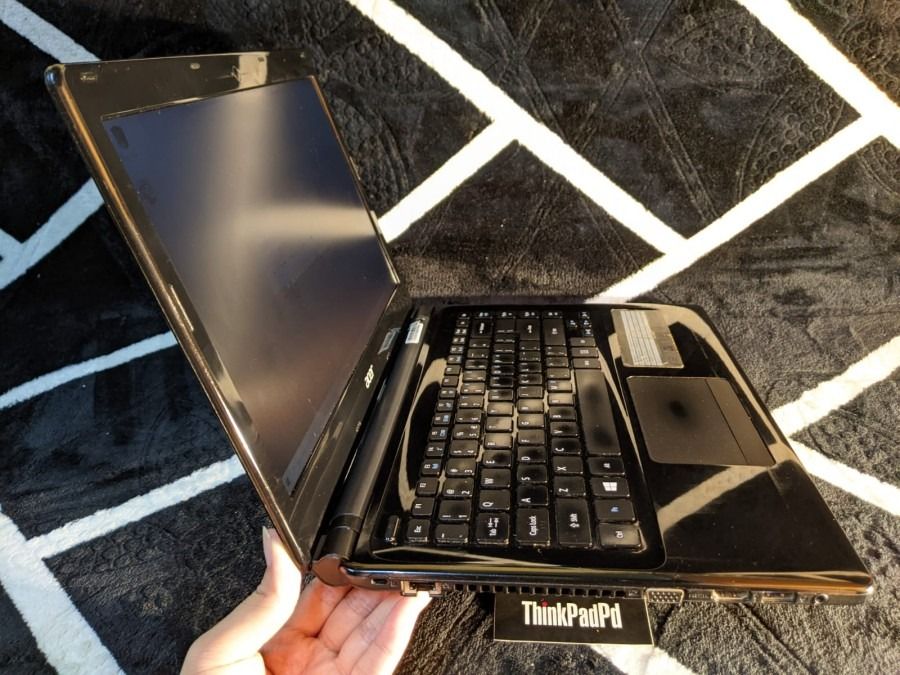
Choosing the right laptop for graphic design can feel overwhelming, but Acer offers a range of powerful machines to suit different budgets and workflows. This post will delve into several Acer laptop models ideal for graphic designers, highlighting their strengths and weaknesses to help you make an informed decision.
Acer Laptop Models for Graphic Design: Specifications and Price Ranges
The following table compares four Acer laptops suitable for graphic design tasks. Note that prices can fluctuate based on retailer and sales, so these are approximate ranges. Specifications may also vary slightly depending on the configuration.
| Model | Processor | RAM | Storage | Graphics Card | Price Range (USD) |
|---|---|---|---|---|---|
| Acer ConceptD 7 Ezel | Intel Core i7 or i9 | 16GB-32GB | 1TB SSD | NVIDIA GeForce RTX 3070 or 3080 | $2500 – $4000 |
| Acer Swift X | AMD Ryzen 7 or Intel Core i7 | 16GB | 512GB SSD | NVIDIA GeForce RTX 3050 Ti | $1000 – $1500 |
| Acer Aspire 5 | Intel Core i5 or i7 | 8GB-16GB | 512GB SSD | Intel Iris Xe Graphics or NVIDIA GeForce MX series | $600 – $1000 |
| Acer Predator Triton 300 SE | Intel Core i7 or i9 | 16GB-32GB | 1TB SSD | NVIDIA GeForce RTX 3060 | $1500 – $2500 |
Advantages and Disadvantages of Each Model
Each Acer laptop model offers a unique balance of performance and price.
Acer ConceptD 7 Ezel: This convertible laptop boasts a powerful processor and graphics card, making it ideal for demanding tasks like 3D modeling and video editing. Its unique design, with a rotating screen, offers flexibility for various workflows. However, it comes with a premium price tag.
Acer Swift X: The Swift X provides a good balance of performance and portability. It’s suitable for photo editing, graphic design, and some video editing, but may struggle with extremely demanding 3D projects. Its price is more accessible than the ConceptD 7 Ezel.
Acer Aspire 5: The Aspire 5 is a budget-friendly option, suitable for less demanding graphic design tasks and photo editing. However, its graphics capabilities are more limited, and it may not be suitable for intensive video editing or 3D modeling.
Acer Predator Triton 300 SE: This gaming laptop offers robust performance, making it suitable for a wide range of graphic design tasks, including video editing and some 3D modeling. It offers a good balance between performance and price, though it may be overkill for basic photo editing.
Acer Laptop Selection Flowchart for Graphic Design Needs
The following flowchart visualizes the decision-making process for selecting an Acer laptop based on your specific graphic design needs.
Imagine a flowchart starting with a central question: “What are your primary graphic design needs?”. This branches into three options: Photo Editing, Video Editing, and 3D Modeling. Each branch leads to a recommendation of a suitable Acer laptop model based on the performance requirements of that task. For example, the “Photo Editing” branch might lead to the Acer Swift X or Aspire 5, while “3D Modeling” would point towards the Acer ConceptD 7 Ezel or Predator Triton 300 SE.
The flowchart uses simple shapes like rectangles for processes and diamonds for decisions, clearly indicating the path to the best laptop choice based on the user’s needs. The final stage of the flowchart would be the selection of the recommended Acer laptop model.
Acer Monitors for Graphic Design
Choosing the right monitor is paramount for graphic designers. A high-quality display ensures accurate color representation, sharp details, and a comfortable viewing experience crucial for producing professional-level work. The wrong monitor can lead to frustrating color inconsistencies, eye strain, and ultimately, subpar designs. Acer offers a range of monitors specifically designed to meet the demanding needs of graphic designers.
Let’s delve into some key aspects to consider when selecting an Acer monitor for your design workflow.
Acer Monitors Suitable for Graphic Design
Several Acer monitors stand out as excellent choices for graphic design professionals. The selection below highlights key specifications to aid in your decision-making process. Remember to always check the latest specifications and availability from Acer’s official website or authorized retailers.
- Acer Predator XB273K: This monitor boasts a 27-inch IPS panel with a 4K (3840 x 2160) resolution, a 144Hz refresh rate, and excellent color accuracy. It supports HDR and has a fast response time, making it ideal for both photo editing and video editing. The panel type is IPS, offering wide viewing angles.
- Acer Nitro XV272U Pbmiiprzx: A 27-inch IPS display with a 1440p (2560 x 1440) resolution, this monitor offers a balance between performance and affordability. Its 165Hz refresh rate and fast response time make it suitable for motion graphics work, while its accurate color reproduction is beneficial for still image editing. This is also an IPS panel.
- Acer ConceptD CP3271K: This 32-inch monitor features a 4K (3840 x 2160) resolution, 99% Adobe RGB color gamut coverage, and a 60Hz refresh rate. Its IPS panel delivers consistent color accuracy across wide viewing angles, making it a great choice for color-critical work.
Color Gamut Comparison of Select Acer Monitors
Color gamut coverage is a critical factor for graphic designers. Different color spaces (like Adobe RGB, sRGB, and DCI-P3) cater to various applications. The table below compares the color gamut coverage of three Acer monitors.
| Monitor Model | sRGB | Adobe RGB | DCI-P3 |
|---|---|---|---|
| Acer Predator XB273K | >99% (typical) | ~70% (typical) | ~90% (typical) |
| Acer Nitro XV272U Pbmiiprzx | >99% (typical) | ~72% (typical) | ~90% (typical) |
| Acer ConceptD CP3271K | >99% (typical) | 99% (typical) | ~90% (typical) |
Note: Typical values may vary slightly between individual units.
The Importance of HDR and Response Time for Graphic Design
While resolution and color accuracy are paramount, HDR (High Dynamic Range) and response time also significantly impact the graphic design workflow.
HDR enhances the dynamic range of colors and brightness, resulting in more lifelike images with deeper blacks and brighter whites. This is especially crucial for projects involving photo retouching or video editing where subtle details and realistic color gradations are essential. For example, editing a landscape photograph will show a more significant difference in detail and color vibrancy with HDR enabled.
Response time, measured in milliseconds (ms), refers to how quickly a pixel changes color. A faster response time minimizes motion blur and ghosting, beneficial when working with motion graphics or animations. A lower response time, such as 1ms or less, is ideal for smoother transitions and more precise editing in fast-paced design projects. For example, designing a website banner with dynamic elements will benefit greatly from a low response time monitor, avoiding blurry or smeared visuals during the design process.
Acer Accessories for Graphic Design
Source: acer.com
Choosing the right accessories can significantly elevate your graphic design workflow, transforming your Acer laptop into a powerful and efficient creative workstation. The right peripherals can boost productivity, improve ergonomics, and enhance the overall creative experience. Let’s explore some key Acer accessories that make a real difference.
Several Acer accessories are specifically designed to improve the graphic design experience. These enhance both the technical capabilities and the comfort of using your Acer laptop for creative projects.
Acer Accessories Enhancing Graphic Design Workflow
Three key Acer accessories stand out for their ability to boost productivity and comfort for graphic designers:
- Acer Active Stylus: This stylus offers pressure sensitivity and tilt detection, allowing for natural and precise input on compatible Acer touchscreen laptops. It’s ideal for applications like Adobe Photoshop and Illustrator, where precise line work and subtle brushstrokes are crucial.
- Acer External Graphics Card (eGPU): For demanding graphic design tasks requiring substantial processing power, an external graphics card provides a significant performance boost. This allows you to connect a high-end GPU to your laptop, handling complex 3D rendering and high-resolution image editing with ease. This is especially useful for designers working with large files and intricate designs.
- Acer Ergonomic Keyboard: Prolonged periods of designing can lead to discomfort and strain. An ergonomic keyboard, with its split design and adjustable tilt, promotes a more natural hand and wrist position, reducing the risk of repetitive strain injuries. This ensures comfort and efficiency during extended work sessions.
Improved Workflow Efficiency with the Acer Active Stylus in Adobe Photoshop
The Acer Active Stylus significantly enhances workflow efficiency in Adobe Photoshop, particularly for tasks involving intricate details and natural brush strokes. The pressure sensitivity allows for creating varying line weights and brush opacity with subtle pressure changes, mimicking the feel of traditional art tools. This translates to a more intuitive and expressive design process. For example, creating delicate textures or precise selections becomes significantly easier and faster with the stylus compared to using a traditional mouse.
The tilt detection further refines the control, allowing for creating shading and blending effects with a natural feel, significantly speeding up the workflow for tasks such as digital painting or retouching.
Acer Accessories Compatible with the Acer ConceptD 7 Ezel, Acer graphic design hardware
The Acer ConceptD 7 Ezel, a popular choice for graphic designers, is compatible with a range of Acer accessories designed to optimize its capabilities. Below is a selection of compatible accessories and their functions:
| Accessory | Function | Description | Compatibility |
|---|---|---|---|
| Acer Active Stylus | Precise input and pressure sensitivity for drawing and editing | Offers pressure sensitivity and tilt detection for natural and accurate input on the touchscreen display. | ConceptD 7 Ezel (models with touchscreen) |
| Acer Thunderbolt 4 Dock | Expands connectivity options | Provides multiple USB ports, DisplayPort, and Ethernet connections for enhanced productivity. | ConceptD 7 Ezel (via Thunderbolt 4 port) |
| Acer Predator X34P Monitor | High-resolution display for detailed work | Offers a large, curved display with high refresh rate and vibrant colors ideal for graphic design. | ConceptD 7 Ezel (via DisplayPort or HDMI) |
| Acer ErgoStand | Ergonomic monitor stand | Allows for adjustable height and tilt of the monitor, improving posture and comfort. | Compatible with most monitors, including those used with ConceptD 7 Ezel |
Software Compatibility and Performance
Acer’s commitment to providing high-performance hardware extends to seamless compatibility and excellent performance with industry-leading graphic design software. Whether you’re working with the Adobe Creative Suite, Autodesk products, or other professional design applications, Acer laptops, monitors, and accessories are designed to handle the demands of even the most complex projects. This ensures a smooth workflow and maximizes your creative potential.Acer hardware’s performance with popular graphic design software is a key consideration for professionals.
The processing power, RAM, and dedicated graphics card all play crucial roles in determining responsiveness and rendering speeds. Higher specifications generally translate to faster performance, but the specific application and its demands also heavily influence the overall experience.
Adobe Creative Suite Performance on Acer Hardware
The Adobe Creative Suite, including Photoshop, Illustrator, InDesign, and Premiere Pro, is a cornerstone of the graphic design industry. Acer laptops equipped with powerful processors, ample RAM (at least 16GB is recommended), and dedicated NVIDIA GeForce RTX or AMD Radeon graphics cards provide a responsive and efficient workflow within the Creative Suite. For example, a system with an Intel Core i7 processor, 32GB of RAM, and an NVIDIA GeForce RTX 3060 will significantly outperform a system with an Intel Core i5 processor, 8GB of RAM, and integrated graphics when handling large, complex files in Photoshop.
The difference becomes especially noticeable during tasks like rendering high-resolution images or video editing. Similarly, using an Acer monitor with high resolution and accurate color reproduction is crucial for precise color matching and detailed work.
My Acer Predator Triton 500 SE has been a beast for graphic design, handling complex projects with ease. But lately, I’ve been thinking about expanding my reach and learning more about video production, which is why I’ve been checking out this awesome guide on getting it on with youtube to improve my workflow. Ultimately, I want to showcase my design work in a more engaging way, and I think the power of my Acer hardware will really shine in video format.
Comparative Performance of Two Acer Laptop Configurations
Let’s compare two hypothetical Acer Swift X laptops running the same graphic design project in Adobe Photoshop:
| Component | Laptop A | Laptop B | Difference |
|---|---|---|---|
| Processor | Intel Core i5-1135G7 | Intel Core i7-1165G7 | Laptop B offers a noticeable performance improvement due to higher clock speeds and more cores. |
| RAM | 8GB | 16GB | Laptop B handles larger files and multitasking more efficiently. |
| Graphics Card | Intel Iris Xe Graphics | NVIDIA GeForce RTX 3050 | Laptop B provides significantly faster rendering times, especially for complex effects and high-resolution images. |
| Storage | 512GB SSD | 1TB SSD | While both offer fast storage, Laptop B’s larger capacity allows for storing more projects and assets. |
| Photoshop Rendering Time (Example) | 5 minutes | 3 minutes | Laptop B completes the task approximately 40% faster. |
Note: These are illustrative examples. Actual performance may vary based on specific project complexity and other factors.
Impact of Hardware Specifications on Rendering Times in Photoshop
Rendering times in Photoshop, and other similar applications, are directly impacted by several key hardware specifications. A higher-clock speed processor reduces processing time. More RAM allows for smoother handling of large files and complex layers, minimizing lag and speeding up rendering. A dedicated graphics card, particularly one with more VRAM, dramatically accelerates rendering, especially when dealing with effects and filters.
For instance, rendering a high-resolution image with multiple layers and complex effects can take several minutes on a system with integrated graphics, while a system with a dedicated graphics card might complete the same task in seconds. The difference becomes more pronounced with increasingly complex projects. Using a fast SSD also significantly improves load times for files and projects.
Acer Hardware for Different Graphic Design Disciplines
Choosing the right Acer hardware for your graphic design workflow is crucial for efficiency and high-quality results. Different disciplines, such as photo editing, video editing, and 3D modeling, demand varying levels of processing power, memory, and storage. Understanding these specific needs will help you build a system perfectly tailored to your creative process. This section Artikels ideal Acer hardware configurations for each discipline, explaining the rationale behind each component choice.
Ideal Acer Hardware Configurations for Different Graphic Design Disciplines
The ideal Acer hardware configuration differs significantly depending on the specific graphic design discipline. Below, we Artikel configurations for photo editing, video editing, and 3D modeling, highlighting the key components and their importance.
- Photo Editor: A high-resolution display is paramount for accurate color representation. A powerful processor and ample RAM are also important for smooth performance when working with large, high-resolution image files. A fast SSD ensures quick loading times. A suitable configuration might include an Acer ConceptD 7 Ezel with a high-resolution touchscreen, a powerful Intel Core i7 or AMD Ryzen 7 processor, 16GB of RAM, and a 1TB NVMe SSD.
- Video Editor: Video editing requires significant processing power, ample RAM, and fast storage for handling large video files and rendering complex projects. A dedicated graphics card is essential for accelerating video encoding and decoding. A powerful configuration might include an Acer ConceptD 500 with an Intel Core i9 processor, 32GB of RAM, a high-end NVIDIA GeForce RTX or AMD Radeon Pro graphics card, and a 2TB NVMe SSD.
- 3D Modeler: 3D modeling is extremely demanding, requiring a powerful processor, ample RAM, and a high-end dedicated graphics card for rendering complex 3D scenes. Large amounts of storage are also necessary to accommodate the large file sizes associated with 3D models and textures. A high-refresh-rate monitor is also beneficial for smoother workflow. A suitable configuration might include an Acer Predator Triton 500 SE with an Intel Core i7 or AMD Ryzen 7 processor, 32GB of RAM, a high-end NVIDIA GeForce RTX or AMD Radeon RX graphics card, and a 2TB NVMe SSD.
Rationale Behind Hardware Choices for Each Discipline
The hardware choices for each discipline are driven by the specific demands of the software and the nature of the work.Photo editors primarily need accurate color representation and fast processing for tasks like retouching and color correction. Therefore, a high-resolution display, a powerful processor, and sufficient RAM are key. Video editors require significantly more processing power and RAM to handle the large file sizes and rendering processes involved.
A dedicated graphics card is crucial for acceleration. 3D modelers demand the most powerful hardware, requiring a high-end graphics card for rendering complex 3D scenes, and a powerful processor and ample RAM to handle the computational load.
Comparison of System Requirements and Suitable Acer Hardware
Let’s visualize a comparison of the system requirements for three popular graphic design applications and suggest suitable Acer hardware. This is a simplified comparison, and actual requirements can vary depending on project complexity and software version.Imagine a table:| Software | Processor | RAM (GB) | Graphics Card | Storage (TB) | Acer Hardware Recommendation ||—————————–|—————–|———-|—————————–|—————|—————————————–|| Adobe Photoshop CC | Intel Core i5+ | 16 | Integrated or Dedicated GPU | 1 | Acer Aspire 5 with dedicated GPU upgrade || Adobe Premiere Pro CC | Intel Core i7+ | 32 | NVIDIA GeForce RTX 3060+ | 2 | Acer ConceptD 3 Ezel || Autodesk 3ds Max | Intel Core i9+ | 64 | NVIDIA GeForce RTX 4070+ | 4 | Acer Predator Triton 500 SE |This table illustrates the escalating hardware requirements from photo editing to video editing and finally 3D modeling.
The Acer hardware recommendations reflect the increasing demands for processing power, memory, and graphics capabilities. Note that these are suggestions and specific model choices will depend on budget and individual needs.
Wrap-Up
Ultimately, selecting the best Acer graphic design hardware depends entirely on your individual workflow and budget. This guide has provided a comprehensive overview of Acer’s offerings, highlighting key features and specifications to aid your decision-making process. Remember to carefully consider your specific design needs—photo editing, video production, or 3D modeling—when choosing your hardware. By thoughtfully evaluating the options presented, you can confidently build a powerful and efficient workstation that will fuel your creativity for years to come.
Happy designing!
Query Resolution: Acer Graphic Design Hardware
What is the warranty on Acer graphic design laptops?
Acer offers varying warranty lengths depending on the model and purchase location. Check the specific product details or contact Acer support for precise warranty information.
Are Acer monitors compatible with other brands of laptops?
Yes, Acer monitors are generally compatible with laptops from other brands. Standard video connections (HDMI, DisplayPort) ensure broad compatibility.
How do I upgrade the RAM or storage in my Acer laptop?
The upgrade process varies depending on the laptop model. Consult your laptop’s manual or Acer’s support website for specific instructions and compatibility information. Some models have user-accessible RAM and storage slots, while others require professional service.
What is the best Acer laptop for beginners in graphic design?
For beginners, an Acer Aspire series laptop with a dedicated NVIDIA GeForce GTX or AMD Radeon graphics card and at least 8GB of RAM would be a good starting point. Prioritize a model with a decent screen for color accuracy.