Choosing Colors Mobile App Design
Choosing colors mobile app design is way more than just picking pretty hues; it’s about crafting an experience. The colors you select directly impact how users feel, how easily they navigate, and ultimately, whether they love your app or leave it behind. We’ll dive into the psychology of color, explore current trends, and learn how to choose shades that perfectly align with your app’s functionality and target audience.
Get ready to unlock the power of color!
From understanding the emotional responses evoked by different color palettes to mastering the art of color contrast for accessibility, this journey will equip you with the knowledge to create a visually stunning and user-friendly mobile application. We’ll cover everything from trending palettes and branding considerations to ensuring your app is accessible to everyone. Let’s make your app a visual masterpiece!
Psychological Impact of Color in Mobile App Design: Choosing Colors Mobile App Design
Color is more than just aesthetics in mobile app design; it’s a powerful tool influencing user behavior and experience. The strategic use of color can significantly impact user engagement, brand perception, and even app usability. Understanding the psychological associations linked to different colors is crucial for creating a successful and impactful mobile application.
Emotional Responses Associated with Different Color Palettes
Different colors evoke distinct emotional responses. Warm colors like reds and oranges tend to stimulate excitement, energy, and urgency, while cool colors such as blues and greens often project calmness, trust, and serenity. For instance, a food delivery app might use vibrant oranges and yellows to create a sense of warmth and appetite stimulation, whereas a meditation app would likely opt for calming blues and greens to foster a sense of peace and relaxation.
The choice of color palette should directly align with the app’s purpose and target audience.
Color Psychology’s Influence on User Engagement and App Usability
Color psychology directly impacts user engagement. A well-chosen color scheme can guide users intuitively through the app’s interface, highlighting key features and improving overall usability. For example, using a bright, contrasting color for call-to-action buttons can significantly increase click-through rates. Conversely, an inconsistent or jarring color palette can confuse users and lead to frustration, negatively impacting engagement and potentially causing users to abandon the app.
The strategic placement and usage of color is key to guiding user flow and maximizing interaction.
Impact of Color Contrast on Accessibility and Readability
Sufficient color contrast is paramount for accessibility and readability, especially for users with visual impairments. Insufficient contrast between text and background can make an app difficult or even impossible to use for some individuals. WCAG (Web Content Accessibility Guidelines) provide specific guidelines for color contrast ratios to ensure accessibility. Apps should prioritize sufficient contrast to ensure inclusivity and usability for all users.
For example, using dark text on a light background or vice-versa, with a contrast ratio meeting WCAG standards, ensures readability.
Examples of Successful Mobile App Color Schemes and Their Psychological Effects
Spotify, known for its green branding, uses a calming green and black color scheme, conveying a sense of sophistication and reliability, aligning with its role as a trusted music streaming service. In contrast, Instagram’s vibrant gradients of pink, orange, and purple create a youthful and energetic feel, reflecting its social media platform’s dynamic nature. These examples highlight how color choices reflect and reinforce brand identity and user experience.
Comparison of Warm and Cool Color Palettes
| Color Palette | Associated Emotions | Suitable App Types | Example |
|---|---|---|---|
| Warm (Reds, Oranges, Yellows) | Excitement, Energy, Urgency, Warmth, Happiness | Food delivery, Gaming, Social Media, E-commerce | A food delivery app using bright orange and yellow for its branding and call-to-action buttons. |
| Cool (Blues, Greens, Purples) | Calmness, Trust, Serenity, Professionalism, Sophistication | Finance, Healthcare, Meditation, Productivity | A banking app using a calming blue and grey color scheme to project trust and stability. |
Color Trends in Mobile App Design
The world of mobile app design is a vibrant landscape, constantly shifting with evolving user preferences and technological advancements. Color, a fundamental element of design, plays a crucial role in shaping user experience, influencing brand perception, and ultimately determining an app’s success. Understanding and effectively utilizing current color trends is therefore paramount for any app developer aiming to create a visually appealing and engaging product.Color palettes in mobile app design are increasingly influenced by broader design trends, mirroring shifts in societal aesthetics and technological capabilities.
This dynamic interplay necessitates a continuous awareness of emerging color trends to remain competitive and relevant. This exploration delves into current and emerging color trends, showcasing successful examples and offering practical guidance on incorporating these trends while preserving brand identity.
Current and Emerging Color Trends
Currently, we see a move away from overly saturated, bright colors towards more muted, sophisticated palettes. Earthy tones, such as various shades of green, brown, and beige, are gaining popularity, reflecting a growing interest in natural and sustainable themes. Simultaneously, pastel shades continue their reign, offering a sense of calmness and gentleness. Bold, vibrant accents are still used, but often more sparingly, serving to highlight key elements within a more subdued overall palette.
A strong trend involves the use of duotone palettes, combining two shades for a modern and visually striking effect. Emerging trends suggest an increased use of deep, rich jewel tones, providing a sense of luxury and sophistication, and the exploration of AI-generated color palettes, opening up new possibilities for unique and unexpected combinations.
Examples of Popular Color Palettes
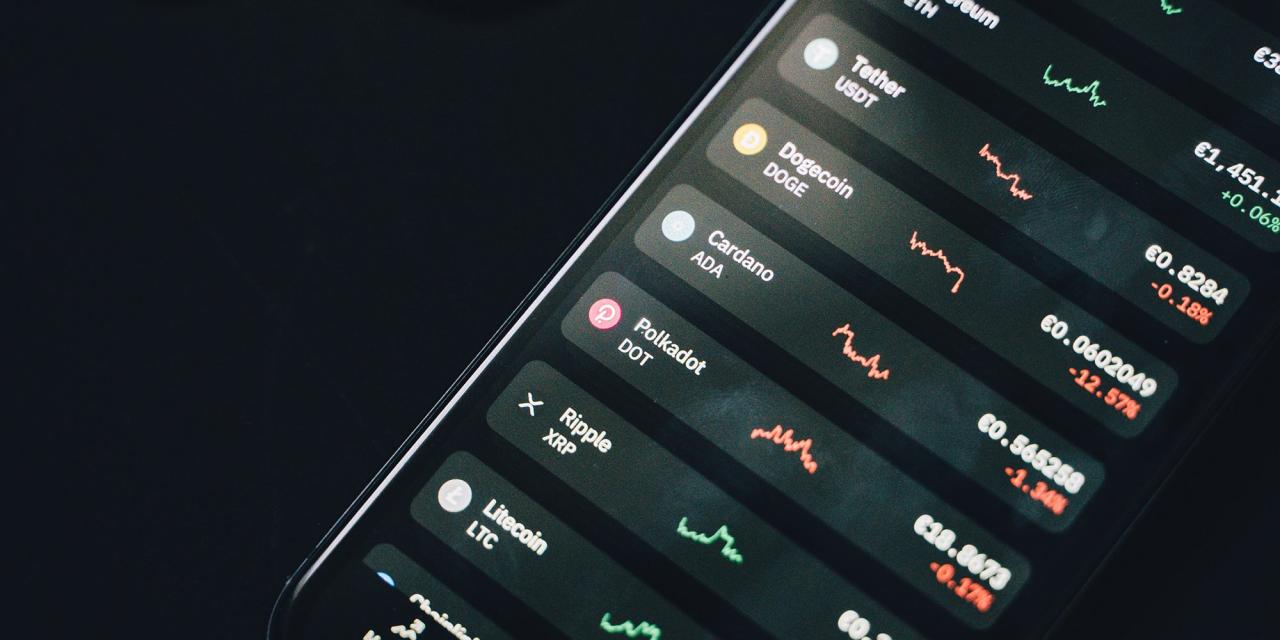
Several successful apps exemplify these trends. Consider the calming greens and blues often used in meditation apps, reflecting their purpose. Financial apps frequently employ dark blues and greens to convey trust and stability. Social media apps, on the other hand, often utilize brighter, more playful palettes to encourage engagement and interaction. For instance, a hypothetical successful productivity app might use a palette of muted greens (#A7D1AB) for backgrounds, accented with a warmer, more focused gold (#D4AC0D) for call-to-action buttons, creating a sense of calm productivity.
A hypothetical gaming app might use a contrasting palette of deep blues (#1E3A8A) and vibrant oranges (#FF8C00) to create a sense of energy and excitement.
Influence of Current Design Trends on Color Choices
The rise of minimalist design has significantly influenced color palettes, favoring simplicity and clean lines. This often translates into the use of limited color palettes, focusing on a few key shades to maintain visual harmony. The growing popularity of dark mode has also impacted color choices, with designers focusing on creating legible and visually comfortable interfaces within darker color schemes.
Moreover, the increased use of gradients and subtle color shifts adds depth and visual interest to otherwise simple designs. The trend towards personalized experiences also affects color choices; apps are incorporating user-selected themes or color preferences to enhance user engagement and customization.
Incorporating Trending Colors While Maintaining Brand Consistency
Successfully integrating trending colors requires a delicate balance between embracing current aesthetics and preserving brand identity. One effective strategy is to use trending colors as accents rather than dominant hues. This allows designers to incorporate fresh visual elements without drastically altering the overall brand aesthetic. Another approach is to subtly adapt existing brand colors to reflect current trends. For example, a brand known for its bright blues might incorporate a slightly desaturated or muted version of the blue to align with the current preference for softer hues.
Thorough market research and user testing are essential to ensure that any color changes resonate positively with the target audience.
Visual Representation of Color Palettes
Palette 1: Calm Productivity
This palette evokes feelings of focus and tranquility, ideal for productivity apps. It uses muted greens and a warm gold accent.
- Background: #A7D1AB (Soft Green)
- Text: #333333 (Dark Gray)
- Accent: #D4AC0D (Warm Gold)
Palette 2: Energetic Gaming
This high-contrast palette creates a sense of excitement and energy, perfect for gaming apps. It uses deep blues and vibrant oranges.
- Background: #1E3A8A (Deep Blue)
- Text: #FFFFFF (White)
- Accent: #FF8C00 (Vibrant Orange)
Palette 3: Serene Wellness
This palette promotes relaxation and well-being, suitable for meditation or wellness apps. It features soft pastels and a muted purple.
- Background: #F2F2F2 (Light Gray)
- Text: #800080 (Purple)
- Accent: #B0C4DE (Light Blue)
Choosing Colors Based on App Functionality and Target Audience
Selecting the right color palette for your mobile app is crucial for success. It’s not just about aesthetics; color significantly impacts user experience, brand perception, and ultimately, app adoption. The choices you make should be deeply informed by your app’s functionality and the specific demographics of your target audience.App functionality dictates the overall mood and feeling you want to convey.
A calming palette might be ideal for a meditation app, while a vibrant one could be perfect for a social media platform. Understanding this connection is paramount to creating a cohesive and effective user interface.
Color Schemes for Different App Categories
The choice of color scheme directly relates to the app’s purpose. For instance, e-commerce apps often leverage colors associated with trust and reliability, such as blues and greens, to inspire confidence in users. These colors also suggest stability and security, vital aspects for online transactions. In contrast, social media apps frequently utilize brighter, more energetic colors like reds, oranges, and yellows to stimulate engagement and excitement.
Productivity apps, on the other hand, often favor calming and focused palettes, often incorporating shades of green and blue to promote concentration and efficiency. Consider the contrasting palettes of Instagram (bright, energetic) versus Calm (serene, calming) as prime examples of this principle in action.
Targeting Specific Demographics with Color
Understanding your target audience’s demographics and preferences is critical for selecting a color palette that resonates. Different age groups and cultural backgrounds have varying associations with specific colors. For example, younger audiences might respond well to bolder, more unconventional color combinations, while older audiences might prefer more subdued and classic palettes. Cultural nuances also play a significant role; a color considered auspicious in one culture might hold negative connotations in another.
Thorough market research and user testing are essential to avoid unintentional misinterpretations and ensure positive user engagement.
Color Palettes Across Age Groups and Cultures
The impact of color varies significantly across age groups and cultures. Younger generations (Millennials and Gen Z) often exhibit a preference for vibrant, unconventional color combinations, reflecting their dynamic and expressive personalities. Older generations (Baby Boomers and beyond) tend to gravitate towards more traditional and calming palettes, valuing simplicity and familiarity. Cultural considerations are equally important; for instance, red, a symbol of good fortune in some Asian cultures, might represent anger or danger in others.
Therefore, a global app must carefully consider these cultural differences to avoid creating unintended negative associations.
Productivity App Color Palettes for Different Demographics
To illustrate, let’s design three distinct color palettes for a hypothetical productivity app, each targeting a different age demographic:
Below are three color palettes designed for a productivity app, targeting different age groups:
- Young Adults (18-35):
- Teal (#008080): Represents creativity and innovation, appealing to a younger audience’s desire for something fresh and modern.
- Bright Orange (#FFA500): Adds a pop of energy and enthusiasm, reflecting the dynamic nature of this demographic.
- Light Grey (#D3D3D3): Provides a neutral backdrop, ensuring the brighter colors don’t overwhelm the user interface.
- Middle-Aged Professionals (36-55):
- Deep Blue (#000080): Projects professionalism, trust, and stability, appealing to the values of this demographic.
- Soft Green (#90EE90): Represents growth and calm, promoting a sense of focus and productivity.
- Off-White (#F8F8FF): Creates a clean and sophisticated aesthetic, enhancing the overall professional feel.
- Senior Citizens (55+):
- Muted Green (#8FBC8F): A calming and soothing color that promotes relaxation and ease of use, considering potential visual impairments.
- Soft Beige (#F5F5DC): Offers high contrast and readability, improving accessibility for users with vision challenges.
- Dark Grey (#A9A9A9): Provides clear separation between elements, enhancing usability and preventing visual clutter.
Color and Branding in Mobile App Design
Source: squarespace-cdn.com
Color is more than just aesthetics in mobile app design; it’s a powerful tool for establishing and reinforcing brand identity. A well-chosen color palette can instantly communicate a brand’s personality, values, and even its target audience, creating a cohesive and memorable user experience. Inconsistency, on the other hand, can lead to confusion and dilute brand recognition.Color consistency across platforms is paramount for maintaining a strong brand identity.
Users interact with brands across various touchpoints – websites, social media, and of course, mobile apps. A consistent color scheme ensures a seamless and recognizable experience, reinforcing brand recall and building trust. When a user sees your signature color on a mobile app, they should immediately associate it with your brand, just as they would on your website or in your marketing materials.
Brand Values and Personality Through Color
Color psychology plays a crucial role in how a brand is perceived. For instance, blues often convey trustworthiness and stability, while greens suggest growth and environmental consciousness. Reds evoke energy and excitement, while yellows represent optimism and creativity. By carefully selecting colors that align with the brand’s desired personality, designers can subtly influence user perception and create a strong emotional connection.
A playful brand might use bright, vibrant colors, while a sophisticated brand might opt for muted tones and elegant color combinations.
Examples of Successful Brand Color Usage
Spotify’s predominantly green interface is instantly recognizable and reflects its focus on music and growth. The calm, yet vibrant green evokes feelings of freshness and energy, perfectly aligning with the brand’s youthful and dynamic image. Similarly, the minimalist and calming blue tones used in the Calm app directly reflect the app’s focus on relaxation and mindfulness. The color choice immediately sets the right tone and prepares the user for a calming experience.
Conversely, a brand like Coca-Cola maintains its iconic red throughout all its digital presence, ensuring immediate brand recognition and maintaining a consistent, vibrant brand image.
Creating a Color Palette Aligned with Branding Guidelines
Developing a mobile app color palette that aligns with existing branding guidelines involves a systematic approach. First, carefully review the company’s existing brand guidelines, paying close attention to the primary brand colors, secondary colors, and any specific color usage rules. Then, explore different color variations and shades to find those that work best within the app’s context and user interface.
Consider accessibility guidelines, ensuring sufficient contrast between text and background colors for readability. Finally, test the chosen palette extensively, gathering feedback to ensure it resonates with the target audience and aligns with the overall brand message.
Guidelines for Creating a Cohesive Color Palette, Choosing colors mobile app design
A cohesive color palette strengthens brand recognition by ensuring visual consistency across all brand touchpoints. Here are some essential guidelines:
- Start with the brand’s primary colors as a foundation. These should be the dominant colors in the app’s design.
- Use a limited color palette. Avoid overwhelming users with too many colors. A palette of 3-5 colors, including variations in shade and tone, is usually sufficient.
- Maintain color consistency across all screens and elements within the app. This ensures a unified and professional look and feel.
- Consider the context of each screen and element when choosing colors. For example, call-to-action buttons might use a contrasting color to draw attention.
- Ensure sufficient color contrast to meet accessibility guidelines. This is crucial for users with visual impairments.
- Test the color palette on different devices and screen sizes to ensure consistent appearance across platforms.
- Regularly review and update the color palette as the brand evolves to maintain relevance and visual appeal.
Accessibility Considerations in Mobile App Color Selection
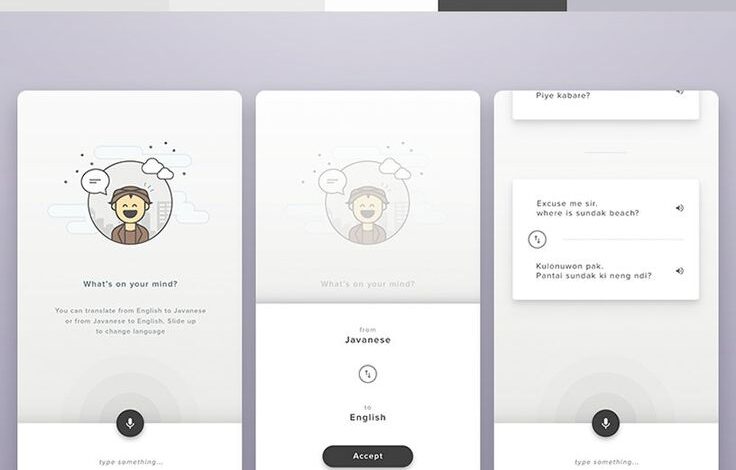
Source: pinimg.com
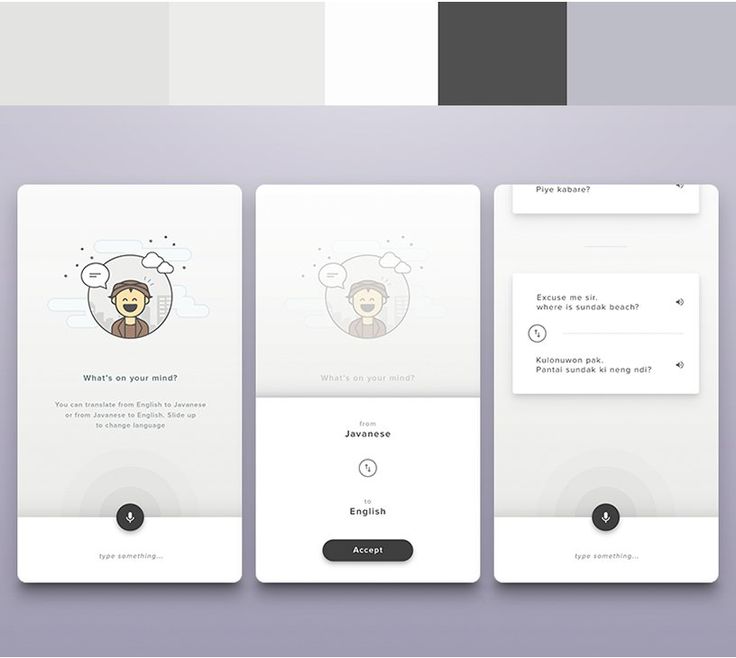
Choosing colors for your mobile app isn’t just about aesthetics; it’s crucial for ensuring accessibility for all users, especially those with visual impairments. Color contrast plays a vital role in making your app usable and enjoyable for everyone. Ignoring accessibility can lead to exclusion and a poor user experience.
WCAG Guidelines and Color Contrast
The Web Content Accessibility Guidelines (WCAG) provide internationally recognized standards for web accessibility. These guidelines, specifically WCAG 2.1 and 2.2, offer detailed recommendations for sufficient color contrast ratios between text and background elements. Adhering to these guidelines is essential for making your mobile app accessible to users with low vision, color blindness, and other visual impairments. Failure to meet these standards can result in significant usability issues.
The guidelines define different levels of conformance (A, AA, and AAA), with AA being the most commonly targeted level for most applications.
Examples of WCAG-Compliant Color Combinations
Meeting WCAG standards doesn’t require limiting your design choices. Many aesthetically pleasing color palettes can achieve sufficient contrast. For example, a dark navy background (#002D62) with light beige text (#F5F5DC) generally meets AA standards. Similarly, a bright teal (#008080) background with white text (#FFFFFF) will also satisfy WCAG requirements. The key is to use a contrast checker tool (discussed below) to verify the ratio.
Testing Color Contrast Ratios
Several free online tools are available to easily check the contrast ratio between any two colors. These tools typically require you to input the hex codes of your foreground and background colors. They then calculate the contrast ratio, indicating whether it meets WCAG guidelines for different levels of conformance (AA, AAA). Popular tools include WebAIM’s Contrast Checker and many browser extensions dedicated to accessibility.
Regularly checking your color combinations during the design process is essential to ensure consistent accessibility.
Picking the right color palette for your mobile app is crucial; it sets the mood and impacts user experience. Think about how your app’s visual identity will translate to video marketing, and check out this great guide on getting it on with YouTube to boost your app’s visibility. After all, consistent branding across all platforms is key to success, so nail those colors first!
Designing an Accessible Color Palette
Creating an accessible color palette involves careful planning and testing. Begin by selecting a base color palette that aligns with your branding. Then, use a contrast checker to ensure sufficient contrast between text, icons, and other interactive elements against their backgrounds. Consider using a limited number of colors to maintain consistency and avoid visual clutter. It’s crucial to test your app on different devices and in various lighting conditions to ensure readability remains consistent.
Color Combinations and Contrast Ratios
| Foreground Color | Background Color | Contrast Ratio | WCAG Compliance (AA) |
|---|---|---|---|
| #FFFFFF (White) | #000000 (Black) | 21:1 | Yes |
| #F5F5DC (Beige) | #002D62 (Dark Navy) | 4.54:1 | Yes |
| #000000 (Black) | #FFFFE0 (Light Yellow) | 4.5:1 | Yes |
| #FFFFFF (White) | #800000 (Maroon) | 4.5:1 | Yes |
Outcome Summary
Mastering the art of choosing colors for your mobile app design is a crucial step in creating a successful product. By understanding the psychology of color, staying updated on current trends, and prioritizing accessibility, you can craft a visually appealing and user-friendly experience. Remember, the colors you choose are more than just aesthetics; they’re a powerful tool that shapes user perception and engagement.
So, go forth and create something amazing!
Common Queries
How can I find my brand’s ideal color palette?
Start by defining your brand’s personality and values. What feeling do you want to evoke? Then, research color associations and explore palettes that align with your brand’s identity. Tools like Adobe Color can help you create and refine your palette.
What are some common color palette mistakes to avoid?
Avoid using too many colors, creating poor contrast that hinders readability, and ignoring accessibility guidelines. Stick to a limited, harmonious palette and always test your color choices for accessibility.
How often should I update my app’s color scheme?
There’s no hard and fast rule. If your brand identity changes, you might need to update your color scheme. Otherwise, a well-chosen palette can remain effective for years. Keep an eye on design trends, but prioritize consistency and user experience.