Project Management for Designers
Project management for designers isn’t just about deadlines and budgets; it’s about weaving together creativity, technical expertise, and client satisfaction. This post dives deep into the unique challenges designers face when managing projects, exploring effective strategies to navigate the complexities of design workflows and client collaborations. We’ll cover everything from choosing the right project management software to mastering client communication and mitigating potential risks.
We’ll explore proven methodologies, practical tools, and actionable tips to help you transform from a talented designer into a highly effective project manager. Whether you’re a freelancer juggling multiple clients or part of a larger design team, this guide will equip you with the skills and knowledge to successfully manage your design projects from concept to completion, delivering exceptional results every time.
Defining Project Management for Designers
Source: dzylo.com
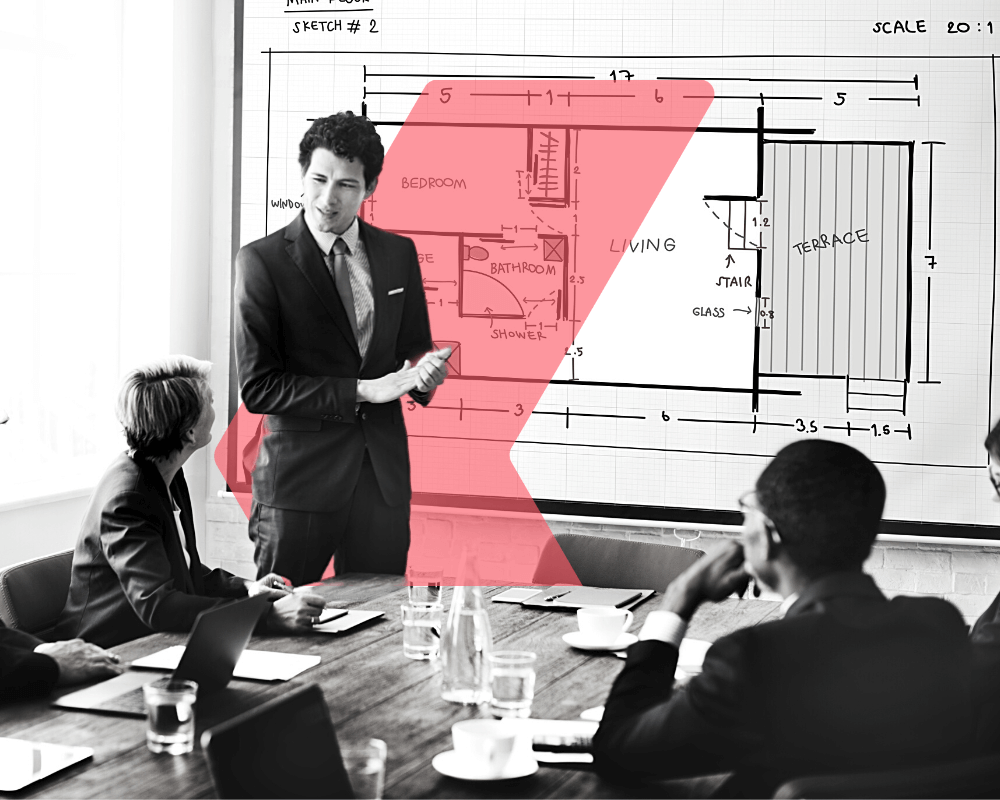
Project management for designers isn’t just about hitting deadlines; it’s about navigating the creative process while ensuring a successful outcome. It blends the artistic vision with the logistical realities of bringing a design project to life, requiring a unique skill set and approach. This often involves managing not only the design itself but also client expectations, team dynamics, and budgetary constraints.
Unique Challenges Faced by Designers in Project Management
Design projects are inherently fluid and iterative. Unlike projects with clearly defined, sequential steps, design often involves experimentation, feedback loops, and revisions. This makes traditional project management methodologies, which often emphasize rigid planning, less effective. Designers also face the challenge of translating abstract concepts into tangible deliverables, requiring strong communication and collaboration skills to bridge the gap between client vision and design execution.
Managing client expectations, especially when dealing with subjective aesthetic preferences, presents another significant hurdle.
Comparison of Traditional and Design-Specific Project Management Methodologies
Traditional methodologies like Waterfall emphasize sequential phases with limited flexibility. This approach struggles with the iterative nature of design. Agile methodologies, on the other hand, embrace change and iterative development, making them better suited for design projects. Agile allows for continuous feedback, adaptation, and refinement throughout the project lifecycle. Lean methodologies focus on eliminating waste and maximizing value, aligning well with the need for efficiency in design projects.
Kanban boards, a visual tool within Agile, are particularly useful for managing the workflow of multiple design tasks simultaneously.
Key Skills for Effective Design Project Management
Effective design project management requires a blend of creative and managerial skills. Designers need strong organizational skills to manage multiple projects and deadlines simultaneously. Proficiency in project management software is crucial for tracking progress, managing tasks, and collaborating with team members. Excellent communication skills are paramount, enabling clear articulation of design concepts and effective collaboration with clients and team members.
Problem-solving abilities are vital for navigating unforeseen challenges and making informed decisions under pressure. Finally, a deep understanding of design principles and processes allows for realistic project planning and execution.
The Importance of Communication and Collaboration in Design Project Management
Communication and collaboration are the cornerstones of successful design project management. Clear and consistent communication with clients ensures alignment on expectations and avoids costly misunderstandings. Effective communication within the design team fosters collaboration, creativity, and efficient workflow. Tools like Slack, project management software with integrated communication features, and regular team meetings facilitate seamless information sharing and problem-solving.
Active listening and empathy are crucial for understanding client needs and team members’ perspectives.
Comparison of Project Management Software for Designers
| Software Name | Key Features | Pricing Model | Best Suited For |
|---|---|---|---|
| Asana | Task management, collaboration tools, project timelines, integrations | Freemium | Small to large design teams, diverse project types |
| Notion | Highly customizable workspace, database features, wikis, task management | Freemium | Designers who prefer highly flexible and integrated workspaces |
| Trello | Kanban board system, visual task management, simple interface | Freemium | Small teams, managing simple projects and workflows |
| Monday.com | Visual project management, automation features, collaboration tools, various templates | Subscription-based | Teams needing robust features and automation capabilities |
Stages of a Design Project
Navigating the design process successfully requires a structured approach. Understanding the typical phases, from initial concept to final delivery, is crucial for both designers and clients. Effective project management ensures a smooth workflow, manages expectations, and ultimately delivers a high-quality product on time and within budget.
A typical design project unfolds in several distinct stages, each with its own set of tasks and deliverables. While the exact names and order might vary slightly depending on the project’s complexity and the specific design discipline, the underlying principles remain consistent. Proper planning and execution in each phase are key to a successful outcome.
Project Initiation and Brief
This initial phase sets the foundation for the entire project. It involves gathering information from the client, defining project goals, and establishing a clear scope of work. Key deliverables include a project brief, outlining the client’s needs, objectives, and expectations; a detailed project proposal outlining the approach, timeline, and budget; and a signed contract solidifying the agreement between the designer and client.
Common tools used here include project management software like Asana or Trello for task assignment and communication, and shared document platforms like Google Docs for collaborative brief development. Managing client expectations begins here; setting realistic timelines and budgets, and clearly defining deliverables prevent misunderstandings later.
Research and Concept Development
Following the project brief, thorough research is conducted to gather relevant information and inspiration. This phase involves competitor analysis, user research (if applicable), and exploration of various design solutions. Mood boards, style guides, and initial sketches are created to visually communicate the design direction. Tools such as Miro for collaborative brainstorming and InVision for prototyping are commonly used.
Regular communication with the client during this phase is vital to ensure alignment on the design direction and to address any emerging concerns. This helps manage expectations by giving the client a glimpse into the design thinking process.
So, you’re a designer tackling project management – hats off to you! It’s a juggling act, but vital for success. One key aspect I’ve found is effective content creation for marketing, which is why I recently dove into learning about YouTube strategies, checking out this awesome guide on getting it on with youtube to improve my client outreach.
Ultimately, strong project management helps you deliver amazing designs and market them effectively.
Design and Development
This is where the actual design work takes place. Based on the approved concepts, high-fidelity mockups, prototypes, and visual assets are created. This stage often involves multiple iterations and revisions based on client feedback. Design software like Adobe Creative Suite (Photoshop, Illustrator, InDesign) and Figma are essential tools here. Version control systems like Git (for web design projects) ensure that changes are tracked and easily reverted if necessary.
Regular check-ins with the client, presenting progress updates and incorporating feedback promptly, is crucial for managing expectations and preventing scope creep.
Testing and Refinement
Before launch, thorough testing is essential to identify and fix any bugs or usability issues. This phase may involve user testing, A/B testing, and accessibility checks. Testing tools vary depending on the project type, but might include user testing platforms like UserTesting.com or analytics tools like Google Analytics. Client feedback is incorporated during this stage to ensure the final product meets their requirements and expectations.
Transparency about the testing process and any discovered issues helps manage expectations and demonstrates a commitment to quality.
Launch and Post-Launch
The final phase involves the official launch of the design project. This might involve deploying a website, releasing a brand identity, or presenting a finished design. Post-launch activities include monitoring performance, gathering user feedback, and providing ongoing support. Analytics platforms and feedback tools are essential for this phase. Maintaining open communication with the client post-launch shows continued dedication and helps build long-term relationships.
Visual Representation of Design Project Workflow
Imagine a flowchart. The first box is “Project Initiation,” flowing into “Research & Concept,” which branches into multiple boxes representing different research methods (e.g., competitor analysis, user interviews). These converge into a “Concept Presentation” box, leading to “Design & Development.” This stage has multiple iterative loops, representing revisions based on client feedback. Next comes “Testing & Refinement,” with boxes for different testing methods (e.g., usability testing, accessibility checks).
Finally, the flowchart ends with “Launch & Post-Launch,” with a loop back to “Feedback & Iteration” if necessary.
Potential Roadblocks and Mitigation Strategies
Each phase of a design project can present unique challenges. Proactive planning and clear communication can significantly reduce the risk of encountering major roadblocks.
| Phase | Potential Roadblocks | Mitigation Strategies |
|---|---|---|
| Project Initiation | Unclear project brief, unrealistic expectations, insufficient budget | Detailed brief, clear communication, realistic scoping, contingency planning |
| Research & Concept | Lack of client involvement, insufficient research, conflicting design directions | Regular client check-ins, thorough research process, collaborative brainstorming sessions |
| Design & Development | Scope creep, design revisions, technical difficulties | Well-defined scope, version control, agile development methodology, clear communication |
| Testing & Refinement | Bugs, usability issues, delays in feedback | Thorough testing, automated testing, clear feedback channels, dedicated testing phase |
| Launch & Post-Launch | Technical issues, unexpected delays, negative client feedback | Thorough pre-launch checks, contingency plans, proactive communication, post-launch monitoring |
Time Management and Resource Allocation: Project Management For Designers
Juggling multiple design projects simultaneously can feel like a high-wire act. Effective time management and resource allocation are crucial for designers to not only meet deadlines but also maintain their sanity and produce high-quality work. This section explores practical strategies to help you master this vital aspect of design project management.
Effective Time Management Techniques
Designers often face the challenge of managing multiple projects with varying deadlines and priorities. Employing proven time management techniques is essential for maintaining productivity and preventing burnout. The Pomodoro Technique, for instance, involves working in focused bursts of 25 minutes followed by short breaks, enhancing concentration and preventing mental fatigue. Time blocking, where you schedule specific tasks within designated time slots, provides a structured approach to tackling your workload.
Prioritizing tasks using methods like the Eisenhower Matrix (urgent/important) helps focus energy on high-impact activities. Regularly reviewing your schedule and adjusting tasks as needed ensures you stay on track.
Common Time-Wasting Activities and Solutions, Project management for designers
Many activities can significantly drain a designer’s time without yielding proportional results. Excessive checking of emails, attending unnecessary meetings, and engaging in unproductive social media browsing are prime culprits. To combat these, establish dedicated email check times instead of constant monitoring. Prepare for meetings effectively, focusing on essential discussion points, and politely decline invitations to meetings that aren’t directly relevant to your projects.
Employ website blockers or apps to limit access to distracting websites during focused work periods. Learning to say “no” to additional tasks that overload your capacity is equally crucial for maintaining efficiency.
Prioritizing Tasks and Managing Deadlines
Effective prioritization is the cornerstone of successful project management. The Eisenhower Matrix (urgent/important) remains a powerful tool for categorizing tasks and allocating time accordingly. This method helps designers focus on high-impact, urgent tasks while strategically scheduling less urgent but important ones. Employing project management software with features like task dependencies and deadline alerts can provide a clear overview of upcoming deadlines and potential bottlenecks.
Regularly reviewing and adjusting priorities based on evolving project needs is crucial for maintaining control and delivering on time.
Creating a Realistic Project Schedule Using Gantt Charts
A Gantt chart provides a visual representation of a project schedule, outlining tasks, durations, and dependencies. Imagine a simple website redesign project. A textual representation of a Gantt chart might look like this:| Task | Week 1 | Week 2 | Week 3 | Week 4 ||————————–|——–|——–|——–|——–|| Client Briefing | X | | | || Wireframing | | X | X | || UI Design | | X | X | X || UX Testing | | | X | || Development | | | X | X || Client Review & Revisions | | | | X || Launch | | | | X |This illustrates the timeline for each task.
X denotes the week in which a task is scheduled. The chart clearly shows task dependencies (e.g., UI design cannot start before wireframing is complete) and overall project duration.
Resource Allocation Methods
Several methods exist for allocating resources in design projects. The critical path method (CPM) focuses on identifying the longest sequence of tasks (the critical path) and allocating resources to ensure its timely completion. Resource leveling aims to distribute resources evenly across the project to avoid bottlenecks and maintain a consistent workload. Resource smoothing involves adjusting the schedule to minimize resource fluctuations while keeping the project on track.
The choice of method depends on the project’s complexity, constraints, and resource availability. For instance, a small project might benefit from a simpler approach like resource leveling, while a large, complex project might require a more sophisticated method like CPM.
Budgeting and Client Communication
Effective budgeting and clear communication are the cornerstones of successful design projects. Without a well-defined budget, projects can quickly spiral out of control, leading to financial losses and strained client relationships. Simultaneously, consistent and transparent communication ensures client satisfaction and minimizes misunderstandings. This section will explore these crucial aspects of design project management.
Creating a Detailed Project Budget
A detailed project budget is essential for several reasons. It provides a clear financial roadmap, allowing for accurate cost estimation and resource allocation. This helps prevent unexpected expenses and ensures profitability. The budget also serves as a benchmark against which actual costs can be measured, enabling timely identification and resolution of potential overspending. Finally, a transparent budget fosters trust with clients, demonstrating professionalism and accountability.
Budgeting Methods
Several budgeting methods can be employed, each with its own advantages and disadvantages.
- Top-Down Budgeting: This method starts with the overall project budget and then allocates funds to different tasks. It’s simple and quick but may not accurately reflect the actual costs of individual tasks. It’s best suited for projects with well-defined scopes and limited complexity.
- Bottom-Up Budgeting: This approach involves estimating the costs of individual tasks and then summing them up to arrive at the total project budget. This method is more accurate than top-down budgeting but can be time-consuming, especially for large and complex projects. It’s ideal for projects where detailed task breakdowns are available.
- Activity-Based Budgeting: This method allocates budget based on the specific activities involved in the project. It provides a detailed breakdown of costs and helps in identifying potential cost-saving opportunities. However, it requires a thorough understanding of the project activities and can be complex to implement.
Communicating Project Updates and Progress
Regular and proactive communication is key to maintaining a positive client relationship. This involves providing consistent updates on project progress, highlighting milestones achieved, and addressing any concerns promptly. Effective communication methods include regular email updates, project management software updates, and scheduled client calls or meetings. Visual aids such as Gantt charts or progress reports can enhance understanding and transparency.
For example, a weekly email update can include a summary of completed tasks, upcoming milestones, and any potential roadblocks.
Handling Client Feedback and Revisions
Client feedback is invaluable for ensuring the final product meets their expectations. Establish a clear process for receiving, reviewing, and implementing feedback. Document all changes and revisions, keeping track of the time and resources involved. For instance, a well-defined revision process might involve a designated platform for submitting feedback, a timeframe for response, and a clear understanding of the scope of revisions included in the initial project agreement.
Managing expectations regarding the number of revisions included in the project scope is crucial to prevent scope creep.
Communicating Project Delays
Project delays are inevitable sometimes. When a delay occurs, it’s crucial to communicate it promptly and professionally to the client. Transparency and a clear explanation of the reasons for the delay are essential. Offering potential solutions and revised timelines helps to mitigate any negative impact on the client relationship.
Sample Email for Communicating Project Delays
Subject: Project [Project Name]
Update on Timeline
Dear [Client Name],This email is to inform you of a slight delay in the timeline for Project [Project Name]. We initially projected completion by [Original Deadline], however, due to [Reason for Delay – be specific and transparent], we now anticipate completion by [Revised Deadline].We understand this may cause inconvenience, and we sincerely apologize for any disruption this may cause.
We are working diligently to minimize the impact of this delay and are confident we can still deliver a high-quality product.We have attached an updated project schedule outlining the revised timeline. Please let us know if you have any questions or concerns.Sincerely,[Your Name]
Risk Management and Problem Solving

Source: ntaskmanager.com
Design projects, while creatively fulfilling, are inherently complex undertakings. Successfully navigating them requires proactive risk management and efficient problem-solving strategies. Ignoring potential pitfalls can lead to delays, budget overruns, and ultimately, a compromised final product. This section explores key aspects of managing risks and resolving issues in the design process.
Potential Risks and Challenges in Design Projects
Design projects face a unique set of risks, stemming from both internal and external factors. Client expectations, technological limitations, and team dynamics all contribute to the potential for project setbacks. Understanding these risks is the first step towards effective mitigation. For example, unrealistic deadlines imposed by clients can lead to rushed work and compromised quality. Similarly, unforeseen technical difficulties with software or hardware can cause significant delays.
Poor communication within the design team can result in duplicated efforts and conflicting design choices. Finally, scope creep, where the project requirements expand beyond the initial agreement, is a common source of problems.
Risk Mitigation Plan Development
A robust risk mitigation plan is crucial for navigating potential project setbacks. This plan should identify potential risks, assess their likelihood and impact, and Artikel strategies to minimize their occurrence or lessen their consequences. For instance, a risk assessment matrix can be used to categorize risks based on their probability and severity. This matrix would visually represent the level of attention each risk requires.
Mitigation strategies might include establishing clear communication protocols, setting realistic deadlines with buffer time, and utilizing version control systems to track design iterations and prevent accidental overwrites. Regular project reviews and progress meetings also allow for early identification and resolution of potential issues.
Conflict Resolution Strategies Within Design Teams
Disagreements are inevitable in collaborative design environments. Effective conflict resolution is essential for maintaining team cohesion and project momentum. Strategies for resolving conflicts include fostering open communication, encouraging active listening, and focusing on finding mutually acceptable solutions. Mediation by a neutral third party can be beneficial in particularly challenging situations. Establishing clear roles and responsibilities from the project outset can also help prevent conflicts from arising.
It’s important to remember that constructive criticism is valuable, but it should always be delivered respectfully and constructively.
Addressing Scope Creep
Scope creep, the uncontrolled expansion of project requirements, is a significant threat to design projects. This often leads to budget overruns, missed deadlines, and decreased project quality. To mitigate scope creep, it’s crucial to establish a clear and concise project scope document at the outset. This document should define the project goals, deliverables, and key features. Any changes to the scope should be formally documented, reviewed, and approved by all relevant stakeholders.
Regular check-ins with the client to ensure alignment with the agreed-upon scope are also vital. Utilizing change management processes can help control and manage scope changes effectively.
Problem-Solving Process Flowchart
The following describes a flowchart illustrating a problem-solving process for design project issues. The flowchart would begin with “Problem Identified?”. If yes, the next step would be “Define the Problem Clearly.” This would be followed by “Brainstorm Potential Solutions,” leading to “Evaluate Solutions (Feasibility, Cost, Impact).” After evaluation, the flowchart would progress to “Select Best Solution,” followed by “Implement Solution” and “Monitor Results.” If the problem persists, the process would loop back to “Brainstorm Potential Solutions.” If the problem is resolved, the flowchart would end with “Document Solution and Lessons Learned.” This iterative process ensures a structured and methodical approach to problem-solving.
Conclusive Thoughts
Source: filestage.io
Mastering project management as a designer is about more than just ticking boxes; it’s about creating a seamless and enjoyable experience for yourself and your clients. By understanding the unique nuances of design projects, implementing effective time management and communication strategies, and proactively addressing potential risks, you can unlock your full potential as a design professional. So, embrace the challenge, hone your project management skills, and watch your design career flourish!
Helpful Answers
How do I handle scope creep in a design project?
Clearly define the project scope upfront with your client, using a detailed contract or brief. Regularly check in with the client to ensure they’re happy with the progress and address any requests for changes formally, potentially creating change orders with associated costs and timelines.
What’s the best project management software for designers?
There’s no single “best” software; it depends on your needs and budget. Popular choices include Asana, Trello, Monday.com, and Figma (which integrates design and project management). Consider features like task management, collaboration tools, and client communication capabilities when choosing.
How do I estimate the time needed for a design project accurately?
Break down the project into smaller, manageable tasks. Estimate the time for each task based on your experience and add buffer time for unexpected delays. Use time tracking tools to monitor your actual time spent on tasks and refine your estimations for future projects.
