
Microinteractions represent the subtle, often overlooked architecture of digital engagement that defines the modern user experience. While developers and designers frequently focus on major architectural features or branding, these granular, single-purpose interactions serve as the primary bridge between human intent and machine response. As digital products face increasingly fierce competition, the capacity to provide seamless, intuitive feedback has moved from a "nice-to-have" aesthetic flourish to a fundamental requirement for customer retention and product success.

Defining the Mechanics of Micro-Design
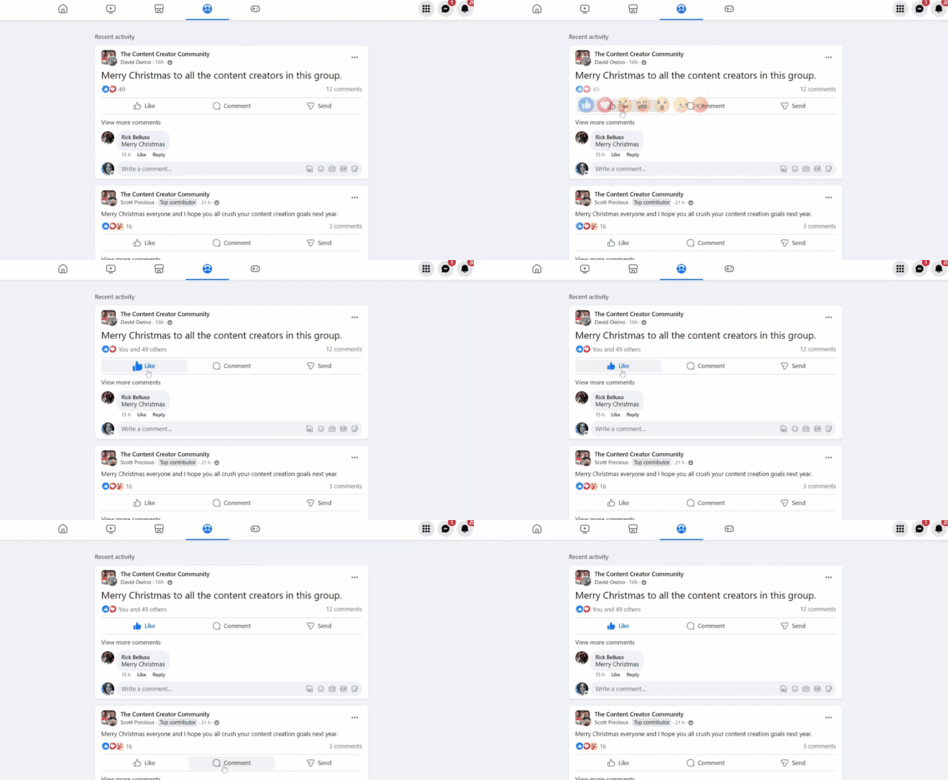
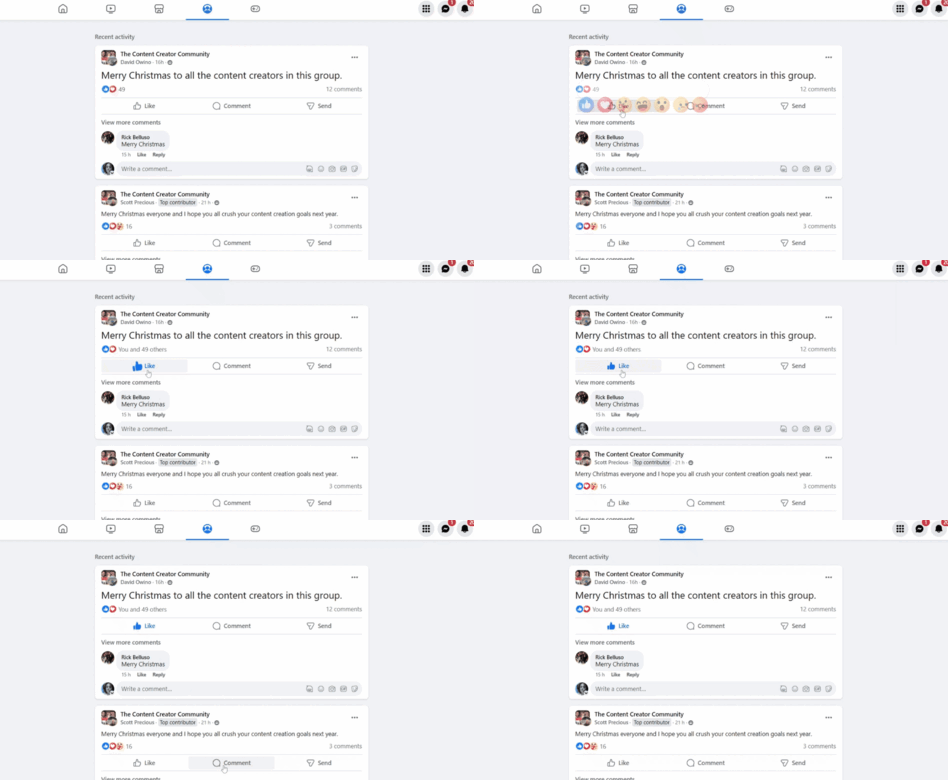
At its core, a microinteraction is a closed-loop event designed to accomplish a single task. Whether it is the subtle haptic vibration confirming a payment, the animation of a "like" heart, or the contextual loading spinner on a web page, these elements act as a communication layer. Dan Saffer, in his seminal work Microinteractions: Designing with Details, established the industry standard for these interactions by categorizing them into four distinct phases: the trigger, the rules, the feedback, and the loops or modes.
The trigger initiates the process, which can be user-driven, such as clicking a toggle, or system-driven, such as an exit-intent notification. The rules determine the logical progression of the event. Feedback provides the essential sensory confirmation—visual, auditory, or tactile—that the system has processed the input. Finally, loops and modes define how the interaction behaves over time, such as the duration of a transition or a state change between "light" and "dark" modes.

The Evolution and Business Impact of Subtle Design
The rise of microinteractions corresponds with the maturity of the smartphone era. Between 2010 and 2024, user expectations shifted from simple functional utility to a demand for "delight" and responsiveness. Data from recent UX research suggests that latency in feedback loops can increase user abandonment rates by up to 30%. When a user interacts with a button and receives no visual confirmation, the perceived reliability of the entire platform drops.
Businesses have recognized this, integrating these interactions into their core value propositions. For example, the "Pull-to-Refresh" gesture—a hallmark of early mobile UX—functions as both a trigger and a loop, informing the user that the system is actively retrieving data. This serves a dual purpose: it confirms the user’s action and provides an aesthetic distraction that masks the technical latency of the data retrieval process.
Seven Best Practices for Strategic Implementation
For designers and developers tasked with enhancing digital interfaces, the implementation of microinteractions requires a disciplined approach to avoid "design bloat."
- Defining Explicit Purpose: Every microinteraction must solve a specific problem. If an animation exists solely for decoration without enhancing usability, it risks creating cognitive dissonance.
- Prioritizing User-Centered Design: Development teams should utilize buyer personas to dictate the nature of the feedback. A professional banking app requires restrained, subtle cues, while a social gaming app may benefit from more energetic, playful feedback.
- Maintaining Visual Consistency: A library of consistent animations ensures that the user learns the "language" of the application. If a "success" checkmark appears in one color in one module and a different color in another, the user’s mental model of the product is fractured.
- Adhering to Minimalist Simplicity: The "micro" in microinteraction is critical. These elements should be fleeting and unobtrusive. Excessive duration or overly complex movement can distract users from their primary objective.
- Ensuring Universal Accessibility: Accessibility is not optional. Designers must ensure that microinteractions do not rely solely on color or motion, which can be problematic for users with visual impairments or vestibular disorders. Incorporating ARIA labels for screen readers and providing options to disable motion are essential requirements.
- Optimizing System Performance: High-quality animations must be lightweight. Bloated code used for unnecessary visual effects can degrade load times, directly impacting search engine optimization (SEO) and user engagement metrics.
- Rigorous Usability Testing: Data-driven design is the only way to validate the effectiveness of an interaction. A/B testing allows teams to see if a specific microinteraction increases the completion rate of a checkout process or reduces support tickets related to user confusion.
Real-World Applications and Industry Standards
Industry leaders have codified these practices into their standard design systems. Platforms like Pinterest utilize state-change microinteractions, such as the transformation of a "Save" button to "Saved," to provide immediate, clear confirmation of a user’s action. This reduces the need for secondary modal pop-ups, which are often intrusive and disruptive to the browsing experience.

Similarly, Reddit’s use of scroll-based animations creates a continuous, immersive narrative, guiding the user through data summaries without the jarring transition of a page reload. In the context of conversion rate optimization, tools like TrustPulse utilize exit-intent triggers to capture potential leavers, effectively turning a "bounce" into an engagement opportunity. These examples demonstrate that microinteractions are not merely aesthetic; they are tactical tools for driving business KPIs.
Addressing Accessibility and Future Implications
The future of microinteractions is trending toward more personalized and adaptive experiences. As artificial intelligence becomes integrated into UI frameworks, we are beginning to see systems that adjust their own microinteractions based on user proficiency. A novice user might receive more explicit, guided feedback, while a power user might encounter faster, more abbreviated interactions.

However, the rapid adoption of complex animations brings significant challenges regarding web accessibility. The World Wide Web Consortium (W3C) has established guidelines under the Web Content Accessibility Guidelines (WCAG) that require developers to account for users who may have motion sensitivity. The "prefers-reduced-motion" media query has become a critical tool in modern web development, allowing interfaces to honor user system settings by scaling back or eliminating non-essential animations.
Conclusion: The Strategic Value of Detail
The integration of microinteractions is a balancing act between technical performance and human-centric design. By focusing on clarity, accessibility, and purpose, organizations can significantly improve the perceived quality of their digital products. The evidence is clear: users do not just remember the primary function of an app; they remember the "feel" of it.
As digital interfaces continue to evolve, the distinction between high-performing products and their competitors will increasingly be found in these small, human-centric details. Design teams that prioritize these micro-events early in the development lifecycle are better positioned to reduce user friction, improve accessibility, and ultimately drive higher rates of long-term engagement. The "less is more" philosophy remains the gold standard, proving that the most powerful elements of a user experience are often those that the user barely notices, yet would profoundly miss if they were gone.