
The rapid proliferation of compact imaging devices—ranging from specialized action cameras and aerial drones to modern smartphones—has fundamentally transformed how creators capture high-speed, dynamic content. These devices offer unprecedented portability and resolution, frequently capturing crisp 4K or even 8K video from perspectives previously impossible for traditional cinema rigs. However, this technological leap introduces distinct optical and digital challenges. Chief among these issues is video aliasing, an artifact that frequently plagues footage shot on smaller sensors. Editors and post-production professionals have long sought efficient workflows to mitigate these visual defects without sacrificing overall image integrity. A newly popularized technique utilizing Adobe After Effects and a specialized free plugin offers a streamlined solution to this persistent post-production hurdle.
Understanding the Mechanics of Aliasing in Digital Video
To comprehend why aliasing occurs, one must examine the physical limitations and digital processing inherent to compact cameras. Aliasing is a form of digital distortion characterized by jagged, stair-stepped lines, moiré patterns, and distracting flickering along high-contrast edges. In digital signal processing, this phenomenon stems from a sampling error. When a camera sensor attempts to record fine details—such as distant foliage, architectural grids, or the turbulent water trails behind a moving boat—that are smaller than the spacing of the sensor’s pixels, the sensor fails to capture an accurate representation of the visual data.
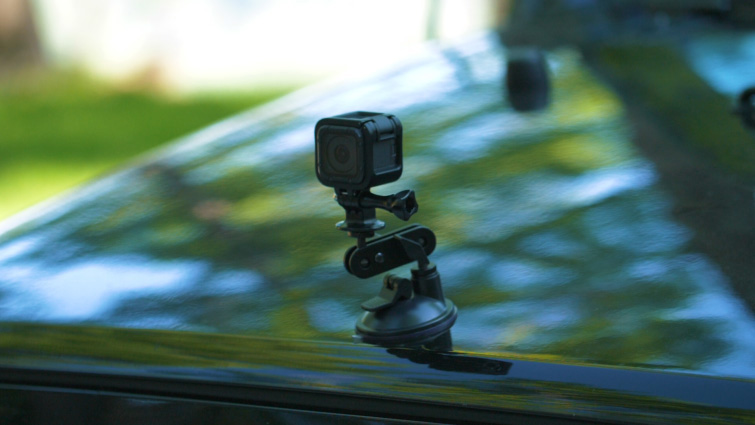
This mathematical mismatch results in spatial and temporal aliasing. Spatially, edges appear pixelated or jagged. Temporally, as the camera moves, these high-frequency details flicker aggressively from frame to frame, drawing the viewer’s eye and breaking the illusion of cinematic immersion. While aliasing can theoretically affect any digital camera, it is exponentially worse in action cameras and drones due to two primary factors: physical sensor size and aggressive in-camera processing.

The Action Camera Dilemma: Small Sensors and Over-Sharpening
Action cameras and mobile devices rely on exceptionally small physical sensors to maintain their lightweight, rugged form factors. Unlike large-format cinema cameras or digital single-lens reflex (DSLR) cameras, which possess expansive surface areas to gather light and resolve fine gradations, small sensors pack millions of pixels into an area the size of a fingernail. Consequently, these sensors struggle to resolve high-frequency details cleanly.
Compounding this physical limitation is the software-level tuning applied by manufacturers. Because consumers generally associate out-of-the-box sharpness with high video quality, action camera manufacturers program their firmware to apply aggressive digital sharpening filters directly to the footage before it is even saved to the memory card. Furthermore, heavy video compression codecs used to manage high frame rates and high resolutions often introduce macro-blocking and compression artifacts. When heavy digital sharpening meets a small sensor and aggressive compression, existing aliasing artifacts are heavily amplified, turning minor edge shimmering into a major visual distraction.
The Evolution of Post-Production Mitigation Strategies
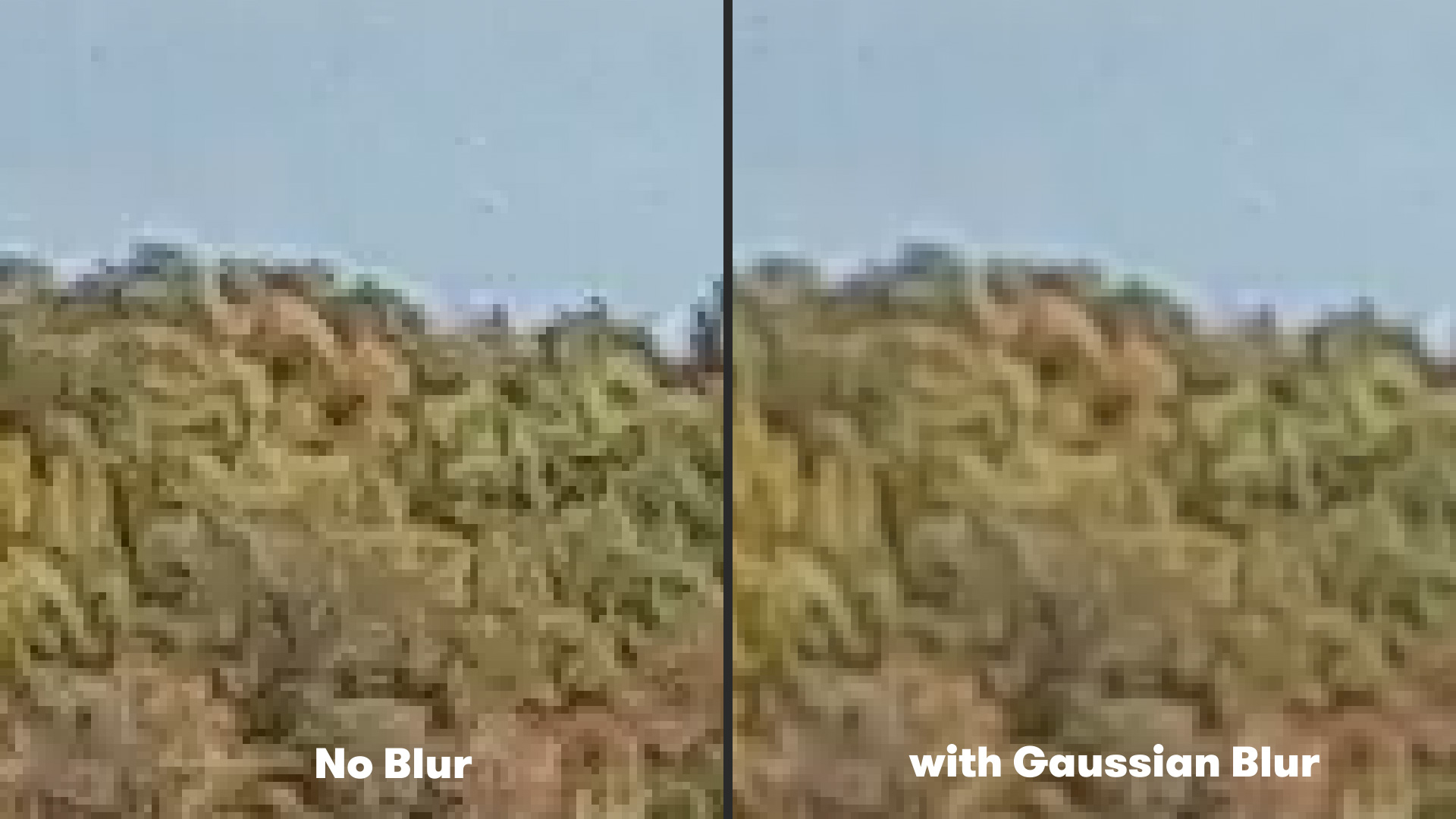
For years, video editors faced limited options when dealing with intractable aliasing on action camera footage. The traditional industry-standard workaround involved applying a subtle, uniform blur to the entire video clip. In Adobe After Effects, editors would typically navigate to the effect menu, select a standard Gaussian Blur, and set the blurriness parameter to a low value, such as two pixels.
While this blunt-force method successfully softened harsh edges and reduced high-frequency flickering, it came with a significant penalty. A uniform Gaussian blur treats every pixel equally, meaning that the fine details, textures, and crisp focus desired in other parts of the frame were inevitably sacrificed. Editors were forced to choose between distracting aliasing artifacts or a globally softened, muddy image—an unacceptable compromise for high-end commercial productions or professional documentary projects.
The Rise of Advanced Algorithmic Smoothing with FXAA
Recognizing the limitations of global blurring techniques, developers have increasingly looked toward computer graphics algorithms to solve video processing problems. One notable advancement is the adoption of Fast Approximate Anti-Aliasing (FXAA), a screen-space anti-aliasing filter originally developed for the real-time video game rendering industry. Brought to the Adobe After Effects ecosystem as a free utility plugin by development collective Plugin Everything, FXAA offers a sophisticated alternative to traditional blurring.
Unlike a standard Gaussian blur that indiscriminately softens an entire frame, FXAA analyzes the pixel data of an image using an advanced edge-detection algorithm. The plugin identifies high-contrast boundaries where aliasing is most likely to occur and intelligently applies a localized smoothing effect strictly to those problematic edges. Meanwhile, areas of the image that do not suffer from sampling errors remain untouched, preserving the overall perceived sharpness and fine detail of the shot.
Because the underlying algorithm is designed for real-time rendering in gaming environments, FXAA processes video frames with exceptional computational speed. This performance advantage makes it an ideal tool for modern post-production pipelines, where editors frequently handle massive volumes of high-resolution 4K and 5K action camera footage under tight delivery deadlines.
Step-by-Step Implementation in Adobe After Effects
Integrating FXAA into a standard post-production workflow requires minimal technical overhead. Editors working within Adobe After Effects can deploy the tool through a straightforward procedure. After downloading and installing the plugin, the user imports their action camera footage into an active composition.
The process is executed through the following workflow:
- Select the target footage layer within the timeline composition panel.
- Navigate to the top menu bar, select Effect, locate the Plugin Everything submenu, and choose FXAA.
- Observe the immediate reduction of jagged edges and high-frequency flicker on high-contrast surfaces.
For footage suffering from extreme over-sharpening or severe physical sensor limitations, a single instance of the plugin may occasionally require reinforcement. The architecture of the plugin allows editors to stack multiple instances of FXAA onto a single layer within the Effect Controls panel. By stacking the effect, users can progressively dial in the exact level of anti-aliasing required for exceptionally stubborn clips without resorting to destructive global blurring.
Broader Implications for Content Creators and Filmmakers
The availability of specialized, lightweight post-production tools like FXAA highlights a broader shift in digital content creation. As action cameras and consumer drones become standard equipment for high-end cinematic productions, extreme sports videography, and travel journalism, the boundary between professional cinema gear and consumer-grade hardware continues to blur.
However, hardware advancements alone cannot fully eliminate optical and physical constraints. Software solutions that bridge the gap between raw capture and broadcast-ready delivery are increasingly vital. By addressing aliasing at the algorithmic level, editors can salvage otherwise unusable footage, reduce costly reshoots, and maintain visual consistency across multi-camera projects that combine cinema cameras with rugged action devices.
Complementary Post-Production Techniques for Action Footage
Mitigating aliasing is frequently just one step in a comprehensive action camera cleanup pipeline. Professional colorists and editors often pair anti-aliasing filters with complementary stabilization and distortion-correction workflows. For instance, extreme vibrations inherent to mounted action camera setups often require advanced digital stabilization, such as specialized stabilization plugins or dedicated software applications like ReelSteady. When combined, sophisticated stabilization and targeted anti-aliasing protocols transform shaky, jagged, unpolished action sequences into stable, visually professional assets ready for commercial deployment across digital platforms and broadcast networks.