Tag: visuals

  • Advanced Techniques for Precision Color Correction in Digital Post-Production Mastering the Lumetri Hue vs Saturation Curve for Pristine Visuals

    Advanced Techniques for Precision Color Correction in Digital Post-Production Mastering the Lumetri Hue vs Saturation Curve for Pristine Visuals

    In the contemporary landscape of digital cinematography and high-end video production, the pursuit of visual perfection often hinges on the minute details of color fidelity. One of the most persistent challenges faced by editors and colorists is the presence of unwanted color casts—specifically yellow and orange tints—that can compromise the perceived quality of white elements within a frame. These chromatic aberrations frequently arise from improper white balance settings during the acquisition phase or as a result of complex lighting environments where mixed color temperatures coexist. While traditional global adjustments can sometimes mitigate these issues, they often lack the surgical precision required to maintain a naturalistic aesthetic. The solution lies in the advanced application of the Hue vs. Saturation curve within professional grading suites like Adobe Premiere Pro’s Lumetri Color panel, a technique that allows for the isolation and suppression of specific color frequencies without degrading the integrity of the surrounding image.

    The Technical Evolution of Color Correction

    The science of color grading has undergone a radical transformation over the last two decades. In the era of celluloid film, color correction was a photochemical process involving timed lights and chemical baths, limiting the ability of a creator to target specific hues. The transition to the Digital Intermediate (DI) process in the early 2000s, followed by the democratization of Non-Linear Editing (NLE) software, shifted this power to the desktop.

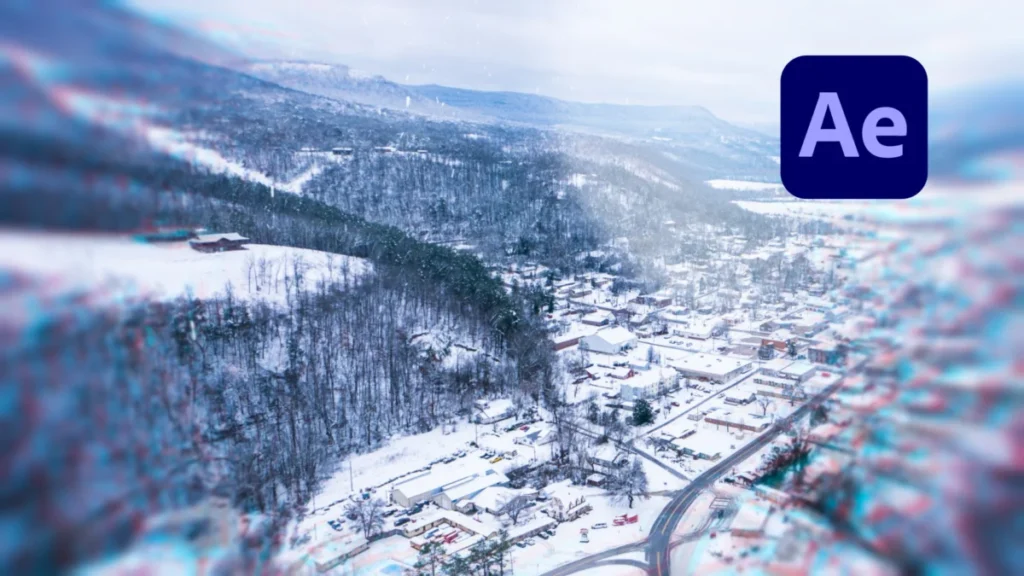
    Quick Tip: Remove Yellow from Footage for Cleaner Whites

    Adobe introduced the Lumetri Color engine in 2015, integrating technology from their high-end dedicated grading software, SpeedGrade, directly into Premiere Pro. This integration represented a pivotal moment for independent filmmakers and corporate video editors, providing them with a 32-bit floating-point color pipeline that could handle high-dynamic-range (HDR) footage with professional-grade precision. Within this engine, the Curves tab—specifically the Hue vs. Saturation curve—serves as a primary tool for "corrective grading," the essential first step before "creative grading" or "look-making" begins.

    The Chronology of Color Accuracy: Identifying the Source of the Tint

    To understand why yellow and orange tints occur, one must look at the chronology of a typical video shoot. Digital sensors are calibrated to interpret "white" based on a specific color temperature measured in Kelvin. Daylight is generally rated around 5600K, while tungsten indoor lighting sits near 3200K.

    1. The Acquisition Phase: If a camera is set to a Daylight white balance while filming under indoor incandescent lights, the resulting footage will appear excessively orange. Conversely, if a camera’s auto-white balance (AWB) fails to adjust rapidly to changing clouds or artificial light flickering, a subtle yellow "wash" may settle over the highlights.
    2. The Observation Phase: During post-production, the editor identifies that "true whites"—such as snow, white clothing, or studio backgrounds—exhibit a "muddy" or "warm" quality.
    3. The Diagnostic Phase: Using technical tools like the Vectorscope in Premiere Pro, the editor can see the color information "pulling" toward the yellow and red axes, confirming that the whites are not neutral.

    A Systematic Methodology for Removing Yellow Casts

    The process of removing these unwanted tints requires a strategic approach to the Lumetri Color panel. While the "White Balance Selector" (the eyedropper tool) is the most common first attempt at a fix, it often introduces a counter-tint of blue or magenta that can make skin tones look sickly or unnatural. The Hue vs. Saturation curve offers a superior alternative by targeting only the problematic wavelengths.

    Quick Tip: Remove Yellow from Footage for Cleaner Whites

    To execute this technique, the editor must first apply the Lumetri Color effect to the desired clip on the timeline. Navigating to the Curves section, the editor finds the Hue vs. Saturation graph, which is represented by a horizontal rainbow spectrum. The methodology involves creating a "gate" or a "range" to isolate the yellow frequencies.

    By placing three distinct control points on the curve—one in the orange sector, one in the yellow, and one in the green—the editor effectively creates an anchor system. The orange and green points act as boundaries, ensuring that the colors outside this range remain untouched. The central yellow point is then manipulated; by dragging this point downward toward the bottom of the graph, the editor reduces the saturation of only the yellow hues. Depending on the severity of the cast, the point may be lowered slightly to maintain some warmth or pulled to the baseline to completely desaturate the yellow channel, resulting in a clean, neutral white.

    Supporting Data: Why Curves Outperform Global Sliders

    Data-driven analysis of digital signals reveals why curve-based correction is the preferred industry standard. When an editor uses the "Temperature" slider to fix a yellow cast, they are applying a mathematical offset to every pixel in the frame. In an 8-bit video file, which contains only 256 levels of brightness per channel, aggressive global sliding can lead to "banding" or "posterization," where the smooth gradients of a sky or a wall break into visible blocks of color.

    Quick Tip: Remove Yellow from Footage for Cleaner Whites

    In contrast, targeted saturation reduction via curves preserves the luminance (brightness) of the pixels while only altering their chromaticity. According to technical benchmarks in color science, maintaining the luminance-to-chroma ratio is critical for "visual transparency"—the feeling that the image has not been manipulated. Furthermore, for footage shot in 10-bit or Log formats (such as S-Log3 or V-Log), the Hue vs. Saturation curve allows the editor to utilize the full breadth of the color space, ensuring that even after the yellow is removed, the highlights retain their detail and do not "clip" into a flat, digital white.

    Industry Perspectives and Professional Reactions

    Professional colorists often describe the removal of yellow tints as "cleaning the plate." In interviews with industry experts, the consensus is that "dirty" whites are the most common indicator of amateur production. "The human eye is incredibly sensitive to white," notes a veteran colorist for commercial broadcast. "We know what white should look like. If a white shirt has a 5% yellow bias, the viewer’s brain subconsciously flags the image as ‘off.’ By desaturating the yellows specifically, you satisfy the viewer’s biological expectation for neutral highlights without destroying the warmth of the talent’s skin."

    Reactions from the cinematography community emphasize that this technique is particularly vital in the "prosumer" era. With the rise of high-quality mirrorless cameras, more content is being produced in uncontrolled lighting environments—coffee shops, offices, and street exteriors—where yellow-tinted sodium vapor lamps or warm interior LEDs are prevalent. The ability to "save" this footage in post-production using Lumetri curves has been hailed as a significant productivity gain for fast-turnaround news and documentary workflows.

    Quick Tip: Remove Yellow from Footage for Cleaner Whites

    Broader Impact and the Future of Color Grading

    The implications of these refined color correction techniques extend beyond mere aesthetics. In the realm of e-commerce and product videography, color accuracy is a legal and commercial necessity. If a product’s white packaging appears yellow in a promotional video, it can lead to consumer mistrust or increased return rates. Precise control over the Hue vs. Saturation curve ensures that brand identities are maintained across all viewing platforms, from mobile screens to high-definition televisions.

    Looking toward the future, the integration of Artificial Intelligence (AI) and Machine Learning (ML) into NLEs is beginning to automate some of these processes. Adobe’s "Auto Color" feature already uses the Lumetri engine to suggest initial corrections. However, experts argue that the human eye will remain the ultimate arbiter of color balance. The "surgical" manual method of curve manipulation remains a foundational skill for any serious editor, providing a level of intentionality that AI cannot yet replicate.

    As video content continues to dominate global communication, the demand for high-fidelity visuals will only increase. Mastering the nuances of the Lumetri Color panel is no longer an optional skill for specialists; it is a core competency for anyone looking to produce professional, broadcast-ready content. By understanding the relationship between light temperature, sensor interpretation, and digital manipulation, editors can transform problematic footage into pristine cinematic experiences, ensuring that their whites are always clean and their visual storytelling remains uncompromised.

  • The Evolution of Synthetic Visuals: A Comprehensive Review of the Nine Premier AI Image Generators in 2026

    The Evolution of Synthetic Visuals: A Comprehensive Review of the Nine Premier AI Image Generators in 2026

    The landscape of digital content creation has undergone a seismic shift as of early 2026, transitioning from a period of experimental novelty to one of integrated professional utility. AI image generators, once criticized for their anatomical inaccuracies and surrealist artifacts, have matured into sophisticated engines capable of producing high-fidelity illustrations, photorealistic product photography, and complex typographic designs. This evolution has effectively bridged the gap for creators who possess editorial skills but lack formal artistic training, allowing for a democratization of visual storytelling that was previously unattainable. As the industry approaches the mid-way point of the decade, a rigorous evaluation of the leading nine models—Midjourney, Adobe Firefly 5, Recraft V4 Pro, GPT Image 1.5, Nano Banana 2, Seedream, Ideogram 3.0, FLUX.2 Pro, and Lucid Origin—reveals a market defined by specialization and technical divergence.

    The 9 Best AI Image Generators of 2026 (+ Examples)

    The 2026 Landscape: A Chronology of Progress

    The trajectory of generative AI visuals has been marked by rapid iteration. Following the initial explosion of interest in 2022 and 2023, the years 2024 and 2025 were characterized by a focus on "prompt adherence" and the elimination of common errors, such as the infamous "six-fingered hand." By 2026, the focus has shifted toward workflow integration and brand consistency.

    The 9 Best AI Image Generators of 2026 (+ Examples)

    In early 2025, the introduction of "agentic" image generation allowed users to refine images through conversational feedback rather than static prompt editing. By late 2025, Google and ByteDance entered the fray with models—Nano Banana 2 and Seedream, respectively—that leveraged their vast proprietary data ecosystems to provide unprecedented real-world accuracy. In March 2026, the U.S. Supreme Court’s refusal to grant copyright to purely AI-generated works further solidified the industry’s direction: these tools are now viewed as sophisticated "assistants" rather than autonomous creators, prompting developers like Adobe to double down on licensed training sets and IP indemnification.

    The 9 Best AI Image Generators of 2026 (+ Examples)

    Technical Frameworks: Diffusion vs. Autoregressive Models

    The models currently dominating the 2026 market operate on two primary architectural philosophies. Understanding these differences is essential for professional users seeking specific outcomes.

    The 9 Best AI Image Generators of 2026 (+ Examples)

    Diffusion models, including FLUX.2 Pro and Midjourney, function by refining visual "noise" into a coherent image. This process is inherently artistic, as the model "sculpts" the final result from a cloud of probability. This often results in a more painterly, aesthetically rich output, though it can occasionally struggle with the rigid precision required for technical labels or complex text.

    The 9 Best AI Image Generators of 2026 (+ Examples)

    Conversely, autoregressive models, such as Google’s Nano Banana 2 and OpenAI’s GPT Image 1.5, treat image generation more like a linguistic sequence. They predict pixels in a manner similar to how a large language model predicts the next word in a sentence. This architecture generally yields superior results for complex, multi-object prompts and is more reliable for rendering text, as the model processes the image in a structured, sequential fashion.

    The 9 Best AI Image Generators of 2026 (+ Examples)

    Comparative Performance and Model Analysis

    Recent industry-wide testing has categorized these nine tools based on their performance across three critical use cases: hand-drawn illustrations, photorealistic product staging, and typographic design.

    The 9 Best AI Image Generators of 2026 (+ Examples)

    The Accuracy Leader: Nano Banana 2 (Google)

    Analysts have noted that Nano Banana 2 has set a new benchmark for object recognition. By leveraging Google’s extensive Image Search and Shopping indices, the model demonstrates a "knowledge" of specific brands and product geometries that competitors lack. In tests involving specific luxury items—such as Diptyque fragrances or Salomon footwear—Nano Banana 2 consistently produced accurate silhouettes and branding. It remains the top choice for creators requiring high-fidelity renderings of real-world objects without the need for extensive reference uploads.

    The 9 Best AI Image Generators of 2026 (+ Examples)

    The Creative Powerhouse: Midjourney

    Despite the rise of more technically precise models, Midjourney remains the preferred tool for mood-driven, artistic visuals. Its 2026 iteration continues to lead in "visual richness," providing a depth of lighting and texture that feels more human-centric than its peers. However, it continues to struggle with multi-object specificity and complex typography, often garbling longer words even when prompted with specific spelling instructions.

    The 9 Best AI Image Generators of 2026 (+ Examples)

    The Commercial Standard: Adobe Firefly 5

    Adobe Firefly 5 has carved out a dominant position in corporate and agency environments. Its primary advantage is not necessarily its aesthetic edge, but its legal safety. Trained exclusively on Adobe Stock and public domain content, it offers a "clean" commercial pipeline. Notably, the model includes built-in safeguards that prevent the generation of trademarked terms like "iPhone" or "Instagram," forcing creators to use generic descriptors. For professionals in the Adobe Creative Cloud ecosystem, the seamless hand-off between Firefly and Photoshop remains a significant productivity multiplier.

    The 9 Best AI Image Generators of 2026 (+ Examples)

    The Text Specialists: Seedream and Ideogram 3.0

    For social media managers and graphic designers, the ability to render legible text within an image is paramount. ByteDance’s Seedream (integrated into the CapCut Pro suite) and Ideogram 3.0 have emerged as the winners in this category. These models have largely solved the "AI spelling" problem, correctly rendering complex phrases and even maintaining brand-specific font weights. Seedream, in particular, has been praised for its ability to generate "sticker sheets" with perfect text alignment, making it an essential tool for the burgeoning short-form video market.

    The 9 Best AI Image Generators of 2026 (+ Examples)

    The Science of the Prompt: Subject Over Style

    As these models have become more sophisticated, the methodology for communicating with them has also evolved. In 2026, the industry has moved away from "prompt hacking" toward a more structured, descriptive approach. Data suggests that the most successful prompts follow a specific hierarchy:

    The 9 Best AI Image Generators of 2026 (+ Examples)
    1. Subject and Action: The primary focus must be established in the first five to ten words.
    2. Context and Setting: Detailed descriptions of the environment.
    3. Technical Parameters: The use of "camera language"—such as "35mm film," "depth of field," or "golden hour lighting"—has proven more effective than vague terms like "high quality."
    4. Style Anchoring: Specifying techniques such as "ink hatching," "gouache blocks," or "flat vector shapes" prevents the model from defaulting to generic clip-art aesthetics.

    Negative prompting has also become a standard professional practice. By explicitly excluding "watermarks," "text overlays," or "photorealism" early in the instruction set, creators can significantly reduce the need for post-generation cleanup.

    The 9 Best AI Image Generators of 2026 (+ Examples)

    Legal Implications and the September 2026 Trial

    The utility of these tools is currently shadowed by significant legal developments. While every major generator allows for commercial use in their terms of service, the legal definition of "authorship" remains in flux.

    The 9 Best AI Image Generators of 2026 (+ Examples)

    The upcoming trial in September 2026—a landmark class-action suit involving Stability AI and Midjourney—is expected to address the ethics of training data scraping. This case will likely determine whether AI companies must compensate artists for the "style" data used to train their models. Furthermore, the March 2026 Supreme Court decision upholding that AI-generated content cannot be copyrighted in its raw form has forced a shift in how creative agencies bill for their work. Many are now focusing on "AI-assisted" design, where human intervention and modification are documented to ensure copyright eligibility.

    The 9 Best AI Image Generators of 2026 (+ Examples)

    Broader Impact on the Creative Economy

    The integration of these nine models into the daily workflows of 2026 has resulted in a 40% reduction in time-to-market for visual content, according to recent industry surveys. Small-scale creators and entrepreneurs are the primary beneficiaries, as they can now produce editorial-grade photography and custom illustrations without the overhead of professional studios or freelance illustrators.

    The 9 Best AI Image Generators of 2026 (+ Examples)

    However, this democratization comes with a warning regarding "visual homogenization." As more creators use the same nine models, the risk of a "sameness" in digital aesthetics grows. Analysts suggest that the next frontier for AI image generation will not be better models, but more unique "LoRAs" (Low-Rank Adaptations)—small, customized data sets that allow brands to train these massive models on their own specific visual DNA.

    The 9 Best AI Image Generators of 2026 (+ Examples)

    In conclusion, the AI image generation market of 2026 is no longer a monolith. It is a diverse ecosystem of specialized tools. Whether a creator prioritizes the artistic flair of Midjourney, the commercial safety of Adobe Firefly, or the technical precision of Google’s Nano Banana 2, the ability to manifest complex visual ideas from simple text has become a fundamental pillar of modern communication. As the legal and technical landscapes continue to settle, the focus will inevitably shift from what these tools can do to how humans can most ethically and creatively direct them.

Grafex Media
Privacy Overview

This website uses cookies so that we can provide you with the best user experience possible. Cookie information is stored in your browser and performs functions such as recognising you when you return to our website and helping our team to understand which sections of the website you find most interesting and useful.