
In the fast-paced world of digital marketing, the ability to rapidly diagnose performance issues is a critical skill for SEO professionals and business owners alike. When a high-priority product page suffers a sudden drop in search engine rankings, or when a competitor inexplicably moves ahead in the search results, the traditional approach of running a massive, site-wide crawl is often too slow and cumbersome. Practitioners require immediate, actionable data to identify whether a decline is due to technical errors, structural deficiencies, or content gaps.

The SEOquake Chrome extension, a long-standing tool developed by Semrush, provides a streamlined solution for this challenge. By enabling users to conduct comprehensive on-page audits without leaving their browsers, the tool transforms how teams approach technical SEO triage. This guide outlines a structured, three-minute workflow that allows users to move from the initial observation of a problem to the identification of a specific diagnosis, providing the necessary foundation for immediate optimization.

Understanding the Mechanics of an SEOquake Audit

At its core, SEOquake acts as an on-demand auditing interface. By interacting with a webpage’s source code and integrating with Semrush’s proprietary data metrics, the extension provides a high-level view of a page’s health. The extension categorizes its findings using a color-coded system, which is essential for rapid prioritization: green indicates elements that align with best practices, orange suggests areas that require a professional judgment call, and red signals critical issues that likely demand immediate attention.

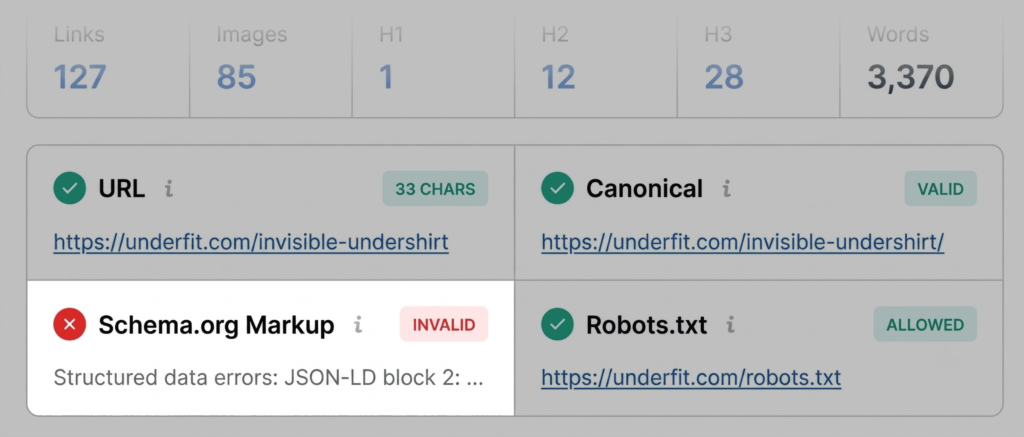
This color-coded logic allows users to filter out "noise" and focus on high-impact areas. For example, a minor issue in a site’s breadcrumb trail may be marked in orange, while a major error in JSON-LD schema markup will be flagged in red. This hierarchy of severity ensures that limited technical resources are directed toward the issues most likely to impede search engine visibility and user experience.

Minute One: Triage via the Quick View Pop-Up

The first 60 seconds of the audit process should be dedicated to the Quick View pop-up. Upon clicking the SEOquake icon while viewing a target page, the user is presented with several tabs: Page Info, Audit, and Content. The goal during this first minute is not to perform a deep-dive analysis, but to answer a single question: Is there an obvious, high-impact error that could explain the page’s underperformance?

The Page Info tab serves as the initial landing point. It provides a snapshot of the most fundamental SEO signals, including the page title, meta description, and the presence of critical tags. A common red flag here involves Schema.org markup. If an e-commerce page displays invalid or missing product schema, the page may be ineligible for rich results—those snippets in Google search results that show price, availability, and star ratings. Because rich results are a primary driver of click-through rates, a failure in schema markup is often the single most significant factor in declining performance.

The Audit tab is the second component of the first minute. This section evaluates technical essentials, such as mobile compliance, sitemaps, and indexing status. By scanning for orange or red indicators here, auditors can quickly determine if the issue is a technical blockade, such as a "noindex" tag, or something more nuanced, such as a missing hreflang attribute for international sites.

The final component of the initial triage is the Content tab. Here, the focus shifts to the logical structure of the page. The tool provides a visual representation of heading tags (H1, H2, H3, etc.). A frequent issue identified at this stage is a broken heading hierarchy—for instance, jumping from an H1 directly to an H4. While search engines have become more adept at parsing messy HTML, a clear, hierarchical structure remains essential for both human readability and the interpretation of content by AI-driven search systems. Furthermore, this tab highlights missing alt text for images, which is a significant factor in both accessibility and image search optimization.

Minutes Two and Three: Diagnosis via the Full Report

Once the initial triage is complete and a list of potential culprits is established, the user moves into the diagnosis phase. By clicking "View Full Report," the auditor accesses more granular data. This is where the "three-minute" methodology relies on discipline; rather than reviewing all six panels of the full report, the auditor should jump directly to the sections relevant to the flags identified in the first minute.

If the triage phase identified a technical issue, the Audit panel provides the diagnostic detail required to resolve it. In many cases, this panel will identify specific URL patterns or code snippets that are problematic. For instance, if an XML sitemap is detected but is not correctly linked or updated, the auditor can verify this through the Technical Compliance section. By clicking on specific warnings, users are often redirected to external validation tools, such as the Google Rich Results Test, which confirms whether the error identified by SEOquake is truly preventing search engines from parsing the data.

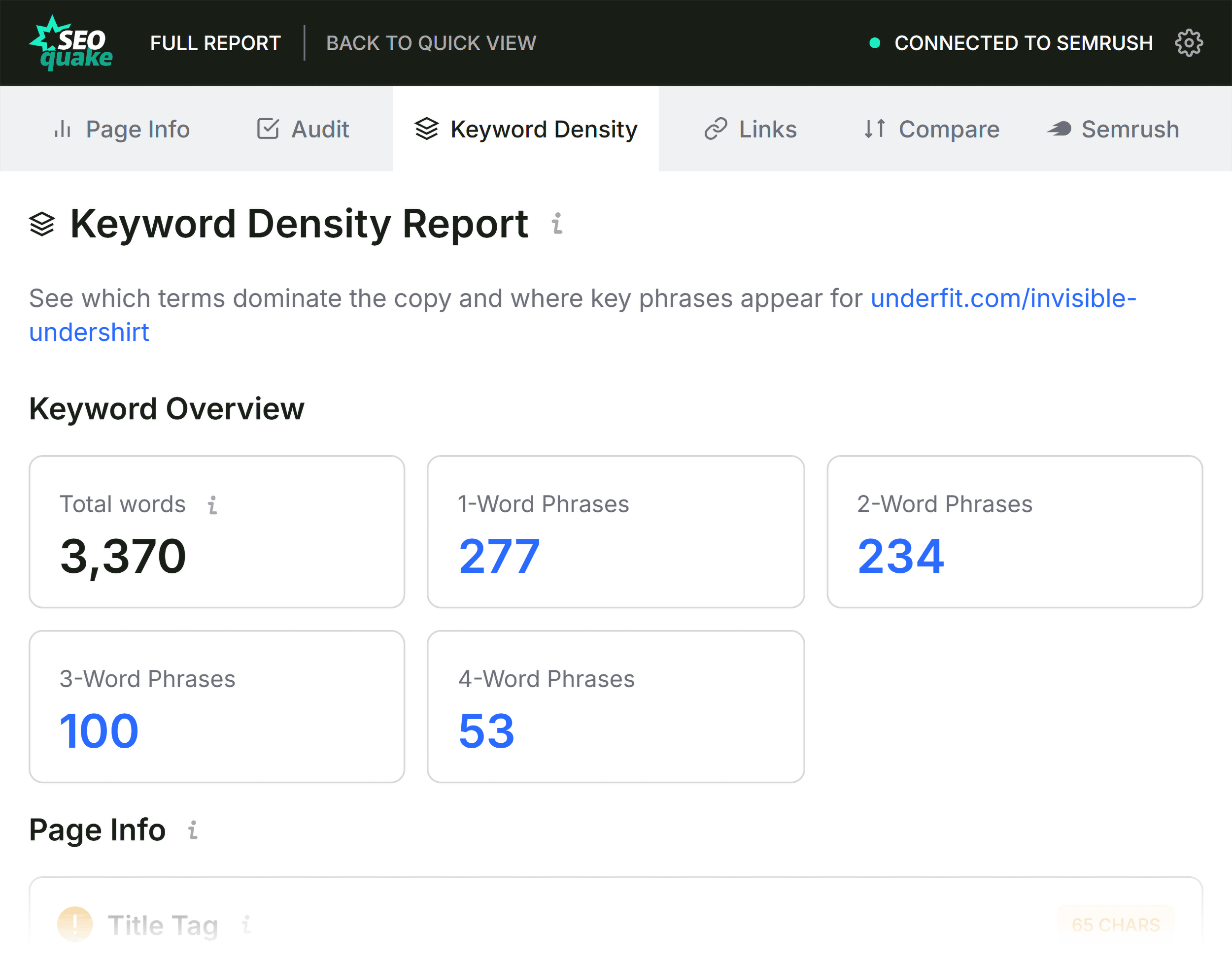
When investigating content-related performance issues, the Keyword Density panel offers a secondary layer of analysis. It identifies which terms appear most frequently in the visible text. A common pitfall for many websites is "keyword cannibalization" or the dilution of topic authority. By analyzing the "Found in" column, an auditor can confirm if their primary keywords are correctly placed in the title tag, H1, and meta description. If the most prominent terms in the Keyword Cloud do not align with the intended search intent, the page may require a content refresh to better serve the user and align with search engine expectations.

The Role of Link Health and Domain Context

The final stage of the three-minute audit involves assessing link health and site-wide context. The Links panel allows auditors to export lists of internal and external links, which is particularly useful for identifying broken links or unauthorized external redirects. On large, complex websites, these issues can accumulate over time, creating "crawl traps" that waste the search engine’s crawl budget.

Finally, the Semrush panel provides the broader context. Understanding whether a page’s underperformance is an isolated event or a symptom of a site-wide decline is crucial. If the domain metrics show a consistent loss of organic traffic across the entire site, the issue is likely rooted in site-wide architecture, crawlability, or a broader algorithmic impact. Conversely, if the domain is performing well but the specific page is not, the auditor can confidently focus their efforts on page-level optimizations.

Broader Implications for SEO Workflow

The shift toward rapid, browser-based auditing tools reflects a broader trend in the SEO industry. As search engines place increasing emphasis on Core Web Vitals, schema integrity, and the semantic structure of content, the ability to perform "in-the-moment" diagnostics has become a competitive advantage.

By integrating tools like SEOquake into a daily workflow, marketers can catch errors before they manifest as significant revenue losses. The three-minute audit is not a substitute for comprehensive site audits, which should remain a standard practice for deep-level maintenance, but it serves as a highly effective mechanism for continuous monitoring and rapid response.
Ultimately, technical SEO is about removing friction. Every broken link, every invalid schema tag, and every missing meta tag is a small point of friction that prevents a user from finding the right information and prevents a search engine from indexing it correctly. By adopting a methodical approach to these audits, professionals can ensure their digital properties remain resilient, compliant, and highly visible in an increasingly competitive search landscape.