
White balance serves as the foundational pillar of color accuracy in modern imaging, representing the technical process of neutralizing color casts to ensure that objects appearing white in person are rendered as neutral white in a digital photograph. While the human visual system possesses a remarkable ability to adapt to varying light sources—a phenomenon known as chromatic adaptation—digital sensors lack this biological nuance. Consequently, a camera records light exactly as it strikes the sensor, often resulting in images that appear excessively warm, cool, or tinted without deliberate intervention. In the contemporary landscape of 2026, the integration of artificial intelligence into camera hardware and editing software has revolutionized how photographers manage these color temperatures, shifting the discipline from a manual chore to a sophisticated blend of algorithmic precision and artistic intent.

The Physics of Light and the Kelvin Scale
To understand white balance, one must first grasp the concept of color temperature, which is measured on the Kelvin (K) scale. This scale is based on the principle of black-body radiation; as a theoretical black-body radiator is heated, it emits light that shifts from deep red to orange, yellow, white, and finally blue. In a seemingly counterintuitive technicality, "warm" light—such as that from a candle or a sunset—occupies the lower end of the Kelvin scale, typically between 1,000K and 3,000K. Conversely, "cool" light, such as that found in heavy shade or under a clear blue sky, occupies the higher end, often reaching 8,000K to 10,000K.
Standard daylight is generally pegged at 5,000K to 5,500K, serving as the neutral midpoint for most photographic applications. However, artificial light sources introduce further complexity. Fluorescent lights often emit a green tint, while older tungsten bulbs lean heavily into the amber spectrum. Modern LED lighting, while more versatile, can vary wildly depending on the manufacturer’s color rendering index (CRI). White balancing is the act of telling the camera to compensate for these specific temperatures by adding the "opposite" color to the image to achieve a neutral baseline.

A Chronology of Color Management in Photography
The evolution of white balance technology reflects the broader transition from chemical to digital imaging:
- The Film Era (Pre-1990s): Photographers were required to use specific film stocks balanced for either daylight (5500K) or tungsten (3200K). Correcting for other light sources required the physical application of "color correction" (CC) filters over the lens.
- Early Digital Adoption (1990s–2010s): Digital sensors introduced the ability to adjust sensitivity to color via software. Early Auto White Balance (AWB) was rudimentary, often struggling with mixed lighting and frequently producing "muddy" results.
- The Professional Workflow Shift (2010s–2020s): The rise of RAW image files allowed photographers to postpone white balance decisions until the post-processing stage without losing image data. During this period, the use of physical gray cards and Expodiscs became standard for studio professionals.
- The AI Revolution (2024–2026): Current imaging technology now utilizes deep-learning algorithms. Modern mirrorless systems analyze the entire scene, identifying skin tones, sky gradients, and known neutral objects to apply localized white balance adjustments in real-time.
In-Camera Methods: Presets and Manual Calibration
Despite advancements in automation, professional environments often demand manual control to ensure consistency across thousands of frames. Most digital cameras offer several standardized presets designed for specific environments:

- Tungsten (approx. 3200K): Symbolized by a light bulb icon, used for indoor lighting to remove heavy orange casts.
- Fluorescent (approx. 4000K): Compensates for the cool/green hues of office lighting.
- Daylight/Sunny (approx. 5200K): Used for outdoor shooting under direct sun.
- Cloudy (approx. 6000K): Adds warmth to counteract the coolness of an overcast sky.
- Shade (approx. 7000K+): Adds significant warmth to neutralize the deep blue tones found in shadows.
For maximum precision, photographers utilize "Custom White Balance." This involves photographing a neutral gray card (which reflects 18% of the light across the visible spectrum) under the current lighting conditions. By telling the camera that this specific object is neutral, the sensor can calibrate its entire color matrix to match the environment with near-perfect accuracy.
The Role of Post-Processing and RAW Data
The decision of whether to set white balance in-camera or during editing is largely dictated by the file format used. When shooting in JPEG, the white balance is "baked" into the compressed file. While minor adjustments can be made later, significant shifts will lead to image degradation and "posterization," where color gradients break apart.

In contrast, shooting in RAW preserves the original sensor data. For a RAW file, the white balance setting is merely a piece of metadata—a suggestion rather than a permanent change. In software such as Adobe Lightroom, Capture One, or DxO PhotoLab, a photographer can change the Kelvin value of a RAW image after the fact with zero loss in quality. The "Eyedropper Tool" remains the gold standard in these programs; by clicking on a known neutral area in the photo, the software instantly calculates the necessary temperature and tint shifts to balance the scene.
Artificial Intelligence and the 2026 Landscape
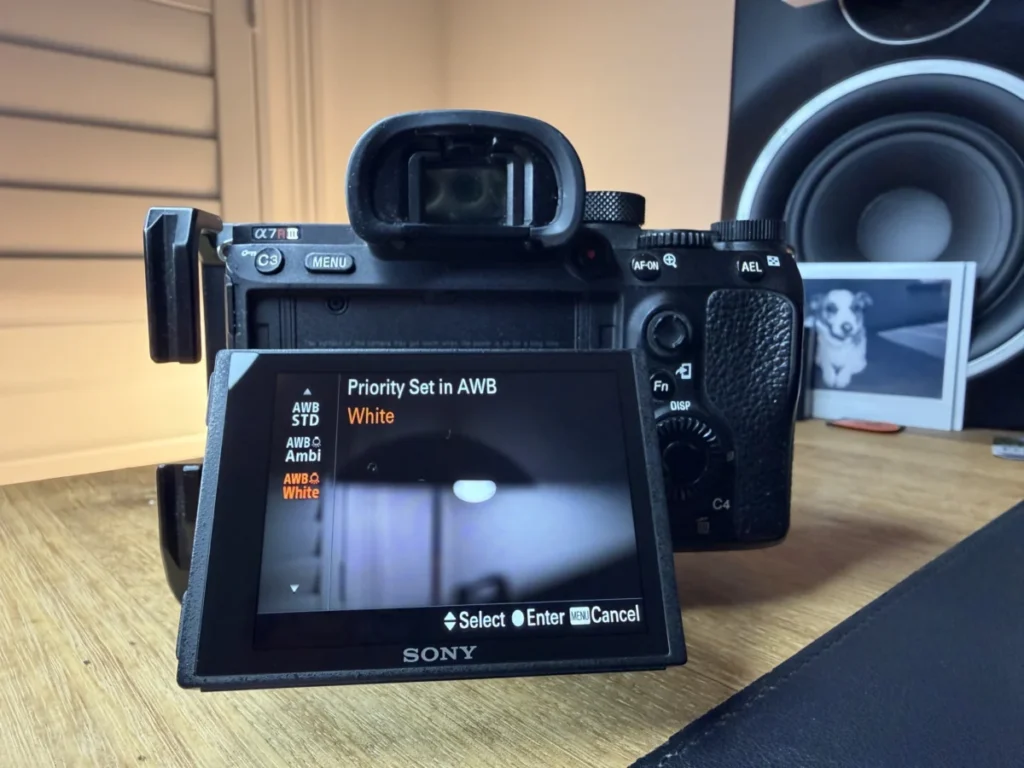
As of 2026, the photographic industry has seen a paradigm shift in how AWB is handled. Major manufacturers, including Sony, Canon, and Nikon, have moved beyond simple "average color" calculations. Current "Scene-Aware" AWB systems use neural processing units (NPUs) to distinguish between a warm sunset (which should stay warm) and a warm indoor light (which should be neutralized).

In the realm of video production, AI has addressed the long-standing issue of "WB drift." Historically, if a subject moved from a shaded area into sunlight during a single take, the AWB would visibly "snap" to a new color, ruining the footage. Modern AI-driven transitions now interpolate these changes smoothly, maintaining skin tone consistency throughout the movement. Furthermore, tools like Lightroom’s "Subject-Aware Match Color" can now sample skin tones from a reference image and apply that specific color science across an entire wedding gallery, regardless of the varying light sources in each room.
Industry Implications and Professional Responses
The move toward highly automated color management has drawn varied reactions from the global photography community. Technical purists argue that relying on AI can lead to a "homogenization" of imagery, where the unique character of different light sources is neutralized by overly aggressive algorithms.

"The danger of modern AWB is that it’s too good at its job," notes one industry analyst. "It can take a moody, amber-lit restaurant and make it look like a sterile office if the photographer doesn’t intervene. White balance is as much a creative tool as it is a technical requirement."
In sectors like product and architectural photography, the implications are purely positive. For an e-commerce giant, color accuracy is a matter of revenue; if a consumer receives a sweater that is a different shade of red than what appeared on their screen, it results in a return. For these professionals, the ability of AI to maintain 100% color fidelity across different shooting environments is a significant economic driver.

Creative Divergence: When "Correct" is Wrong
While the primary goal of white balance is neutrality, artistic expression often requires the deliberate subversion of these rules. Photographers frequently "mis-set" their white balance to evoke specific emotions:
- Cool Hues (Blue): Lowering the Kelvin value beyond the neutral point can create a sense of isolation, coldness, or futuristic sterility. This is common in "Nordic Noir" cinematography and certain styles of street photography.
- Warm Hues (Orange/Yellow): Increasing the temperature can evoke nostalgia, comfort, or the "Golden Hour" aesthetic. Real estate photographers often lean slightly warm to make homes feel more inviting.
- Tint Adjustments (Green/Magenta): While usually avoided, slight magenta shifts can give skin tones a healthy, "flushed" look, while green shifts are sometimes used in fashion to create a gritty, cinematic feel reminiscent of 35mm film stocks.
Final Analysis and Future Outlook
White balance remains one of the most critical yet misunderstood aspects of digital imaging. As we progress through 2026, the barrier to entry for achieving "perfect" color continues to lower, thanks to AI integration and improved sensor dynamic range. However, the fundamental need for photographers to understand the Kelvin scale and the properties of light has not diminished.

Technical mastery allows a photographer to achieve a neutral baseline, but artistic mastery allows them to decide when to stay there and when to move away. Whether through a manual gray card calibration or an AI-assisted batch edit, the ultimate goal of white balance is to give the creator full authority over the color narrative of their work. As display technologies like HDR and OLED continue to evolve, the demand for precise, intentional color management will only increase, cementing white balance as an essential skill for the modern visual storyteller.