
Poorly implemented session timeouts represent a significant, often overlooked, barrier to digital accessibility, profoundly impacting users with disabilities. Far from being a mere technical inconvenience, these abrupt disconnections can interrupt essential online tasks, ranging from purchasing digital tickets and engaging on social media to completing critical applications for loans or government services. For web professionals, balancing user experience with cybersecurity and resource management is paramount, but for individuals facing cognitive, motor, or vision impairments, inadequate session management can transform a routine online interaction into an insurmountable obstacle. Prioritizing session timeout accessibility is not just an ethical imperative but a crucial step towards fostering a more usable, respectful, and inclusive digital landscape for all.
The Foundational Role of Session Management and its Unintended Consequences
Session management is a fundamental component of web application design, primarily serving to maintain a user’s state across multiple requests while bolstering security and optimizing server resources. When a user logs into a website or initiates an interactive process, a session is established, typically with a predefined lifespan. If no activity is detected within this period, the session expires, necessitating user reauthentication. This mechanism is vital for protecting sensitive data, preventing unauthorized access to accounts, and ensuring that idle connections do not consume unnecessary server capacity, particularly in high-traffic or resource-intensive applications.
However, the historical implementation of these timeouts has often been driven purely by technical and security considerations, frequently overlooking the diverse ways in which individuals interact with technology. This oversight has inadvertently created systemic disadvantages for a substantial portion of the global population. The World Health Organization estimates that approximately 1.3 billion people worldwide live with significant disabilities, representing about 16% of the global population. This substantial demographic, encompassing individuals with motor, cognitive, and visual impairments, frequently encounters disproportionate challenges when navigating websites with rigid or poorly communicated session timeout policies. These issues transcend mere frustration; they can lead to outright digital exclusion, preventing individuals from accessing vital information, conducting commerce, or participating fully in modern society. The digital divide, therefore, is not solely about access to technology but also about the design of technology itself, and session timeout accessibility stands as a critical frontier in this ongoing challenge, impacting the daily lives of millions.
Disproportionate Impact on Users with Disabilities
The broad spectrum of disabilities means that session timeouts manifest as barriers in various ways, each presenting unique challenges that demand thoughtful design solutions.
Motor Impairments and Slower Input Speeds
For individuals with motor impairments, the physical act of interacting with digital interfaces can be inherently time-consuming and effortful. Conditions such as cerebral palsy, Parkinson’s disease, multiple sclerosis, or severe arthritis can lead to slower input speeds, requiring more deliberate movements, multiple attempts to register clicks, or reliance on adaptive technologies like sip-and-puff devices, head pointers, or specialized keyboards. While these assistive technologies are crucial enablers of access, they naturally extend the time needed to complete tasks compared to conventional mouse and keyboard use.
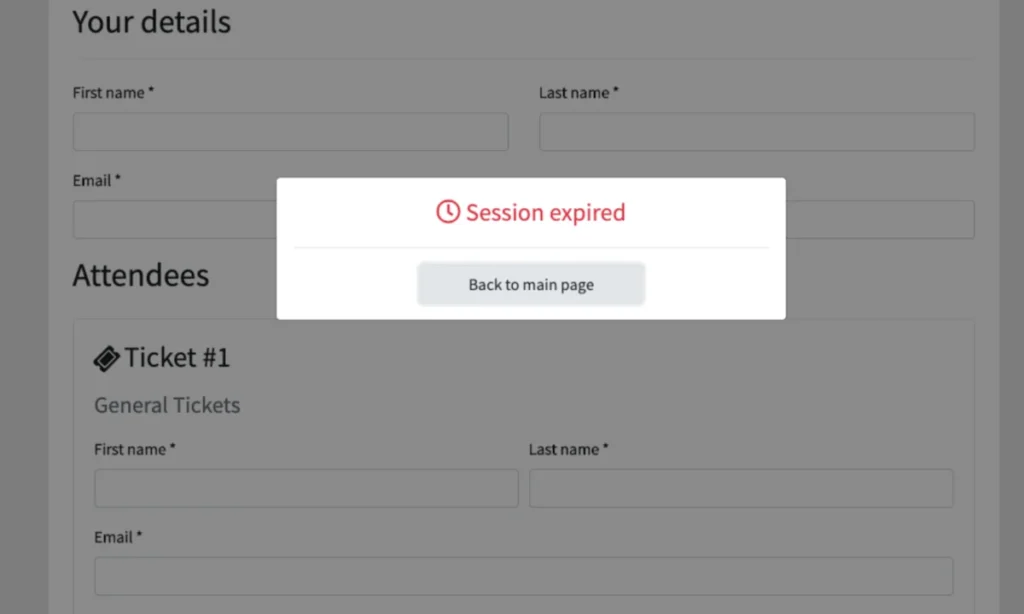
Consider the poignant example of someone with cerebral palsy attempting to purchase concert tickets online. The process involves multiple, precise steps: selecting a date, choosing seats from a potentially complex interactive map, accurately inputting personal details, and finally, entering payment information. Each step demands precision, concentration, and often, repeated attempts. If a session timeout is set too short—say, 10 or 15 minutes—the user might be halfway through entering credit card details when an abrupt pop-up declares their session expired, unceremoniously kicking them back to the login screen. All painstakingly entered progress is lost, forcing them to restart the entire arduous process.
Disability rights advocate Matthew Kayne has eloquently described this struggle, highlighting how poorly designed user interfaces often compound the difficulties posed by adaptive devices. He recounts the immense effort required to navigate websites, coupled with the anxiety that his equipment might not respond correctly. The sudden logout, he explains, can erase hours of work, turning a simple task into a source of profound stress and potentially causing missed opportunities or delayed access to crucial services. The Department for Work and Pensions (DWP) Accessibility Manual further corroborates this, noting that adaptive technology often requires multiple attempts to register input, making rapid responses to short timeout warnings virtually impossible. This creates an environment where users are unfairly penalized for their natural pace of interaction, leading to exasperation and abandonment of essential online tasks.
Cognitive Impairments and Processing Time
Cognitive impairments represent another significant area where session timeouts disproportionately affect users. The assumption that all users process information at a uniform speed is fundamentally flawed. Cognitive differences, including neurodivergences like Autism Spectrum Disorder (ASD) and Attention-Deficit/Hyperactivity Disorder (ADHD), developmental disabilities such as Down syndrome, and learning disabilities like dyslexia, require varied processing times. An estimated 20% of the global population is neurodivergent, underscoring that these are not niche considerations but design challenges impacting a substantial portion of any digital audience. Furthermore, individuals may acquire cognitive disabilities later in life due to traumatic brain injury, stroke, or conditions like dementia.
For these users, "inactivity" might not mean a lack of engagement but rather a period of intense concentration, reading, comprehending complex instructions, formulating responses, or managing distractions. Strict, invisible timeouts impose undue pressure, forcing users to rush through tasks, which can increase errors, anxiety, and the likelihood of abandonment. This is particularly problematic for tasks requiring significant cognitive load, such as filling out detailed government forms or applying for financial aid.
A particularly salient issue for many with cognitive differences is "time blindness," a condition often associated with ADHD, where individuals struggle to accurately perceive or estimate the passage of time. Neurodivergent technology leader Kate Carruthers has shared her personal experience with time blindness, explaining how it makes relying on estimations of remaining time unreliable and frustrating. When websites depend on users to gauge how much time they have left before a session expires, they inadvertently exclude not only those with formal ADHD diagnoses but anyone who experiences time differently or requires a slower pace for information processing. The stress of a looming, unquantifiable deadline can be debilitating, turning an otherwise manageable task into an overwhelming ordeal, leading to feelings of inadequacy and digital exclusion.
Vision Impairments and Screen Reader Navigation Overhead
Users who are blind or have low vision rely heavily on screen readers and other assistive technologies to navigate the web. Unlike sighted users who can quickly scan a page for relevant information, screen reader users must listen to every element – links, headings, form fields, and interactive components – in a linear fashion. This auditory navigation is inherently more time-consuming, requiring careful listening and keyboard commands to move through content. While highly effective for information consumption, it adds significant overhead to tasks that require rapid input or navigation.

With over 43 million people worldwide affected by blindness and 295 million living with moderate to severe vision impairment, the impact of inaccessible session timeouts on this community is substantial. A user actively listening to a screen reader might appear "inactive" to a server because they are not rapidly clicking or typing. Consequently, their session may expire even as they are deeply engaged with the content, actively processing information or waiting for their screen reader to vocalize the next interactive element.
The problem is compounded by poorly implemented warnings. Live countdown timers, for instance, are often designed purely for visual consumption, rendering them inaccessible or even disruptive to screen reader users. As web developer Bogdan Cerovac recounted, his screen reader experience with a countdown timer was "horrible," as it announced the remaining time every single second. This constant stream of status messages effectively rendered the page unusable, preventing him from navigating or responding to the imminent timeout. Such implementations highlight a fundamental disconnect between visual design and the needs of assistive technology users, turning an intended warning into an additional, intrusive barrier.
Common Timeout Patterns That Fail Accessibility Requirements
While session management is a crucial security measure, as emphasized by the National Institute of Standards and Technology (NIST) in its guidelines (NIST SP 800-63-4), several prevalent timeout patterns consistently fail to meet fundamental accessibility standards, creating unnecessary hardship for users.
-
Silent Timeouts and Insufficient Warnings: A common and deeply frustrating pattern is the complete absence of any warning before a user is logged out, or the display of a warning that is too brief to be actionable. For example, the U.S. Consular Electronic Application Center’s DS-260 page, used for visa applications, is known to log users off without warning if idle for approximately 20 minutes. Critically, progress only saves upon completion of a page, meaning significant work can be lost instantaneously. For screen reader users, a brief, visually-oriented pop-up might not be announced in time, or at all, due to the sequential nature of screen reader interaction. For users with motor impairments, even a 30-second countdown may not provide sufficient time to physically respond and prevent logout. This silent loss of progress is a direct violation of accessibility principles that advocate for clear communication and ample time to react, leading to significant user exasperation and abandonment rates.
-
Non-Extendable Sessions: Encountering an abrupt "session expired" message is frustrating for anyone, but it becomes a significant barrier when there is no option to extend the session. If users are forced to log back in and restart their work from scratch, it wastes valuable time and energy, disproportionately affecting those who already expend more effort navigating digital interfaces. The lack of an "extend session" button or similar functionality communicates a disregard for the user’s ongoing task, forcing them into a disruptive and unproductive cycle of re-authentication and data re-entry.
-
Form Data Loss on Expiration: Perhaps the most detrimental consequence of poor session management is the complete loss of unsaved form data upon expiration. Imagine spending an hour meticulously filling out a complex service request, a job application, or a detailed purchase order, only for all progress to be erased without warning. For individuals with disabilities, who may have spent significantly longer due to slower input speeds, increased processing time, or the complexities of assistive technology, this is not merely an inconvenience; it can be devastating. It can lead to abandonment of the task, increased stress and anxiety, and a profound sense of digital exclusion, reinforcing the perception that the website does not value their time or effort. This not only diminishes user trust but can also result in lost conversions and negative brand perception.

Design Patterns That Balance Security and Accessibility
The good news is that accessible session management is an entirely achievable goal, requiring thoughtful design rather than complex overhauls. Best practices demonstrate that security and accessibility are not mutually exclusive but can be harmoniously integrated. The United Kingdom’s application for pension credit stands as a commendable example, adhering to Level AA of the WCAG 2.2 success criteria by providing users with at least two minutes’ advance warning and a clear, easily navigable option to extend their session.
-
Advance Warning Systems and Extend Functionality: Proactive communication is paramount. Websites should clearly inform users about the existence and duration of a time limit before a session begins, especially for tasks that are known to be lengthy or complex. For instance, a bank loan application could start with an introductory page stating, "This form has a 60-minute time limit. You will receive a warning before your session expires, and you will have the option to extend it." A live counter that is accessible to screen readers and visually prominent can help users track remaining time without being overly intrusive. Crucially, when the session approaches expiration, a prominent dialog box should appear, providing ample time (e.g., 2-5 minutes) and a simple, easily clickable option to "Extend Session" or "Continue." This allows users to proactively prevent logout without losing their work. The WCAG 2.2 Guideline 2.2.1 Timing Adjustable specifically addresses this, requiring users to be able to turn off, adjust, or extend time limits, ensuring maximum flexibility.
-
Activity-Based vs. Absolute Timeouts: Understanding the distinction between activity-based and absolute timeouts is key. An activity-based timeout logs a user out after a period of detected inactivity, which can be problematic for users whose "activity" (e.g., reading, processing) isn’t registered by the system. An absolute timeout, conversely, logs a user out after a fixed duration, regardless of their activity. While neither is universally perfect, for certain contexts, an absolute timeout with clear upfront communication can be more accessible than an activity-based one, especially if the user knows exactly when their session will expire. For instance, in a corporate environment, a 24-hour absolute timer might be acceptable if workers only need to log in once per workday. However, the ideal scenario often involves a blend: an activity-based timeout that triggers a warning and offers an extension, with a longer absolute timeout as a final security fallback, providing both flexibility and robust security.
-
Auto-Save and Progress Preservation: The most robust solution for mitigating data loss is implementing automatic progress saving. Utilizing client-side storage mechanisms like
localStorageorsessionStorage(for temporary, single-session data) or robust server-side saving at frequent intervals ensures that user input is preserved. If a session expires, upon re-authentication, the user’s data can be restored, allowing them to pick up exactly where they left off. This approach removes the penalty for unexpected timeouts, turning a potentially disastrous event into a minor inconvenience. For long, multi-page forms, this is not just a best practice but a fundamental requirement for inclusive design, fostering trust, significantly reducing user frustration, and boosting completion rates.
Testing and WCAG Compliance Considerations
Adherence to the Web Content Accessibility Guidelines (WCAG), an internationally recognized set of standards published by the World Wide Web Consortium (W3C), is the definitive benchmark for ensuring session timeout accessibility. Web developers must pay close attention to WCAG 2.2 Success Criterion 2.2.1 Timing Adjustable, which outlines best practices for adequate time. This criterion states that if a time limit is imposed, users must be able